If you would like users to be able to create annotations on images and/or PDFs when submitting a record or form, you first need to enable the feature when setting up or editing the database form.
When creating or editing a form you need to select an existing or add an upload field with Single File Upload selected as the Upload Field Type. To enable annotations, select Single Upload Annotations.
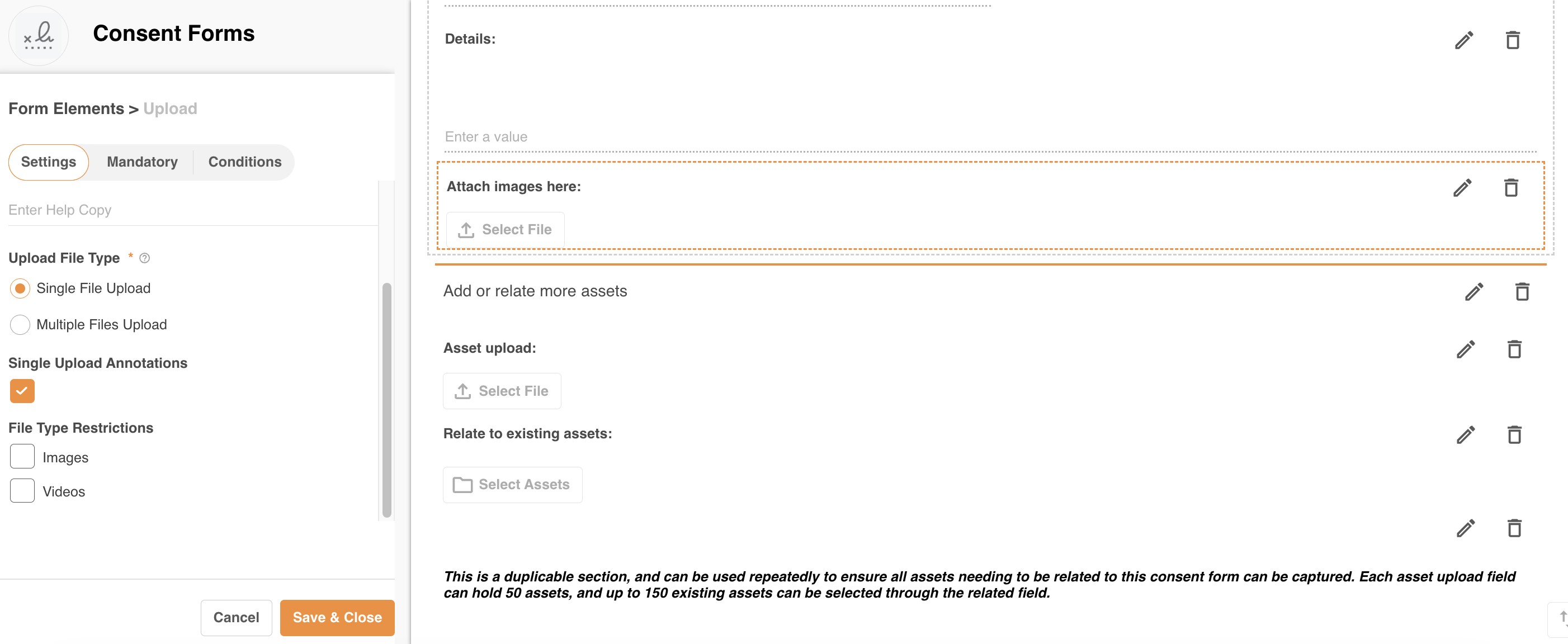
Then click “Save & Close”.
Once the form is saved, a user who uploads a file to that field (and saves) will be able to add or view annotations when they're editing or viewing the record. To do so, click the annotations icon as indicated below.

When clicked on, the IntelligenceBank reader will open, where annotations can be made. You need to save the annotation as well as “sync” for the changes to be pushed through.
Was this article helpful?
That’s Great!
Thank you for your feedback
Sorry! We couldn't be helpful
Thank you for your feedback
Feedback sent
We appreciate your effort and will try to fix the article