You can embed metadata information directly into images across the following popular schemas: IPTC, IPTC Core, XMP IPTC Extended and Dublin Core. If you require support for an additional schema, please contact us here and we can look into this for you.
Users require at least Publish permission to be able to embed metadata into images using this feature.
How to Embed Metadata into an Image
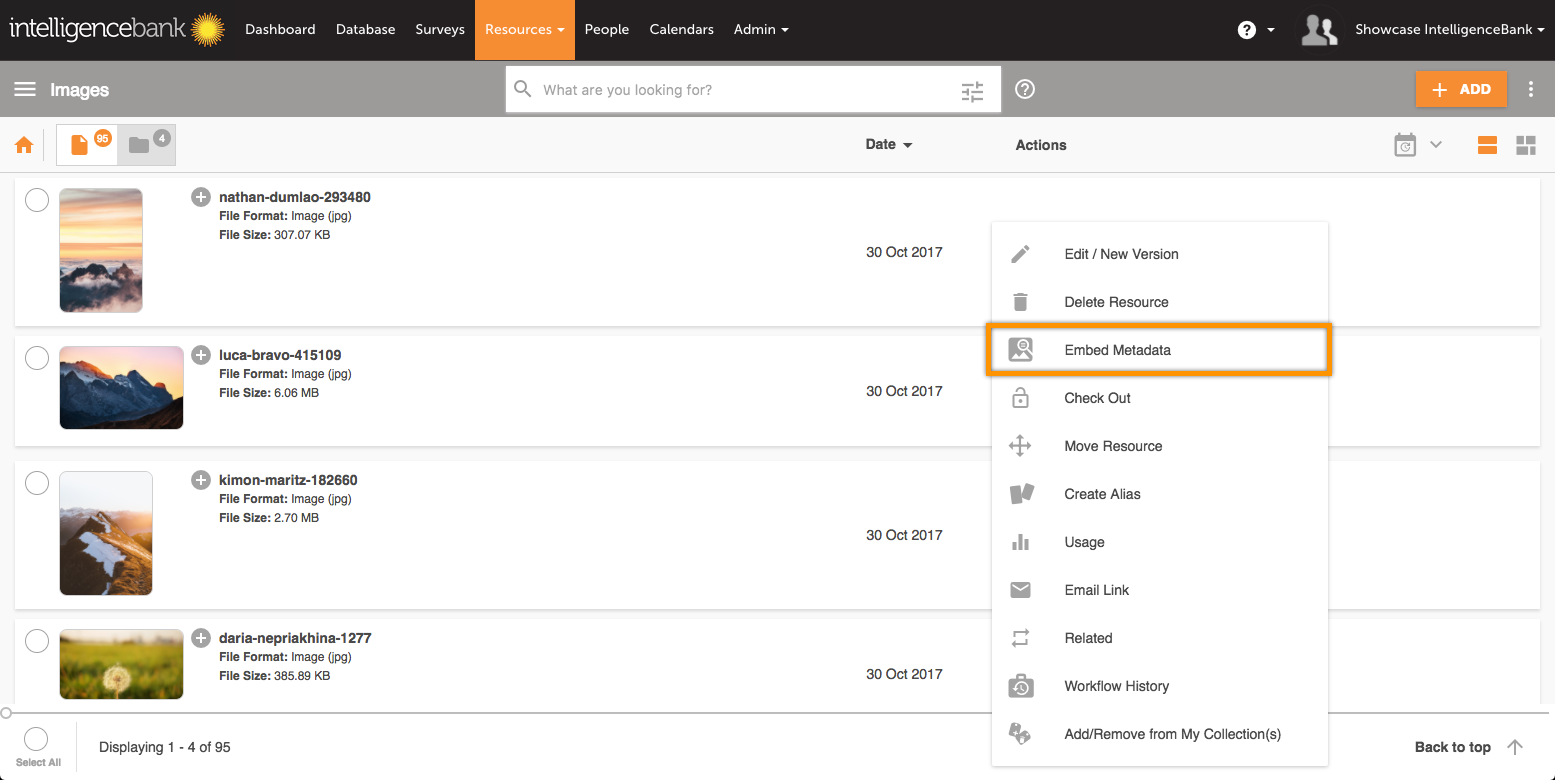
In the actions dropdown of an image asset, click on the option called Embed Metadata. You will then be taken to the metadata embedding page.
There are 2 modes available: Basic and Advanced.
Basic displays the most popular and commonly used tags. These then get mapped against their equivalent tags across the supported schemas mentioned above + XMP-exif, XMP-dc and XMP-xmp.
Advanced allows you to pick and update any metadata tag for these schemas.
Enter your metadata term(s) in the relevant fields, then select Update.
Upon saving, these metadata tags will be embedded in the image itself and also indexed into the Asset Library search engine.
Supported and Unsupported Image Formats
The following image formats are supported:
'gif', 'jpg', 'jpeg', 'bmp', 'tiff', 'tif', 'svg', 'eps', 'ai', 'ico', 'tga', 'psd', 'arw', 'crw', 'cr2', 'dcr', 'dng', 'mrw', 'nef', 'orf', 'pef', 'raf'.
Metadata is not supported on the following image formats:
'png', 'bmp', 'svg', 'ico', 'tga'.
Was this article helpful?
That’s Great!
Thank you for your feedback
Sorry! We couldn't be helpful
Thank you for your feedback
Feedback sent
We appreciate your effort and will try to fix the article