An ID number can be automatically generated for each database record created within a database. ID numbers are generally helpful to set up on forms because they're a good way to track submissions and are easily searchable within the platform.
To enable:
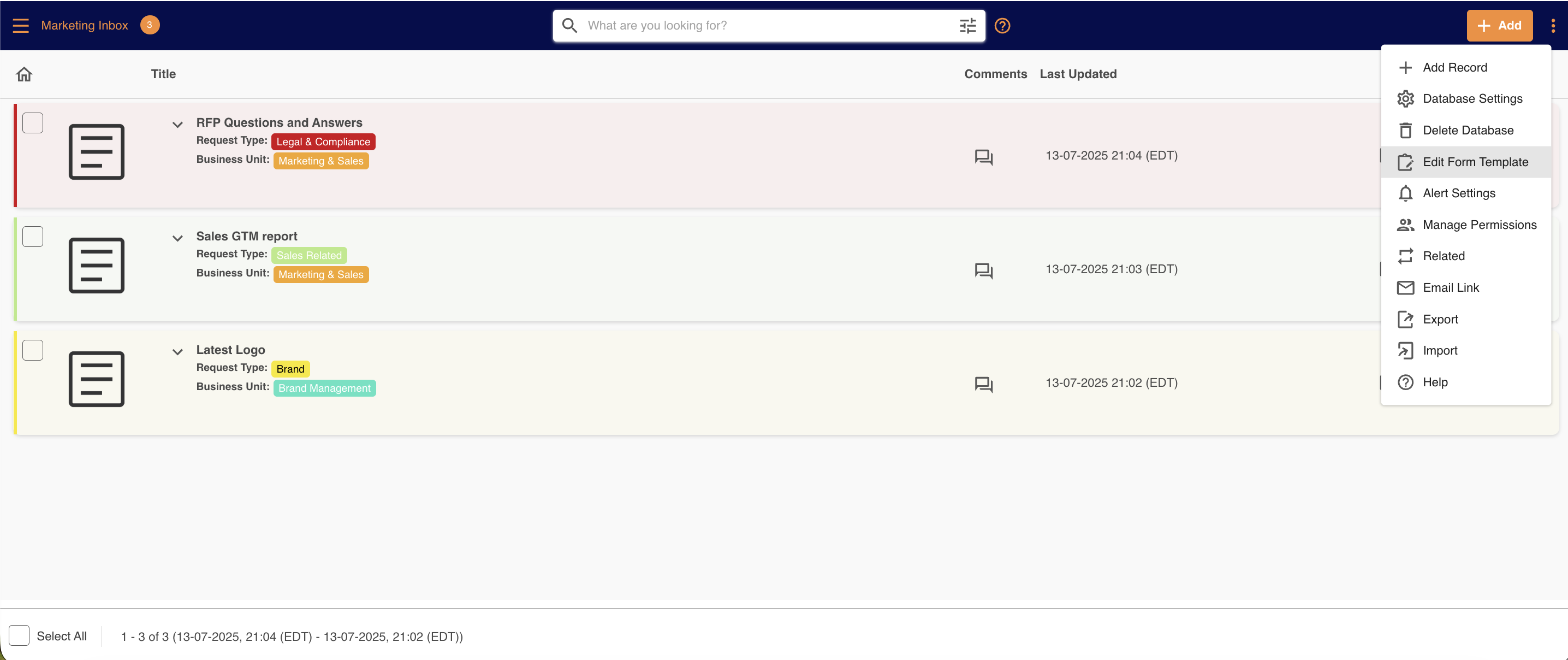
1Navigate to the database and select Edit Form Template from its action menu.
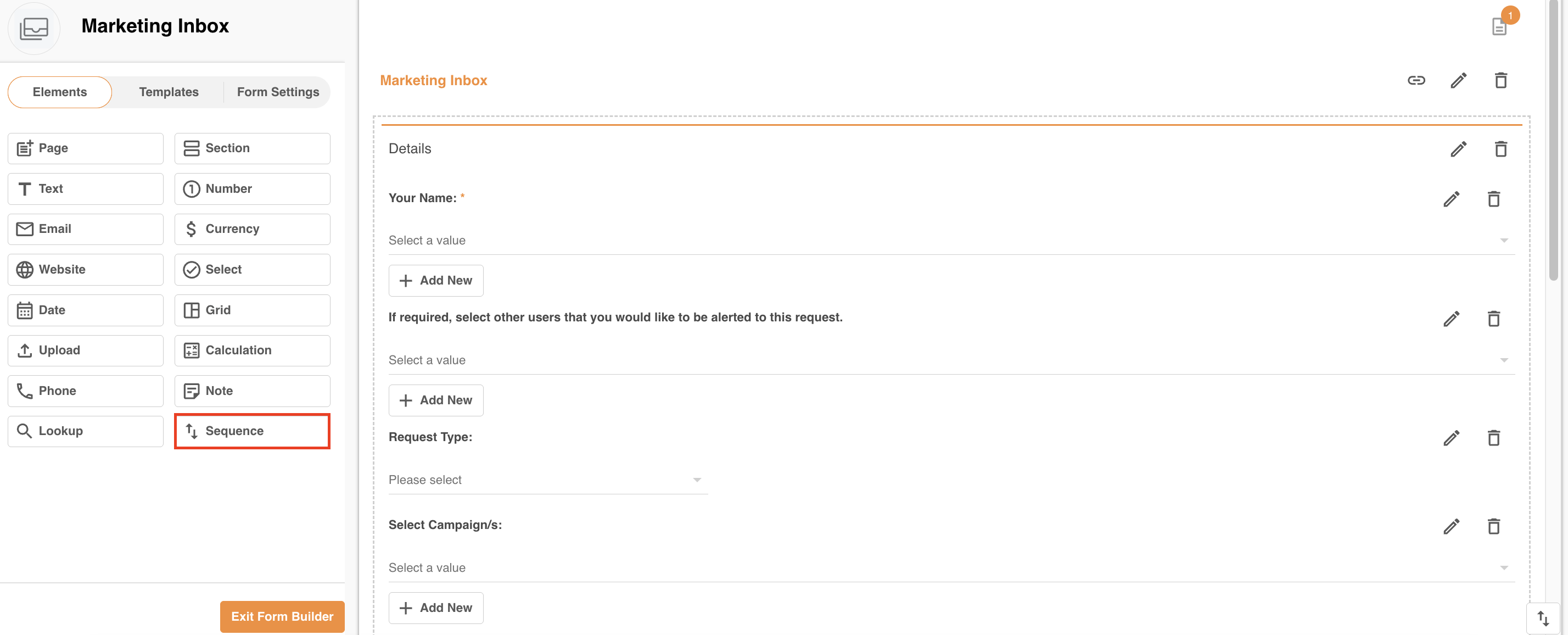
2Once in the form builder, add the field type named Sequence.
3You can configure the prefix, suffix, and the minimum number of digits to display (e.g. 3 will always display records as 001, 002, etc.).
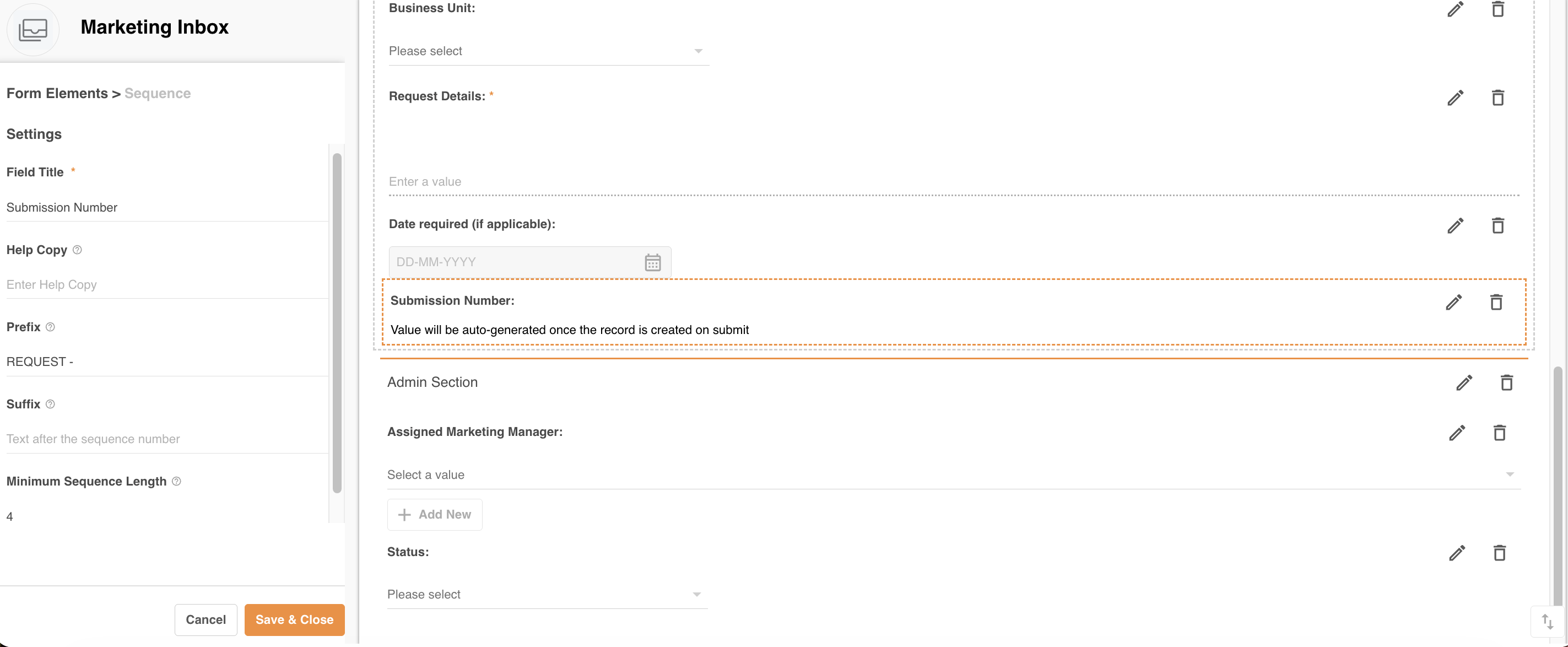
4Once you're done, select Save & Close to save the field to the form.
Moving forward, each record created and saved will have an auto-generated ID number assigned and displayed.

If you have existing records you would like to generate an ID for, edit and save each of them or use the Export / Import function to do it in bulk.
Was this article helpful?
That’s Great!
Thank you for your feedback
Sorry! We couldn't be helpful
Thank you for your feedback
Feedback sent
We appreciate your effort and will try to fix the article