When configuring the Sync Query within Adobe Experience Manager, you may want to apply wrapped conditions to narrow down the content in scope of the sync.
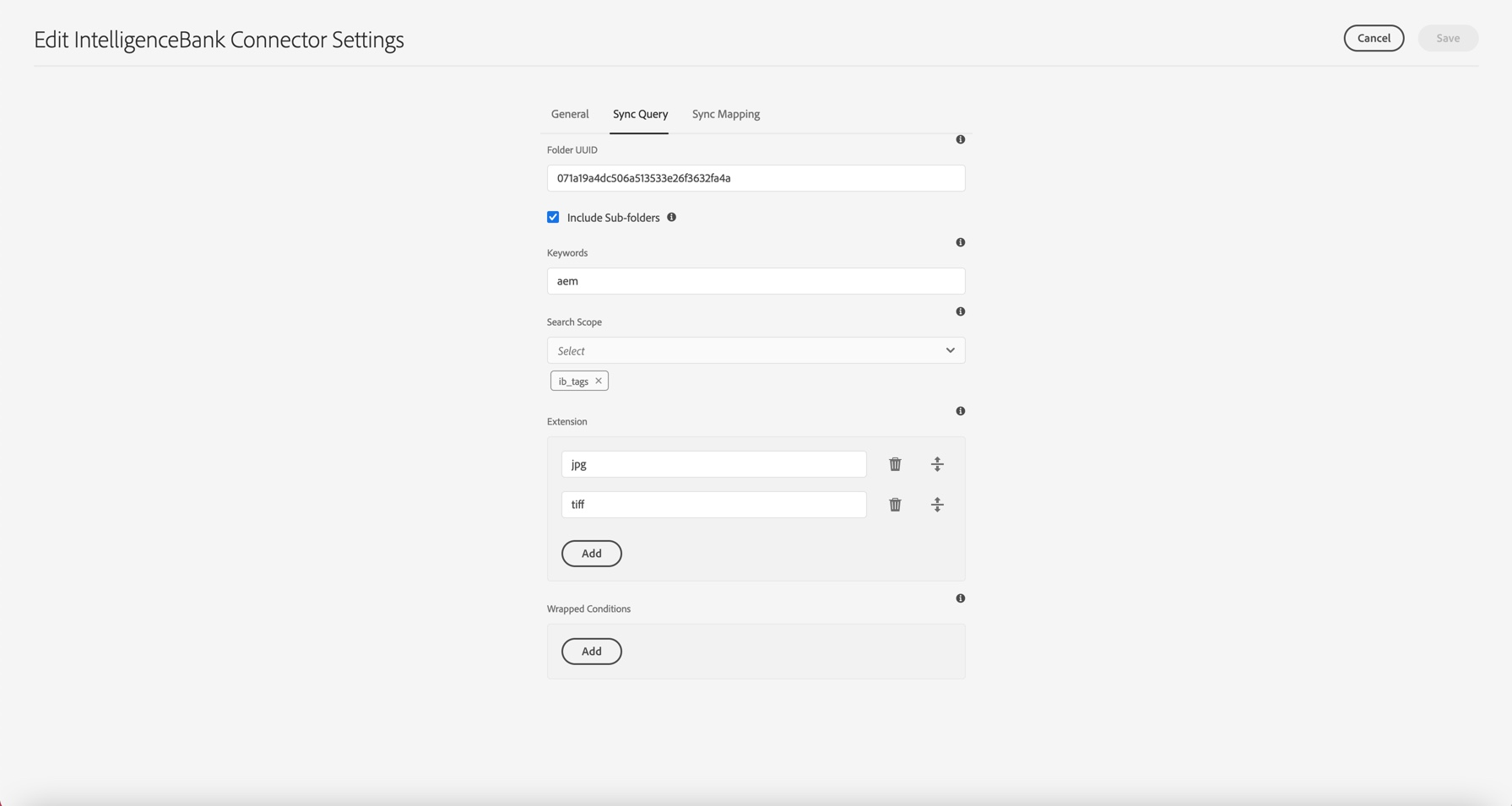
Wrapped conditions are advanced filtering conditions, and the API equivalent of the advanced search filtering options available in the IntelligenceBank DAM search side panel. It can be used for Dates, Filters and Custom Form Fields.
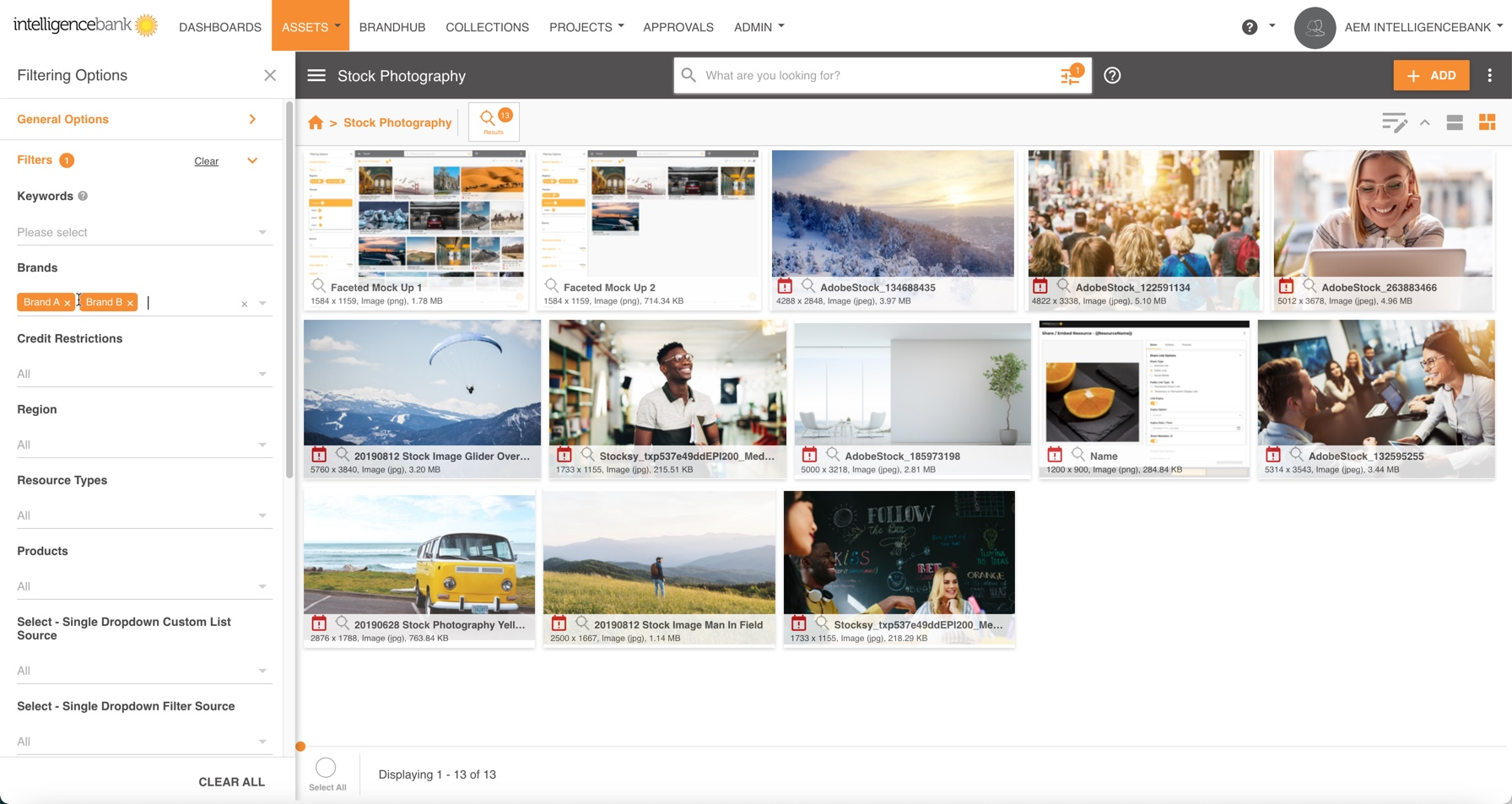
Using Postman and the API Documentation
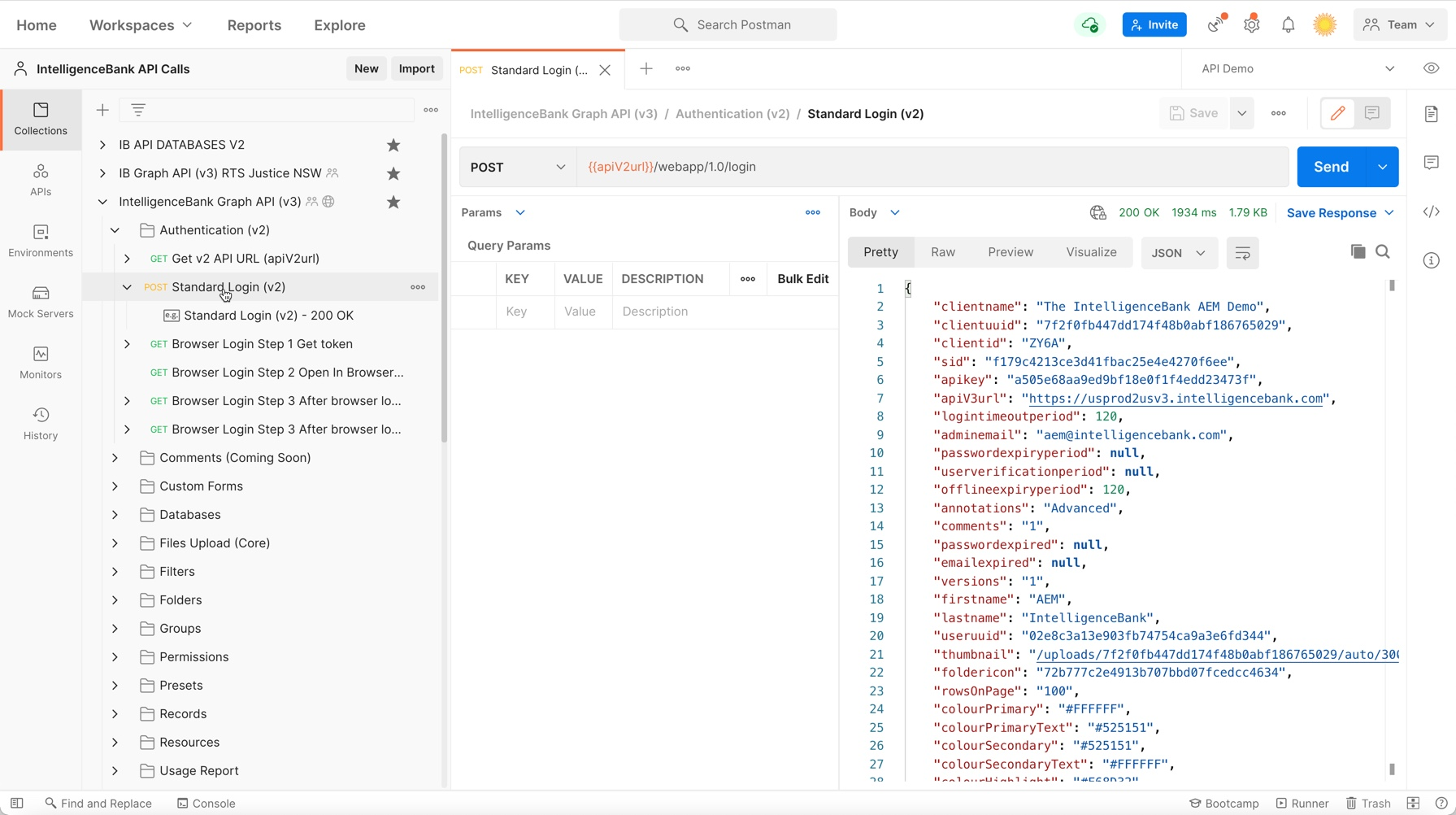
- Visit https://apidoc.intelligencebank.com and click Run in Postman in the top right corner of the screen. Follow the next steps and open the Collection in the web or desktop (software installation is required for the latter).
- Authenticate to your IntelligenceBank platform using a non-SSO user account.
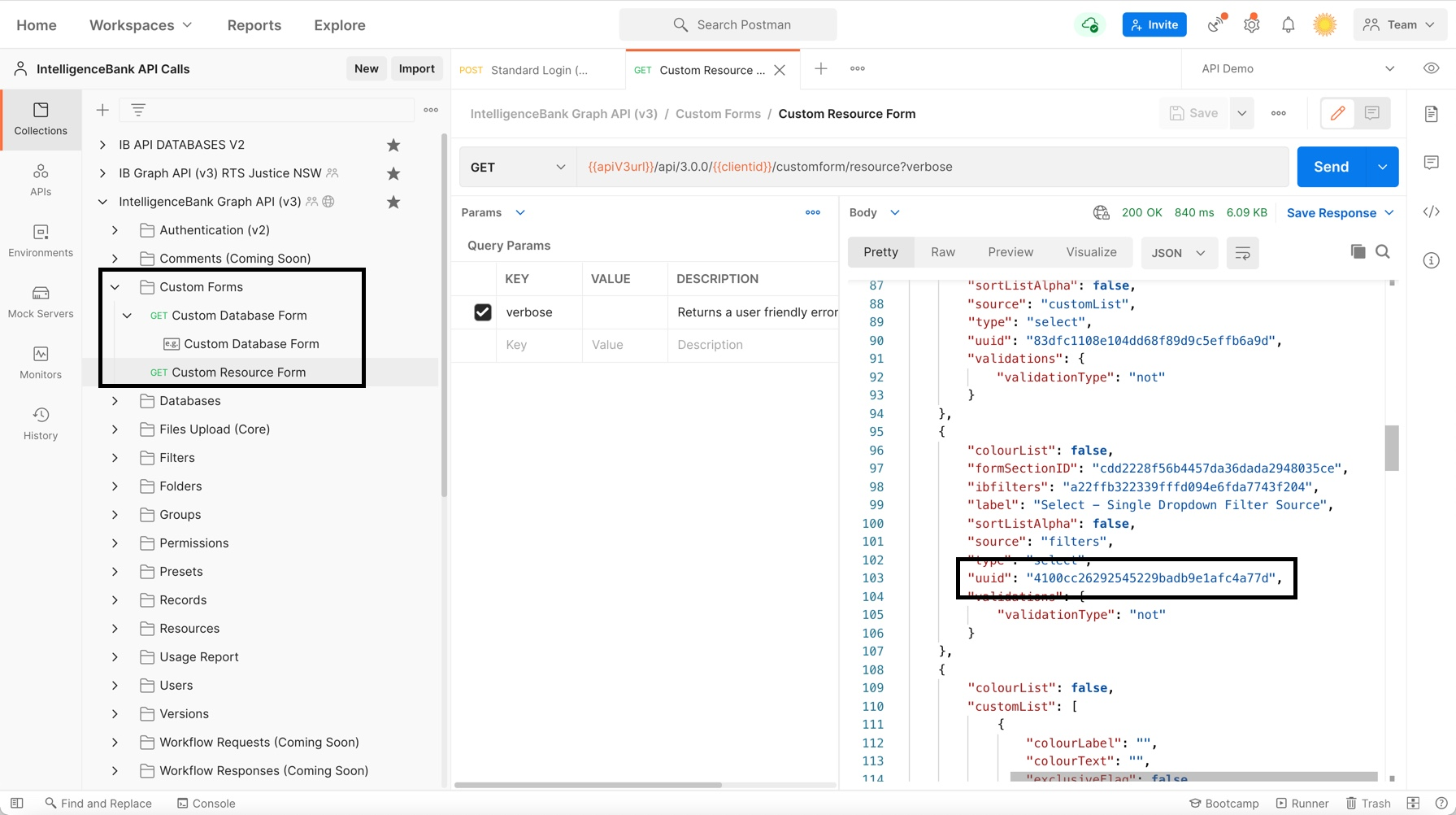
- Retrieve details of the Custom Form Fields or Filters (Admin permission required) that are available in your IntelligenceBank platform, and identify the uuid or _id of the field you want to apply as a filtering condition.
- Review the documentation on how to apply wrapped conditions for different field types.
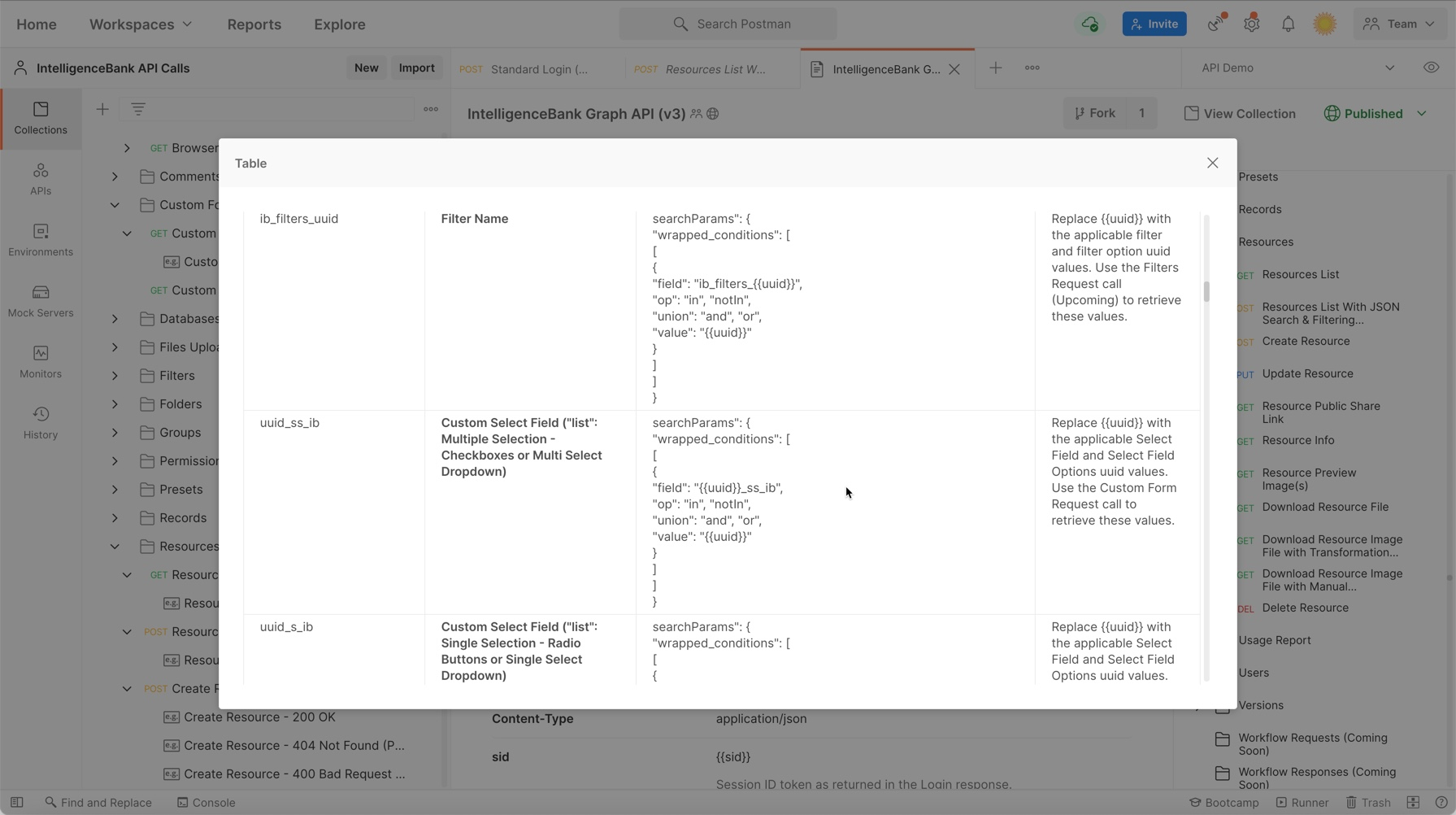
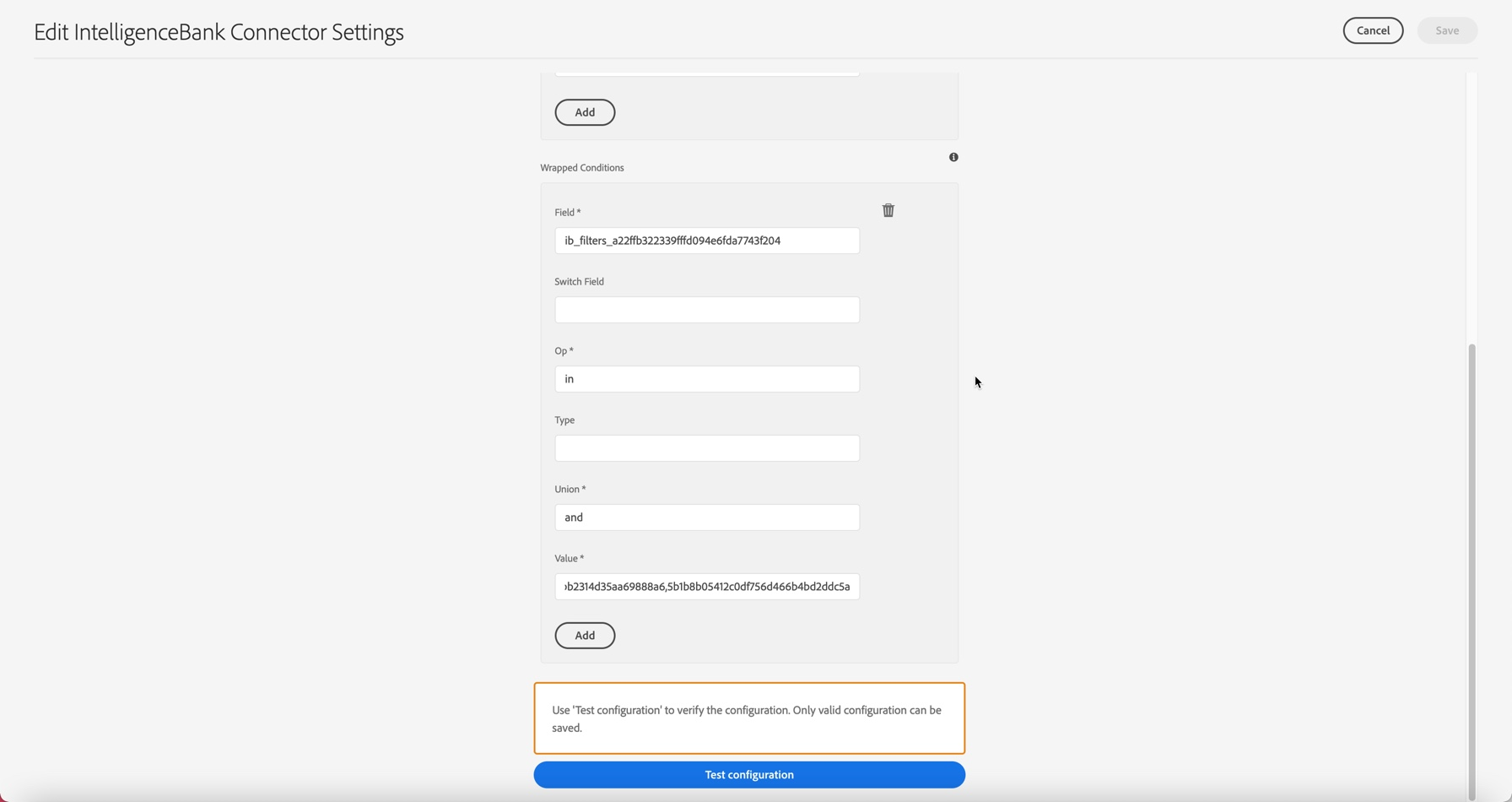
- Apply the values in Adobe Experience Manager.
If you are facing any issue, please do not hesitate to contact your Customer Success Manager or contact us here - our team will be more than happy to get these values for you.
Was this article helpful?
That’s Great!
Thank you for your feedback
Sorry! We couldn't be helpful
Thank you for your feedback
Feedback sent
We appreciate your effort and will try to fix the article