If you would like to make changes to your Admin users or update user permissions, please reach out to your Account Manager for assistance first.
Adding a new Main Admin User
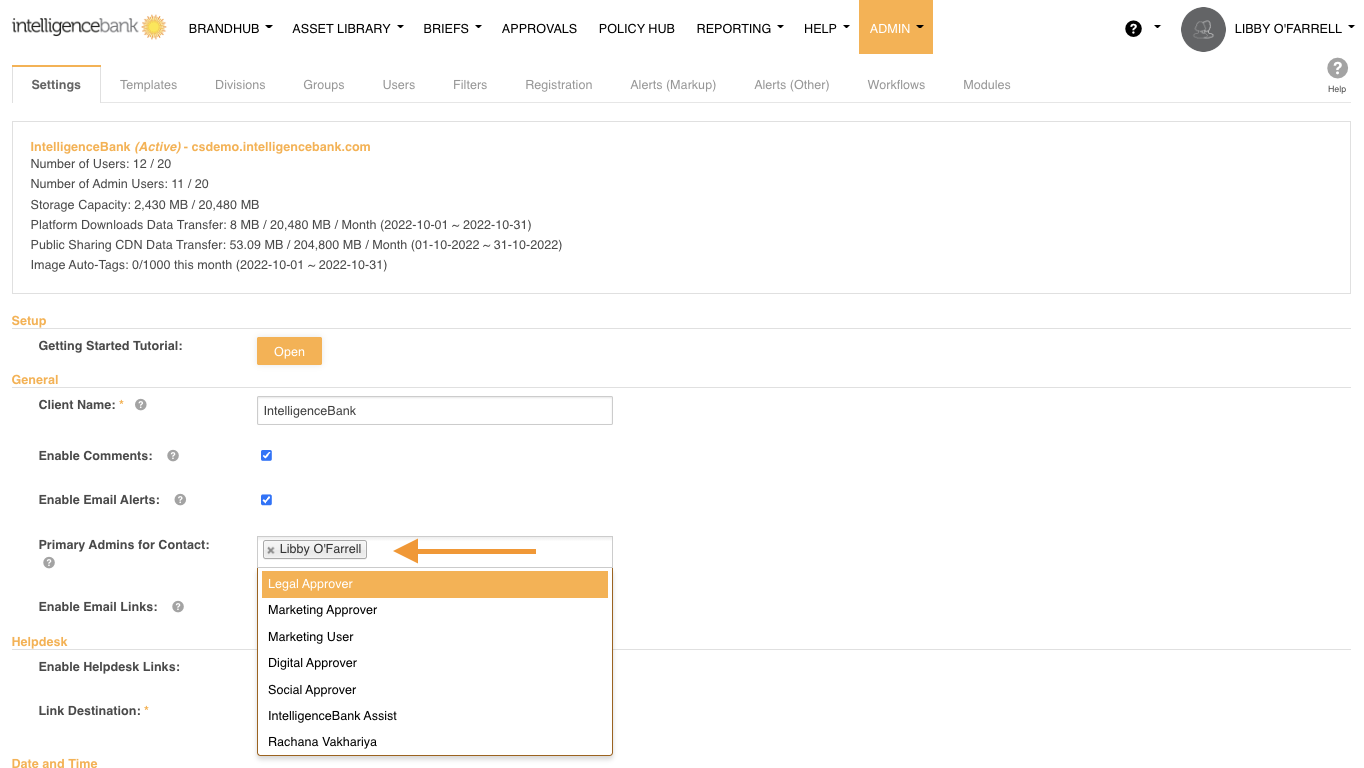
To change or update your Main Administrator Details, go to Admin > Settings > General. Here you can enter the relevant name for your main administrator.
You can also enter multiple emails for your Primary Admins for Contact by separating email addresses with commas, e.g. johnsmith@intelligencebank.com, smithjohn@intelligencebank.com.
Platform Usage Stats
Main Admins can see top-line information relating to common usage statistics for the platform as a whole in Admin > Settings.
Here you can see how many User licences you have as well as the Total Storage Capacity, Total Downloads (PCM) and how many Image Auto Tags you have left.
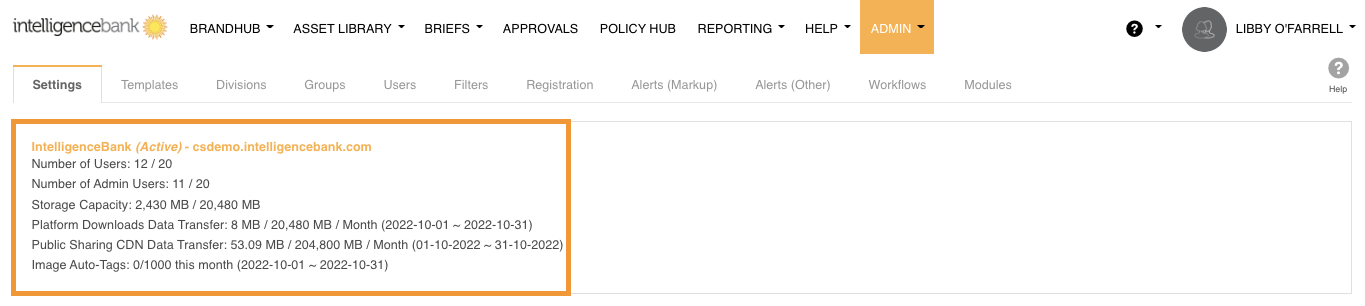
If you are nearing your limits on any of these features, it is advised to contact your Customer Success Manager to discuss your options.
Date and Time Settings
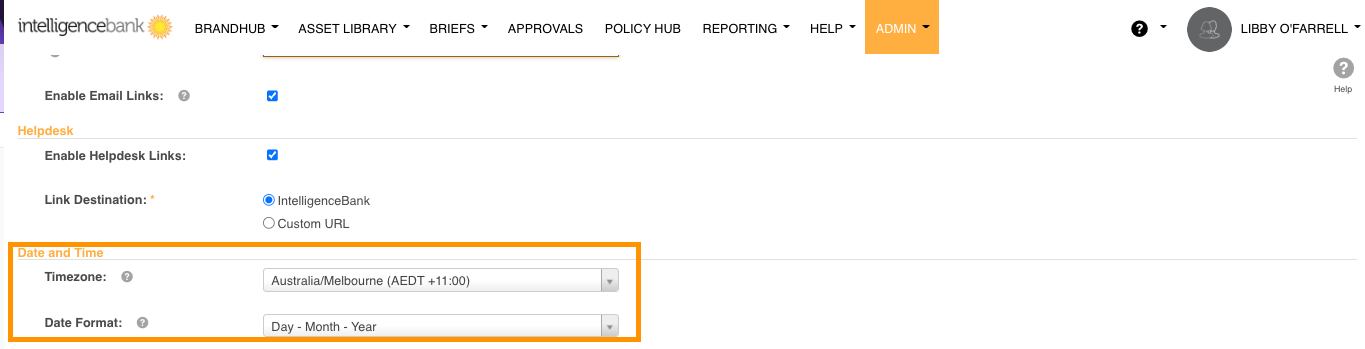
To change your platform date and timezone, go to Admin > Settings and then to the Date & Time section. Here you can select from the dropdown menus to find your timezone and how you would like your date format to be displayed across the platform.
Note that this will update the default option for all Users added moving forward. Users can change this based on their preference in the My Account area.
Please note that some of the terminology referenced above may appear as another name in your platform as these are customisable. You can view related terminology here.
Was this article helpful?
That’s Great!
Thank you for your feedback
Sorry! We couldn't be helpful
Thank you for your feedback
Feedback sent
We appreciate your effort and will try to fix the article