Main Admins can configure default alert settings for all users by navigating to Admin > Alerts (Markup) and Admin>Alerts (Other) and selecting the alert type to edit. Alerts are helpful to set up so users get notified when particular actions take place (ie: new comments or @mentions are made on an approval request). This helps users know what potentially needs their attention and so they can take action.
There are two types of alerts that can be configured as defaults in the system:
- Alerts (Markup)
- Alerts (Other)
Alerts (Markup)
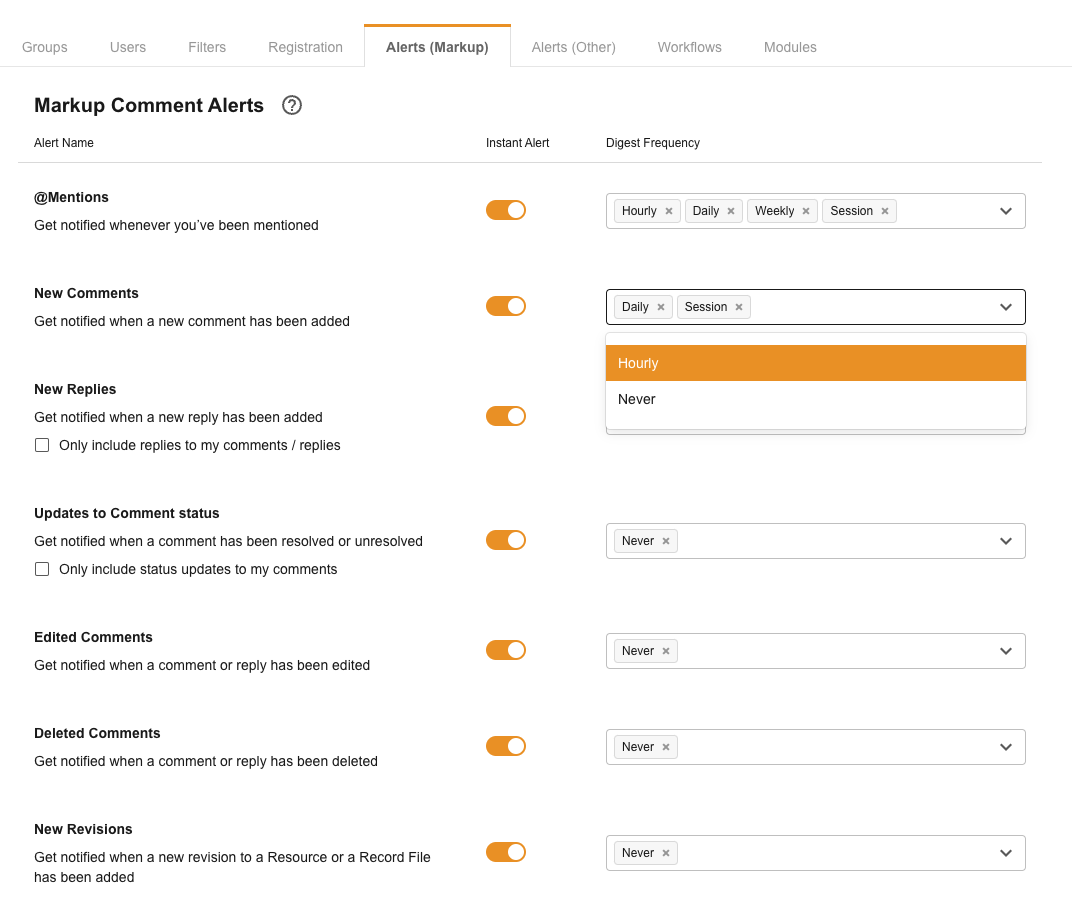
Alerts (Markup) control the frequency of notifications related to Markup Comments for Approvals or General Markup Comments. They can be triggered instantly or sent at a specific frequency via a Digest email.
Instant Alerts can be switched on or off via the toggle for each alert type.
Digest emails can be set to the following frequencies and triggers:
| Frequency | Triggers |
|---|---|
| Never | All |
| Hourly | @mentions, New Comments, New Replies |
| Daily | @mentions, New Comments, New Replies |
| Weekly | @mentions |
| Session | All |
Alerts (Other)
Alerts (Other) control notifications across the various other modules that may be available in your platform, including:
- Resources (Assets)
- Databases (Briefs)
- Custom Pages
- News
- Surveys
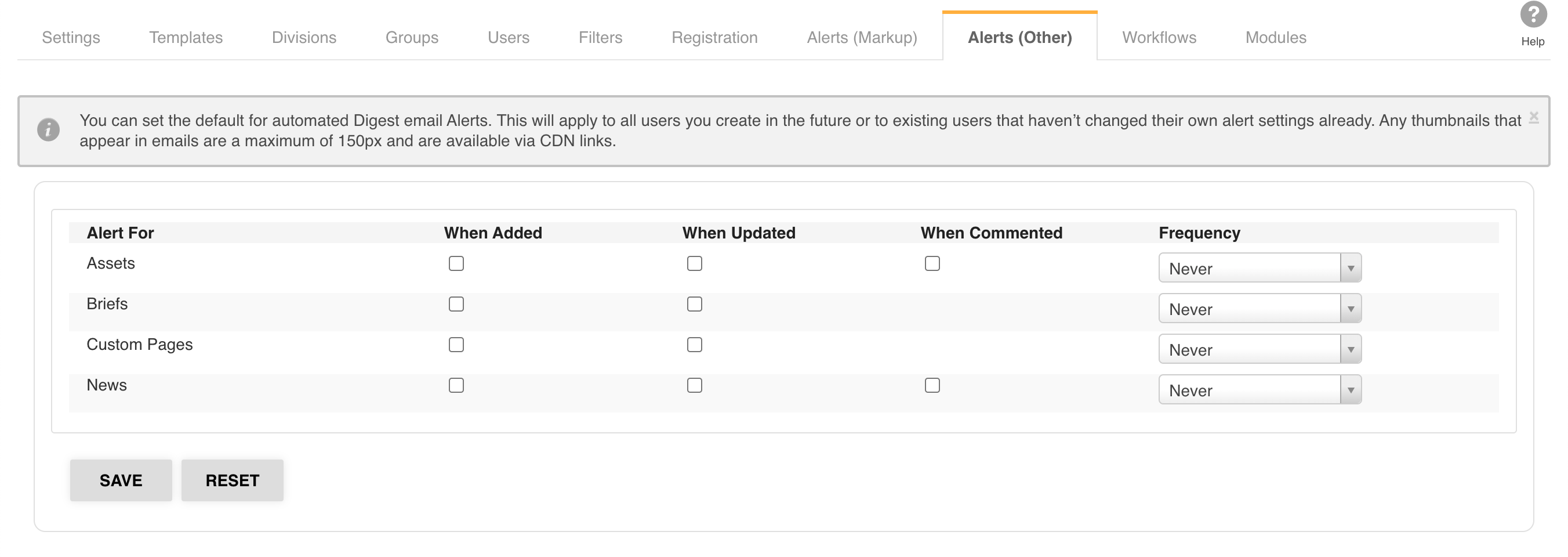
These alerts are triggered when an action takes place within one of the above modules and are sent as a Digest email at the frequency selected. The actions that can trigger an alert are:
- When added
- When updated
- When commented
The frequency of these alerts can be set to:
- Never
- Hourly
- Daily
- Weekly
- Monthly
Disabling Alerts
Main Admins can turn off email alerts about new or updated data on a global level. This is particularly useful when restructuring your platform or uploading a large number of files without notifying users.
To turn off email alerts globally, go to Admin > Settings and uncheck the box next to Enable Email Alerts.
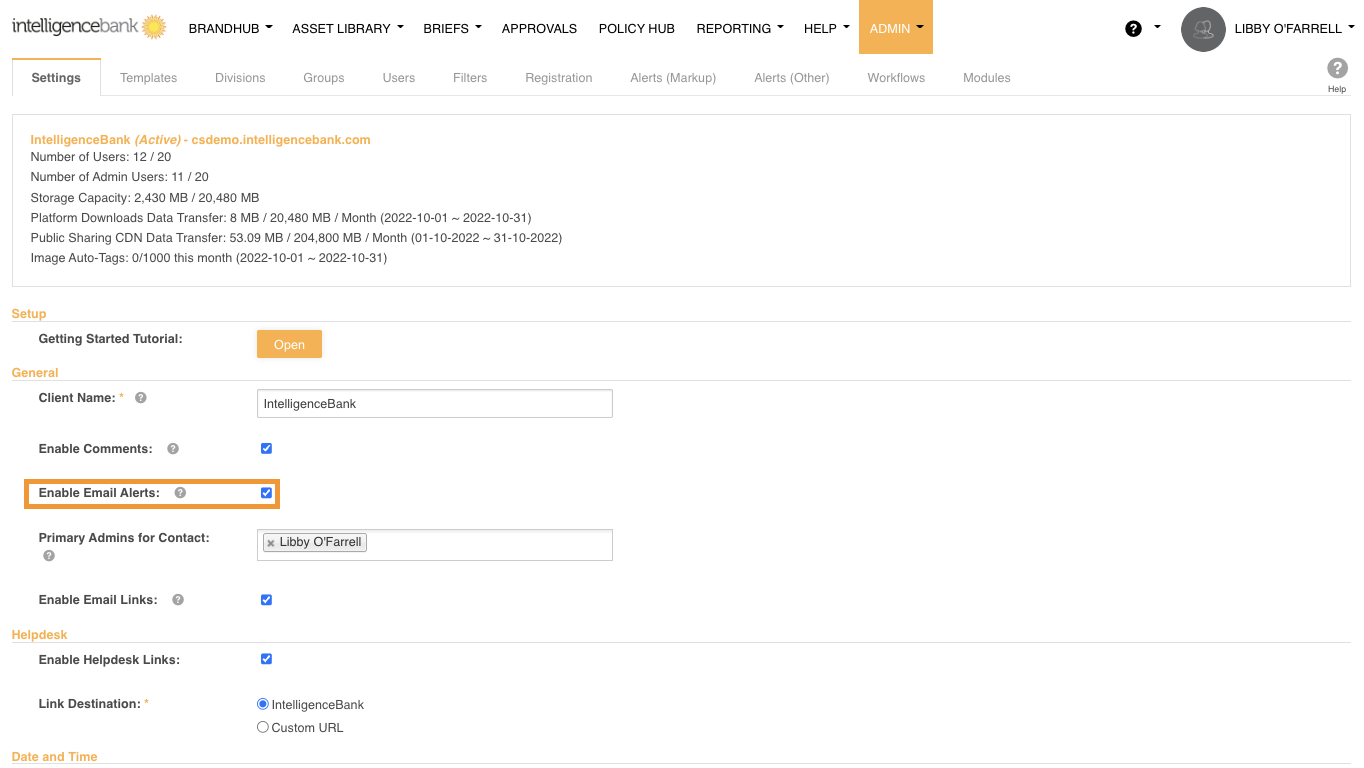
When re-enabled, only files added or updated afterwards will be included in future email alerts.
Was this article helpful?
That’s Great!
Thank you for your feedback
Sorry! We couldn't be helpful
Thank you for your feedback
Feedback sent
We appreciate your effort and will try to fix the article