As a platform administrator, you have the ability to set up default alert settings for all users. Alerts are helpful to have if you want to ensure that your users stay informed of recently added or updated assets, or (if applicable) that they get notifications on new comments/replies to assets undergoing review.
IntelligenceBank Alerts are sent via email to users and are by and large uncustomisable in terms of their verbiage/content.
Setting default alerts in the Admin area will automatically apply these alert settings to all existing users in your platform and to new users added moving forward. Individual users can adjust their own alert settings by going to their My Account section.
How to Enable
Follow the steps below to set up default alerts in your platform:
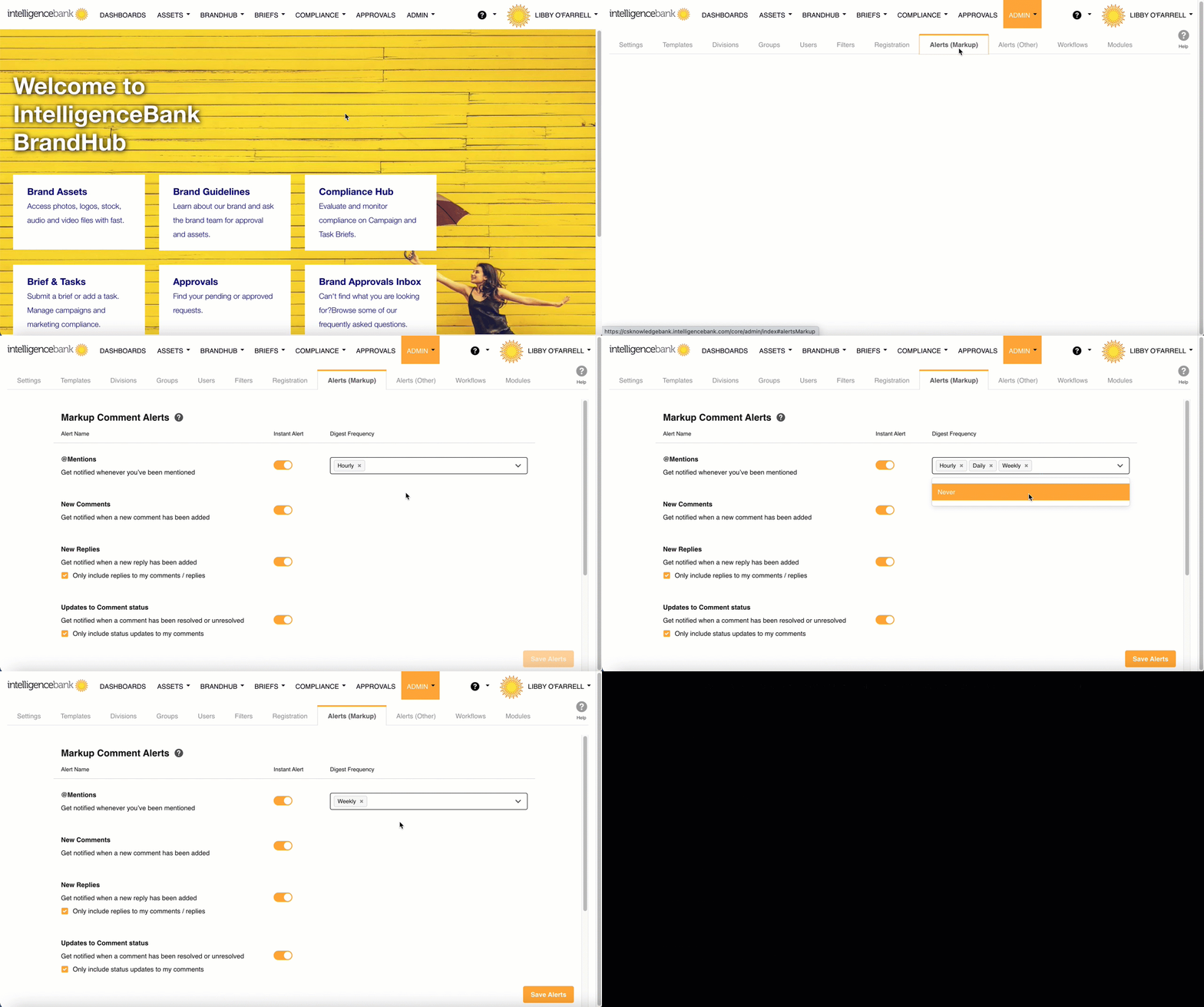
- Navigate to the Admin module via the top navigation bar
- You can choose between the Alerts (Other) tab or the Alerts (Markup) tab, which is specific to Markup Comments.
- For Alerts (Markup), you can choose to toggle instant alerts on or off for all alert types. Instant alerts trigger an email alert to users as soon as the relevant action (ie: new comment, reply, etc) gets created.
- Digest alerts are also available for Alerts (Other) and/or Alerts (Markup). Digest alerts don't trigger immediately when relevant actions take place, but instead go out on a specified cadence, and will contain a digest/list of all relevant actions that took place within that time period. You can select which cadence(s) you'd like within the Frequency fields. The cadence options are as follows:
- Never
- Hourly
- Daily
- Weekly
- Monthly
- When you are finished with your changes, be sure to select the Save or Save Alerts button
- Note that for Alerts (Other), the Admin setting "Enable Email Alerts" needs to be enabled for alerts to be sent out.
Was this article helpful?
That’s Great!
Thank you for your feedback
Sorry! We couldn't be helpful
Thank you for your feedback
Feedback sent
We appreciate your effort and will try to fix the article