IntelligenceBank's Markup Comments feature supports @mention alerts, so that if you are @mentioned in a comment, you can receive an email alert notification. These alerts are helpful so you don't miss out on important updates or questions that require your attention, which could otherwise delay an approval or review.
Platform administrators have the ability to set default @mention alerts for all users, but you also have the ability to adjust the frequency of these alerts for your own personal account. You may consider doing this if the default alert frequency is either too high (ie: you'd prefer to get fewer email alerts) or too low (ie: you'd prefer to be notified and/or action alerts as swiftly as possible).
In addition to the instant alert option, @mentions also have the option of setting digest alerts.
To set up your own alert cadence:
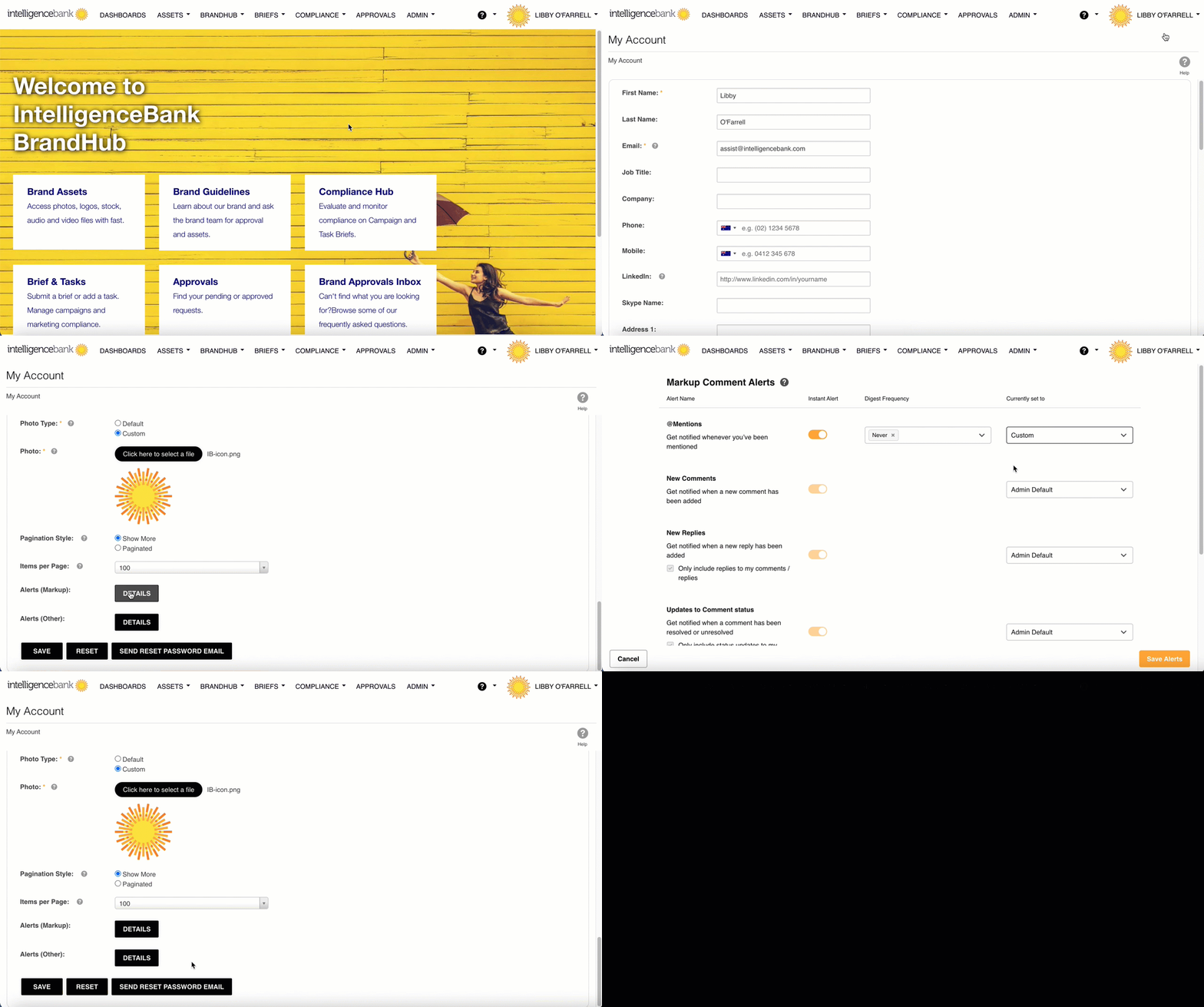
- Hover over your name in the top right hand corner of the screen.
- Select MY ACCOUNT from the dropdown list
- Scroll to the bottom of the page and select DETAILS for Alerts (Markup)
- Locate the @Mentions item. Click the dropdown menu to the right and select Custom or Off
- If selecting Custom you can toggle the instant alert either on or off
- Off will automatically place the toggle in the Off position
- With either choice, you will be able to adjust the Digest Frequency. Select the frequency of your choice:
- Never
- Hourly
- Daily
- Weekly
Be sure to select the Save Alerts button in the bottom right hand corner of the screen.
Note that the alert frequency is not something that you can customise on an approval/workflow basis. The alert settings you configure will apply across any approval/workflow you are @mentioned in.
Further information - click here
Was this article helpful?
That’s Great!
Thank you for your feedback
Sorry! We couldn't be helpful
Thank you for your feedback
Feedback sent
We appreciate your effort and will try to fix the article