If you need to see which reviewers have yet to approve your approval request, there are a number of ways/areas of the platform where you could potentially view this.
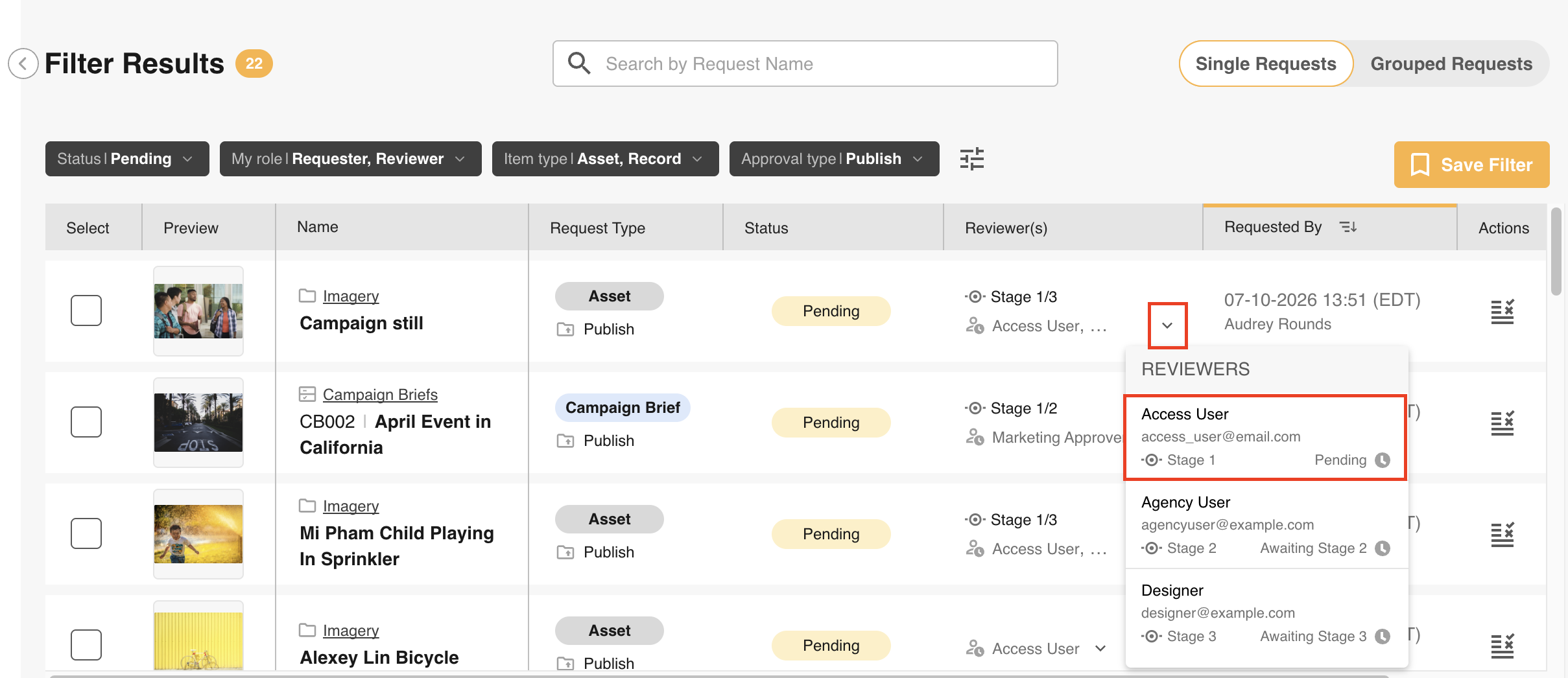
Option 1: Approvals Area
If you go to your Approvals area in the platform, you can locate the request and view who your approval is waiting on under the Reviewer(s) column of the request.
Option 2: Dashboards
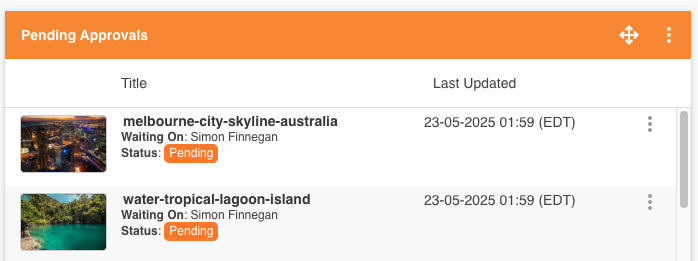
If there is a widget set up within your Dashboards area to display pending requests, this widget may also show the reviewers and who a particular request is waiting on. Please check with your site administrator if you're unsure whether your platform is utilising Dashboards in this way.
Option 3: Within an Upload Field of a Brief/Form
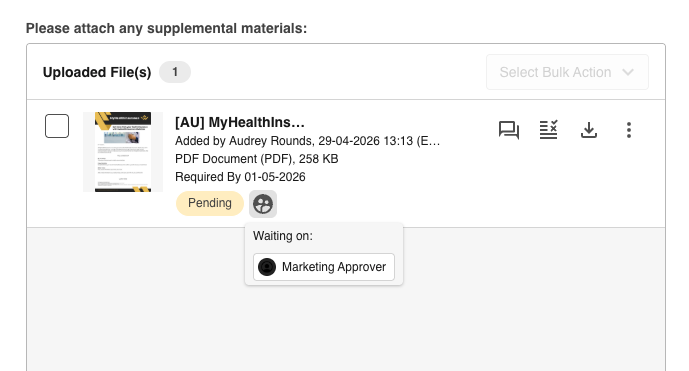
If Record File approvals is being used by your team, you can view the asset pending approval in the upload field within your brief/form. You can click on an icon that appears to the right of the approval status, which will display the names of the reviewers who have yet to approve your request. Please check with your site administrator if you're unsure whether your platform is utilising asset approvals within briefs/forms in this way.
Was this article helpful?
That’s Great!
Thank you for your feedback
Sorry! We couldn't be helpful
Thank you for your feedback
Feedback sent
We appreciate your effort and will try to fix the article