Settings Overview

The Settings area gives users access to the following configuration options:
- Option to Always Place Original asset by default in InDesign and Illustrator documents, instead of a small-sized PNG preview (the default behavior for these applications).
- Enable Use Custom Folder for Originals to select the local storage location for original assets when they are downloaded.
- Option to always show import options on Place action in InDesign. This requires the Always Place Original option to also be enabled. This is particularly useful when placing PDF documents, as it allows you to select a specific page.
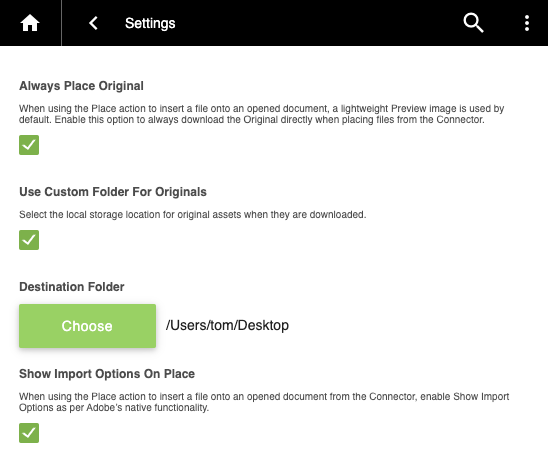
- Enable an option to always store the original asset directly in the Photoshop document's location, instead of within the application's local cache store (the default behavior).
- Set a Proxy Server, for organisations that route internet traffic through a corporate proxy. See the section below.

Proxy Server
If your organisation routes internet traffic through a corporate proxy, enter its address in the Proxy Server field so the Connector can reach IntelligenceBank through it. This covers signing in, browsing, searching, and transferring assets. Leave the field blank if you do not use a proxy. This setting requires Connector version 3.1.0 or later.
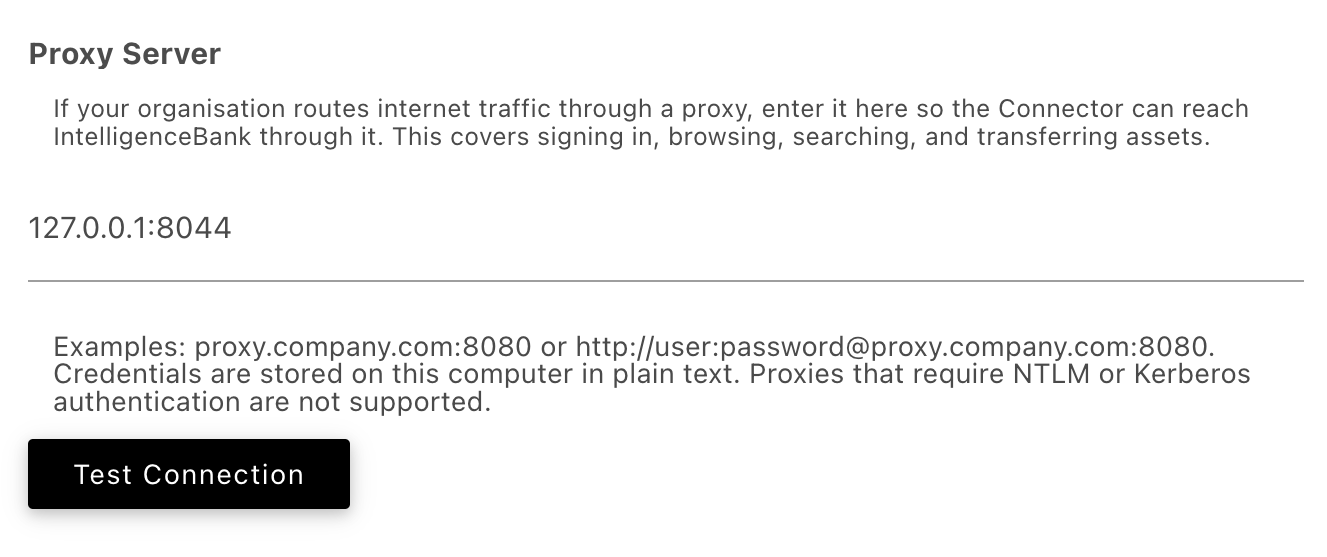
| Address | Enter the proxy host and port, for example proxy.company.com:8080 |
| With sign-in details | If your proxy requires a username and password, include them in the address, for example http://user:password@proxy.company.com:8080 |
| Test Connection | Checks that the proxy can be reached, then checks that it allows traffic through to your IntelligenceBank platform. If either check fails, the message tells you which one, so you know whether the proxy address is wrong or the destination is being blocked. |
If Test Connection reports that the proxy is reachable but is not permitting traffic to IntelligenceBank, ask your IT team to allow the following over HTTPS on port 443:
*.intelligencebank.comRequired | Your IntelligenceBank platform and its regional API. Signing in and all asset activity go here, so the Connector cannot work without it. |
cdn.jsdelivr.netRecommended | Used to deliver Connector updates. If it is blocked the Connector still works, falling back to the copy installed on your computer, but it will not pick up improvements and fixes until the Connector itself is updated to the newest package version. |
*.intelligencebank.com on port 443 directly, bypassing the proxy. Any sign-in details entered in this field are stored on your own computer in plain text.Was this article helpful?
That’s Great!
Thank you for your feedback
Sorry! We couldn't be helpful
Thank you for your feedback
Feedback sent
We appreciate your effort and will try to fix the article