You can nominate a custom page to be the landing page users see when logging in to your platform. This is useful to create shortcuts to key areas of the platform and/or give users a brief overview of its purpose and objectives.
Main Admins will be able to do so by following the below steps:
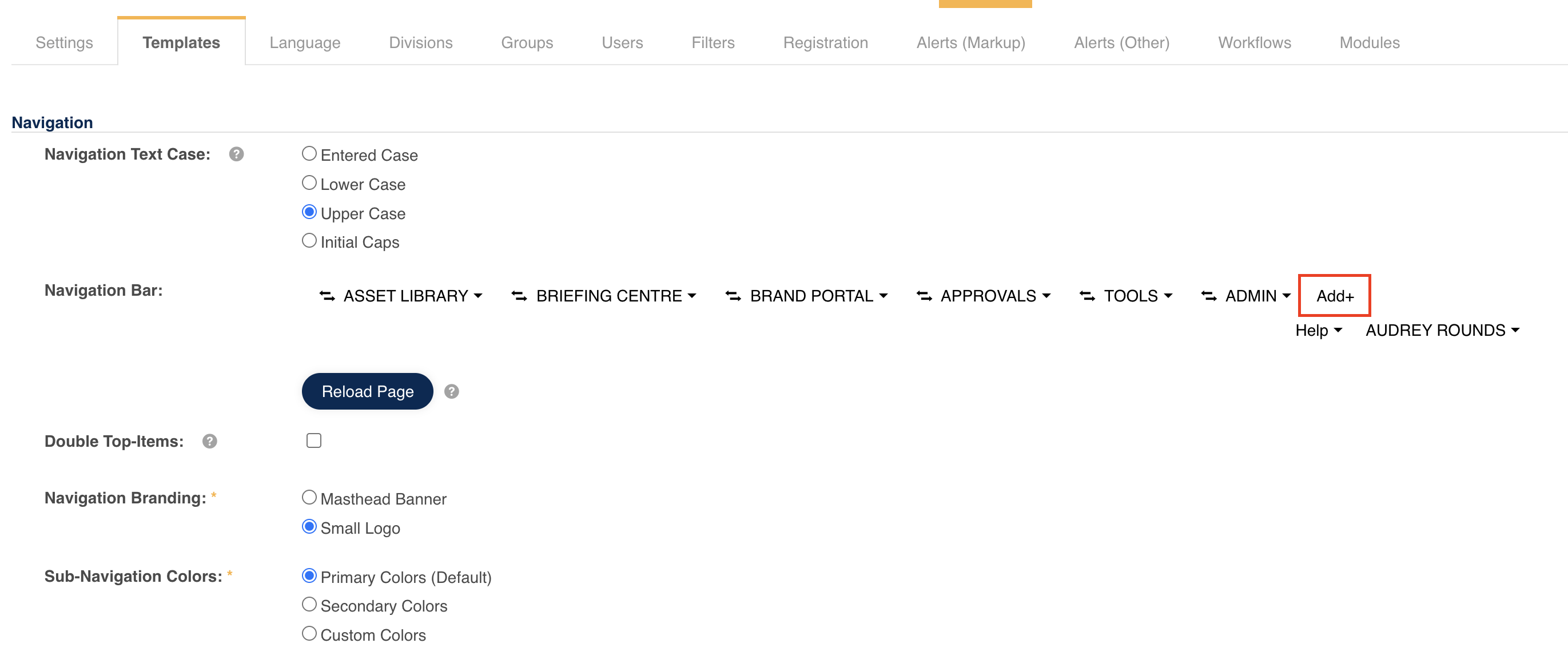
1. Navigate to Admin>Templates>Navigation Bar. Select +Add to create a new navigation tab.
2. In the pop-up window, select the Custom Page option as Type and the specific page you would like to set as the global default landing page, and then check the box Global Default Homepage
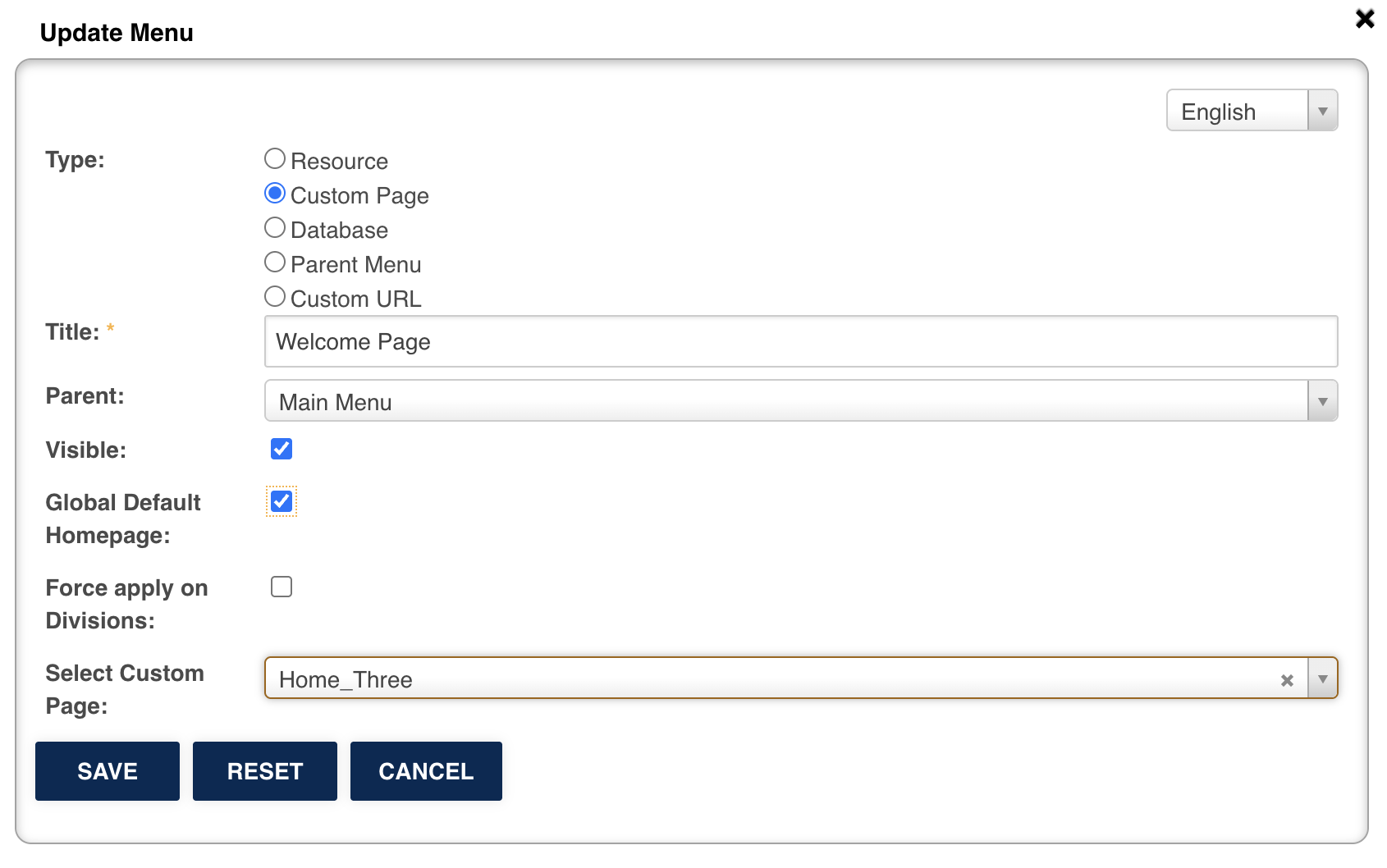
If you have divisions enabled, and would like to force apply this landing page to all your divisions (i.e. override existing choices), check the box Apply to Divisions.
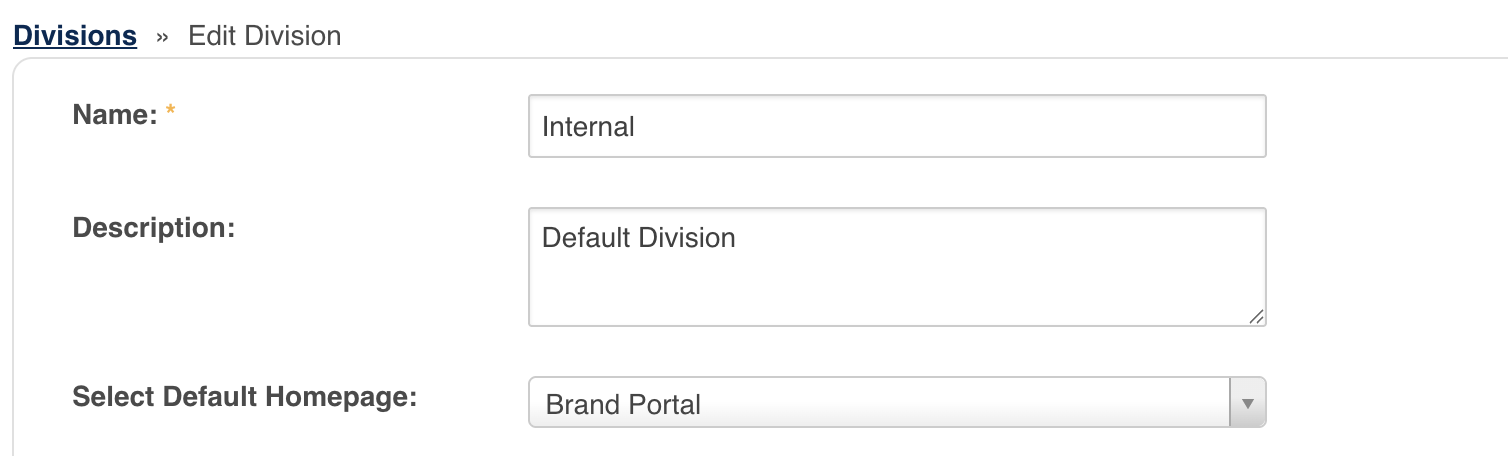
To customise the default landing page for each division, go under Admin > Divisions, and next to a division, click on Edit.
A menu will appear, allowing you to select the default homepage for that division. The global default is the one selected in the previous step.
Was this article helpful?
That’s Great!
Thank you for your feedback
Sorry! We couldn't be helpful
Thank you for your feedback
Feedback sent
We appreciate your effort and will try to fix the article