To select how you would like your folders to be ordered by default, go to Admin > Settings and then scroll down to the "Assets - General" section.
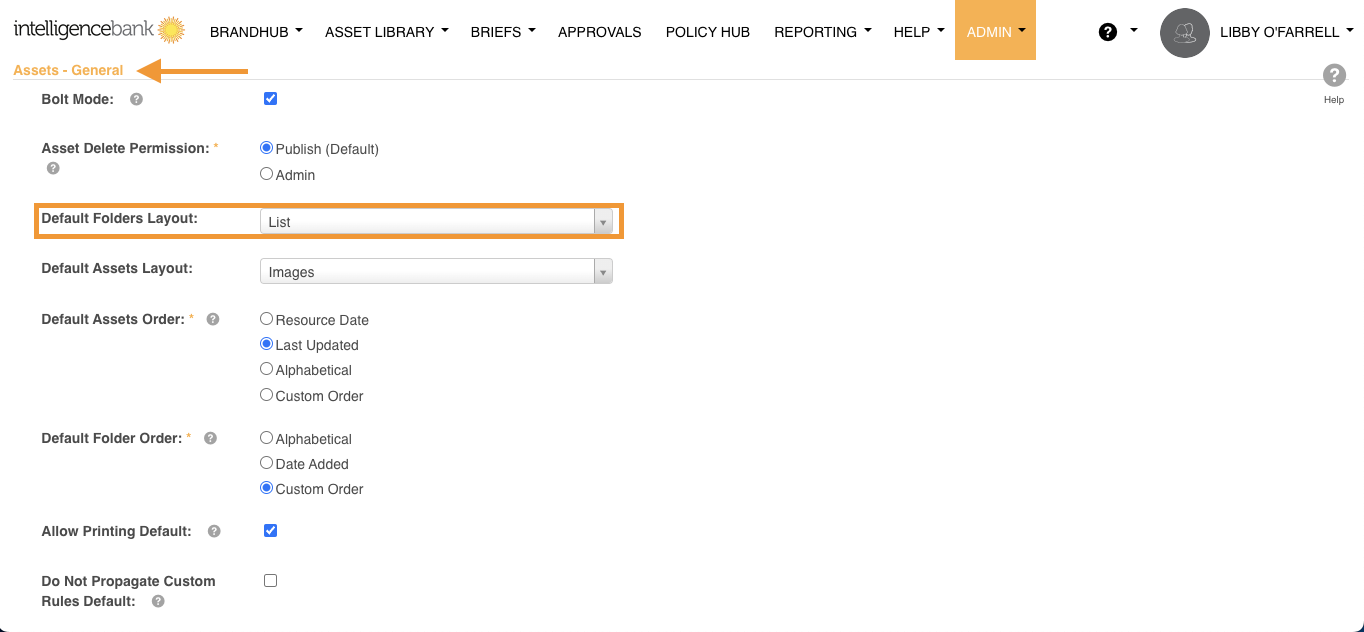
There are 2 default options available to order folders automatically:
-
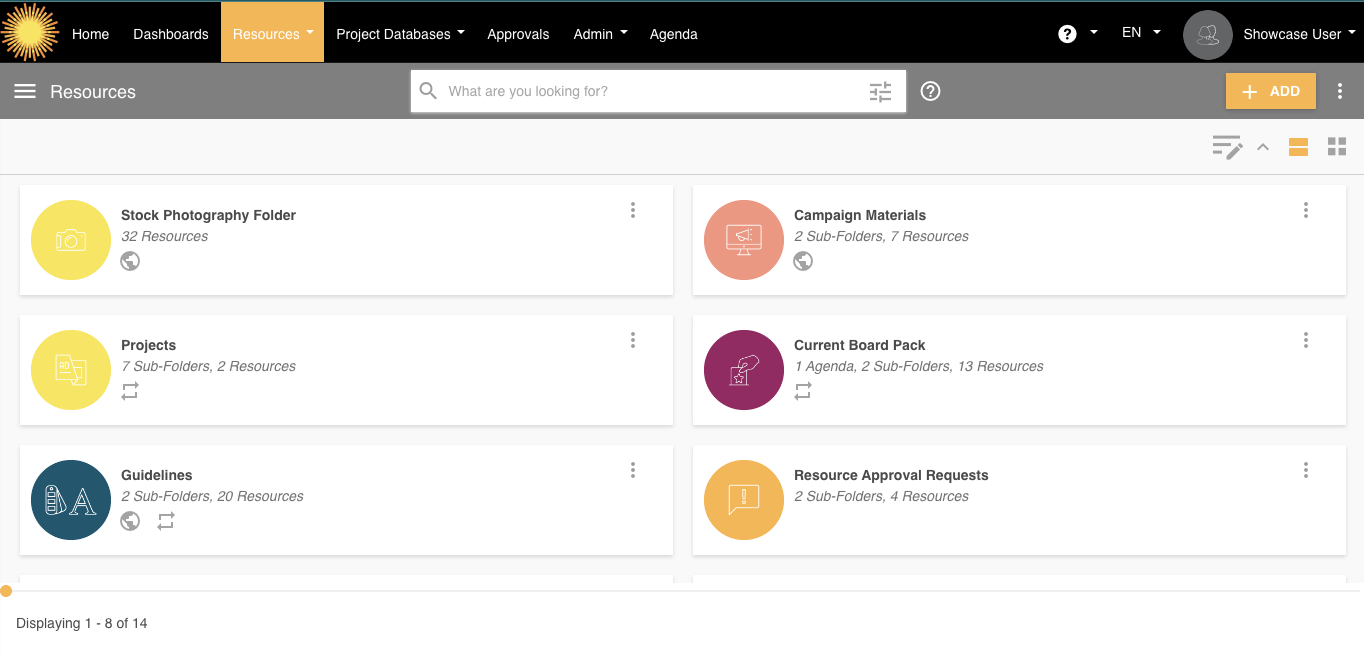
List: This view will display your folders in 2 columns.
-
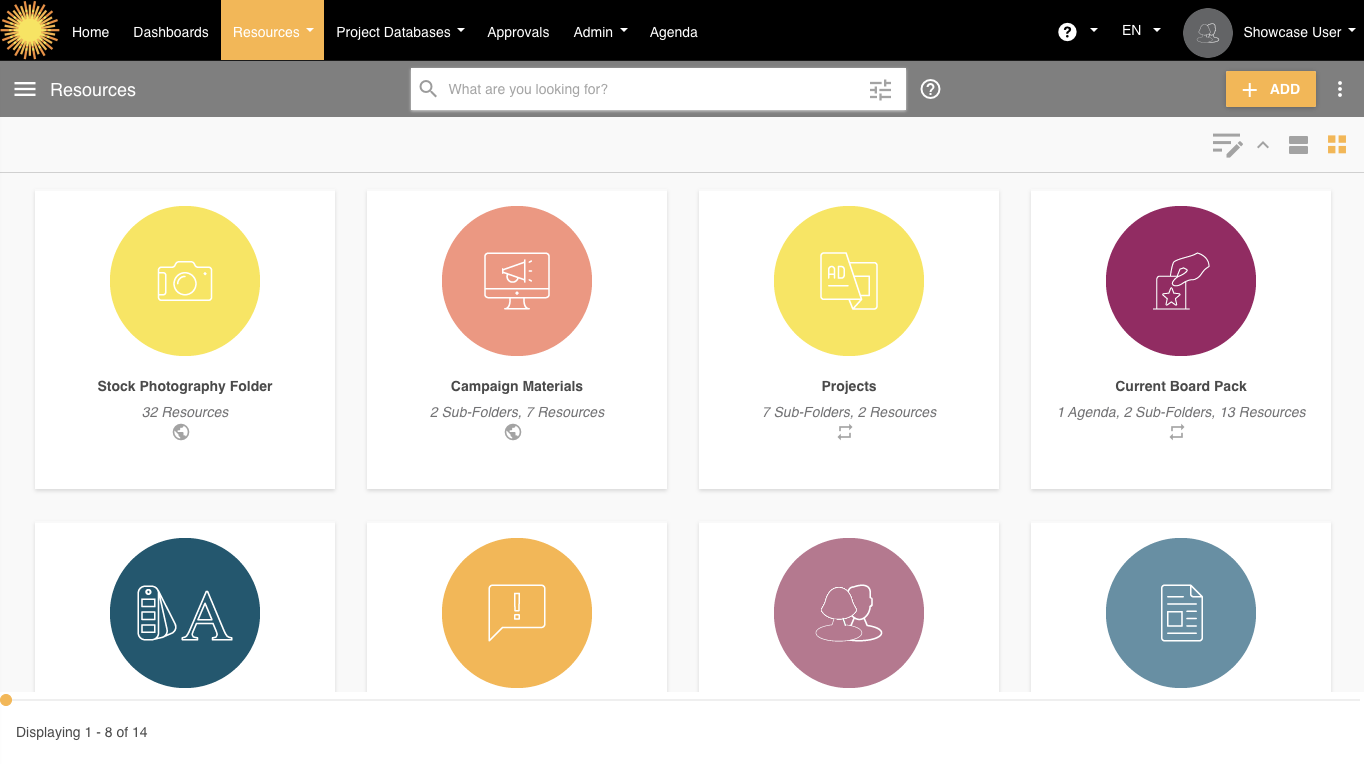
Box: This view allows you to see up to 4 folders on one row in a Box (or Card) layout.
Note: This setting can also be changed by individual users if their preference differs from the default view.
Please note that the Resources terminology referenced above may appear as another name in your platform as these are customisable terms. You can view related terminology here.
Was this article helpful?
That’s Great!
Thank you for your feedback
Sorry! We couldn't be helpful
Thank you for your feedback
Feedback sent
We appreciate your effort and will try to fix the article