Sometimes a review of an approval request may no longer be needed after it has been submitted. In this scenario, relevant users can cancel the request so it will no longer show as pending for the nominated reviewers.
The following users can cancel requests:
- The user who submitted the approval request
- Reviewer(s) of the current stage the request is pending on
- Main Admins
- Approval Admins
How to Cancel an Approval Request
To cancel a single request
| 1Locate the request | Navigate to the Approvals List and locate the approval request that needs to be cancelled. |
| 2Select Cancel | Under the Actions menu to the right of the request, select Cancel.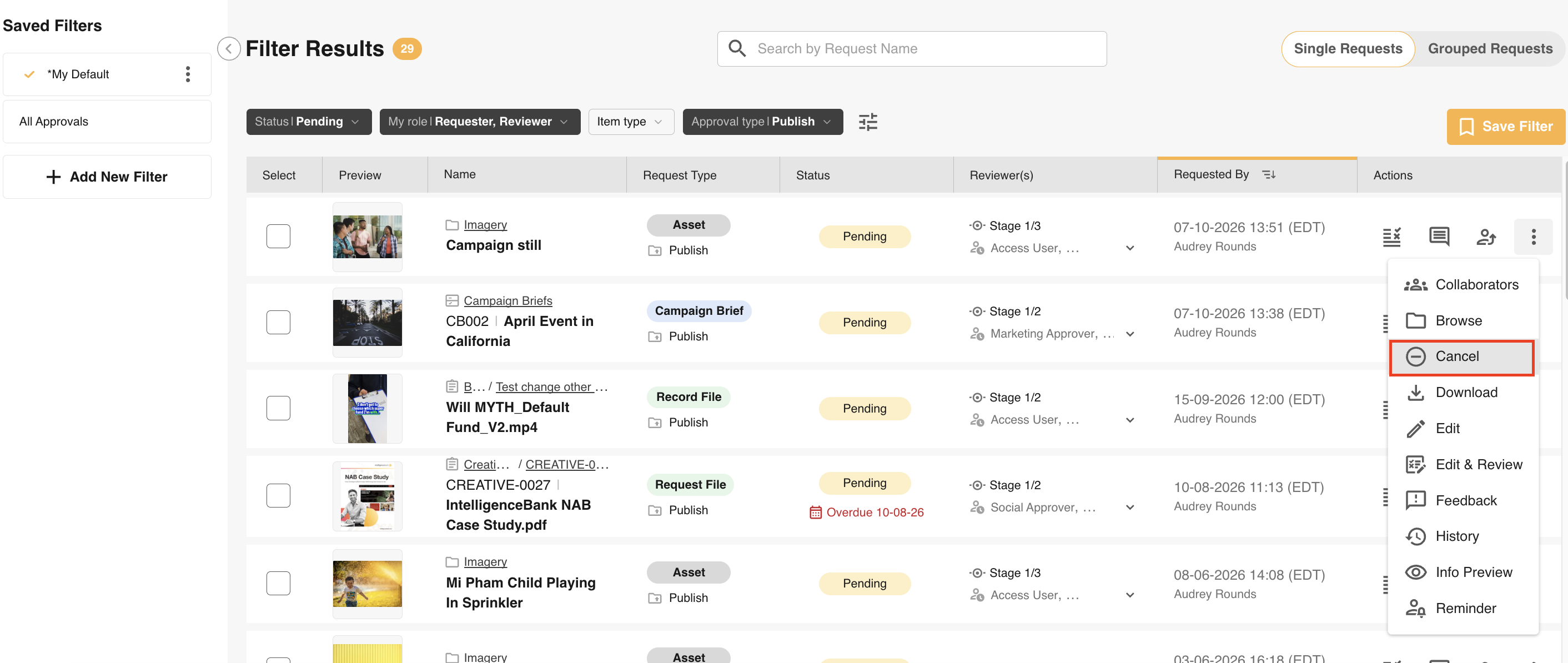 |
| 3Confirm | Confirm you wish to cancel the request by selecting Confirm. |
To cancel requests in bulk
| 1Locate the requests | Navigate to the Approvals List and locate the approval requests that need to be cancelled. |
| 2Select the requests | Select all the requests that need to be cancelled. |
| 3Select Cancel | Open the Bulk Action menu at the bottom of the Approvals List and select Cancel.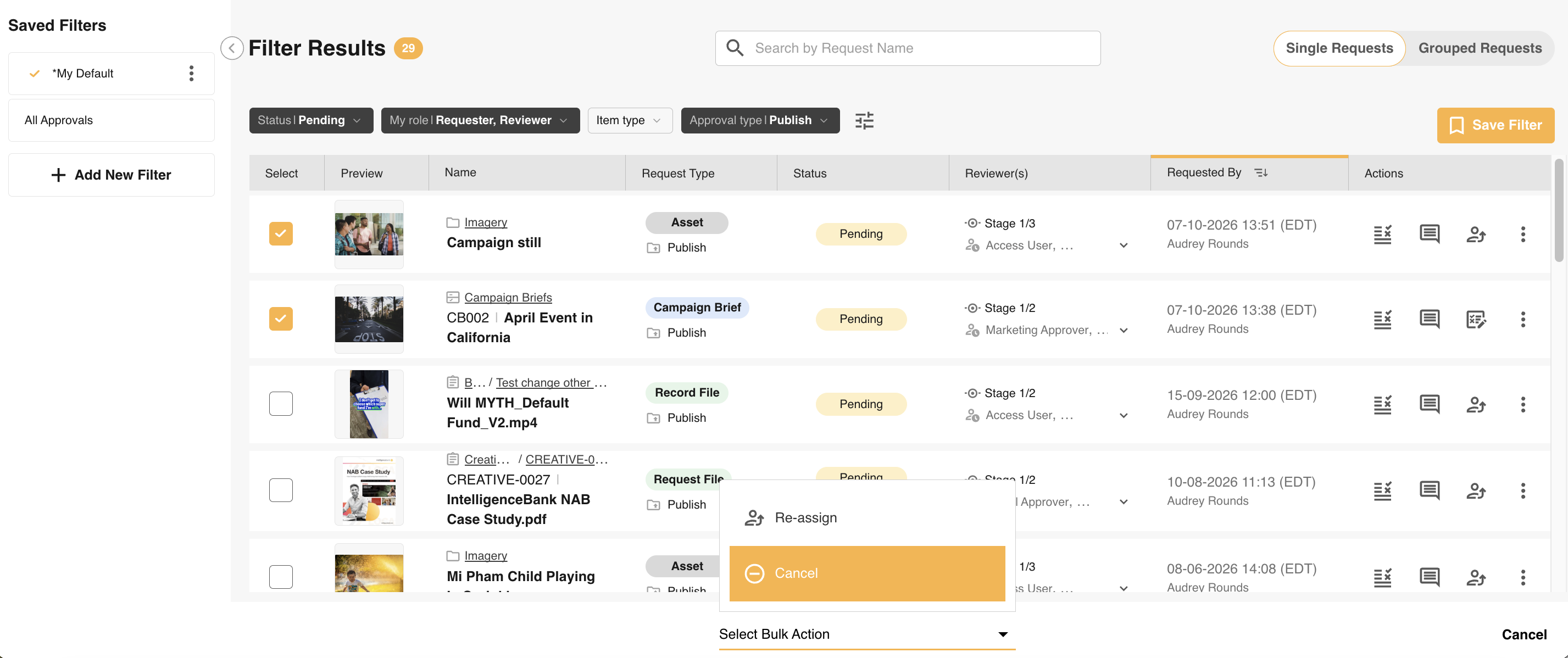 |
| 4Confirm | Confirm you wish to cancel those requests in the popup by selecting Confirm.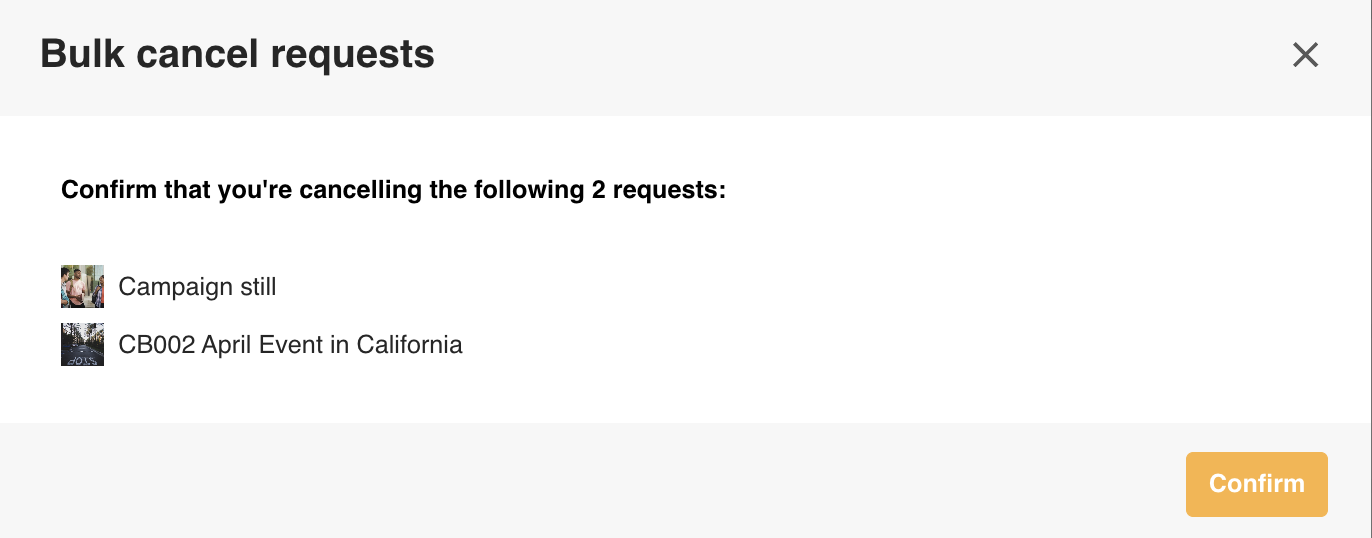 |
Note: For bulk cancellations:
- The Cancel option will only appear in the menu if you are able to cancel at least one of the selected requests.
- Only items you have permission to cancel will appear in the bulk cancel confirmation popup.
For both single and bulk cancellations, cancelling a request will trigger a cancellation email confirmation (when enabled for the requester and/or reviewers), and the request status will update to cancelled in your Approvals List.
Was this article helpful?
That’s Great!
Thank you for your feedback
Sorry! We couldn't be helpful
Thank you for your feedback
Feedback sent
We appreciate your effort and will try to fix the article