Limits of Per-File Risk Filters, and answers to common questions about how a file's filters behave. For an overview see About Per-File Risk Filters, and for the steps see Getting Started with Per-File Risk Filters.
Table of Contents
Limits
- Filters are changed one file at a time. There is no way to change several files at once.
- Only filters chosen under Select Risk Review Filters on the upload field can be changed. Locked filters cannot be changed.
- A file's changes do not alter the record's own filters.
- It is not available for upload fields inside a repeatable section.
- It does not split one large document into sections. Each file is reviewed as a whole.
Frequently Asked Questions
I cannot see the Filters button on my file cards.
Three things must all be in place: Per-File Risk Filters is switched on for your site, risk reviews are enabled on the upload field, and Enable Per-File Risk Filters is ticked on that field. It is off by default on each field. Ask your admin, or contact your Customer Success Manager or IntelligenceBank Support.
Does changing a file's filters switch off or skip any rules?
No. Every file is still risk reviewed. The filter values decide which rules are selected for that file, so a different value selects the rules that fit that file.
Who can change a file's filters?
Anyone who can edit the record, when adding files or editing the record.
Will a file's filters change if I edit the record's filters later?
Only the filters you changed on that file stay fixed. Every other filter keeps following the record, so later edits to the record carry through to the file.
Do a file's changes carry over to new revisions?
Yes. They are copied across to new revisions of the file.
What happens if I cancel editing the record?
A file's filters are saved with the record. If you cancel your edit of the record, the changes you made in the popup are dropped.
What if a file ends up with no filters at all?
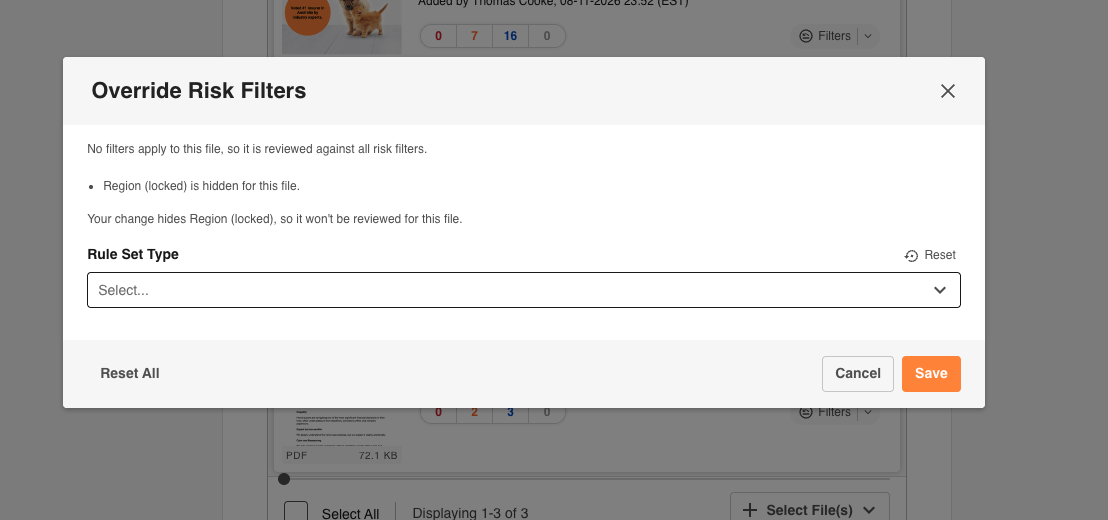
The popup tells you that no filters apply to the file, so it is reviewed against all risk filters. Check that this is what you intend.
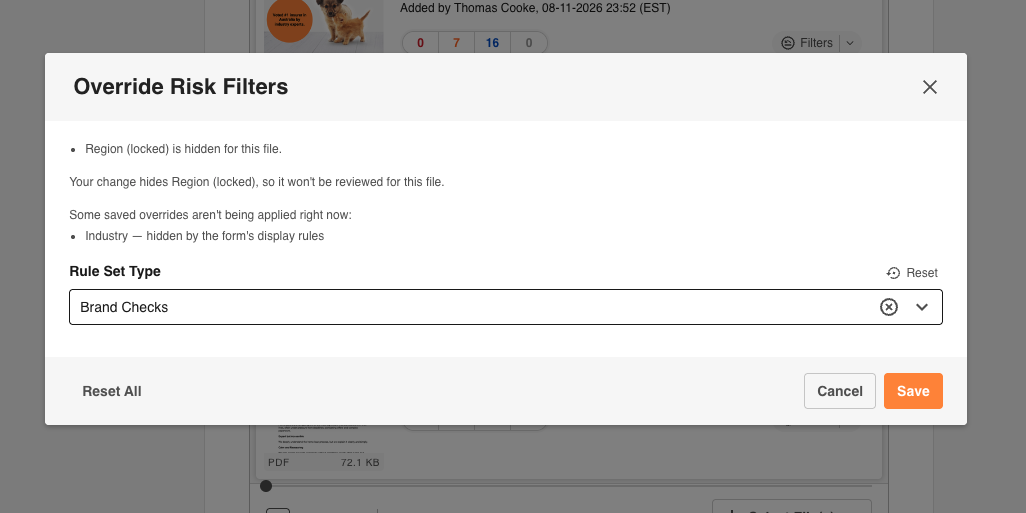
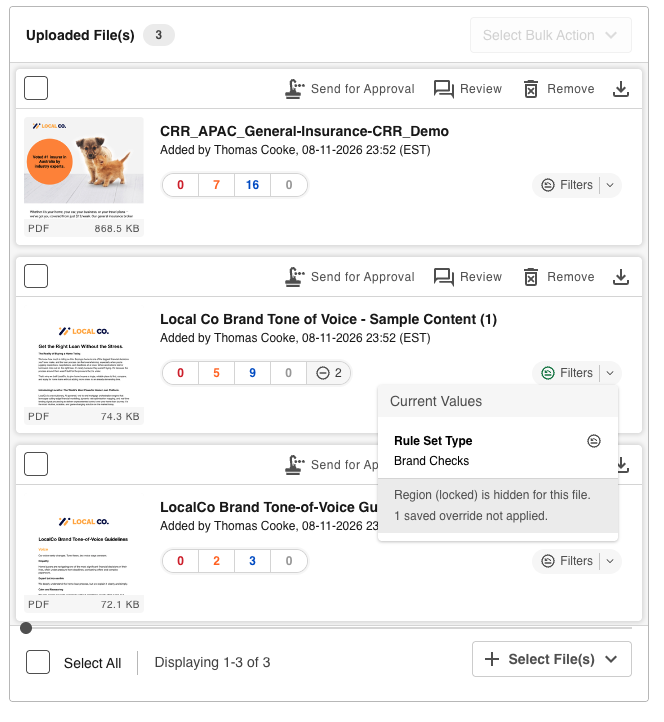
What does the popup mean when it says a saved override is not being applied?
The change is kept but does not fit right now, so it is ignored. For example, the filter was locked after you changed it, the form's display rules now hide the filter for this file, the filter is no longer one of the field's risk filters, or its parent filter does not allow the value. It applies again as soon as it fits. Only Reset or Reset All deletes it.
 |  |
How do filters that depend on other filters work?
A filter that depends on a parent filter only offers values the parent allows for that file. The form's show and hide rules are also checked against each file's own values, and a filter hidden for a file is not used in its review.
Why does a file show Risk Review Not Yet Run?
When reviews run automatically, a file that has been auto-saved waits until you save the record. One review then runs using the file's filters.
Need Help?
If your question is not answered here, contact your Main Admin or IntelligenceBank Support.
Contact SupportWas this article helpful?
That’s Great!
Thank you for your feedback
Sorry! We couldn't be helpful
Thank you for your feedback
Feedback sent
We appreciate your effort and will try to fix the article