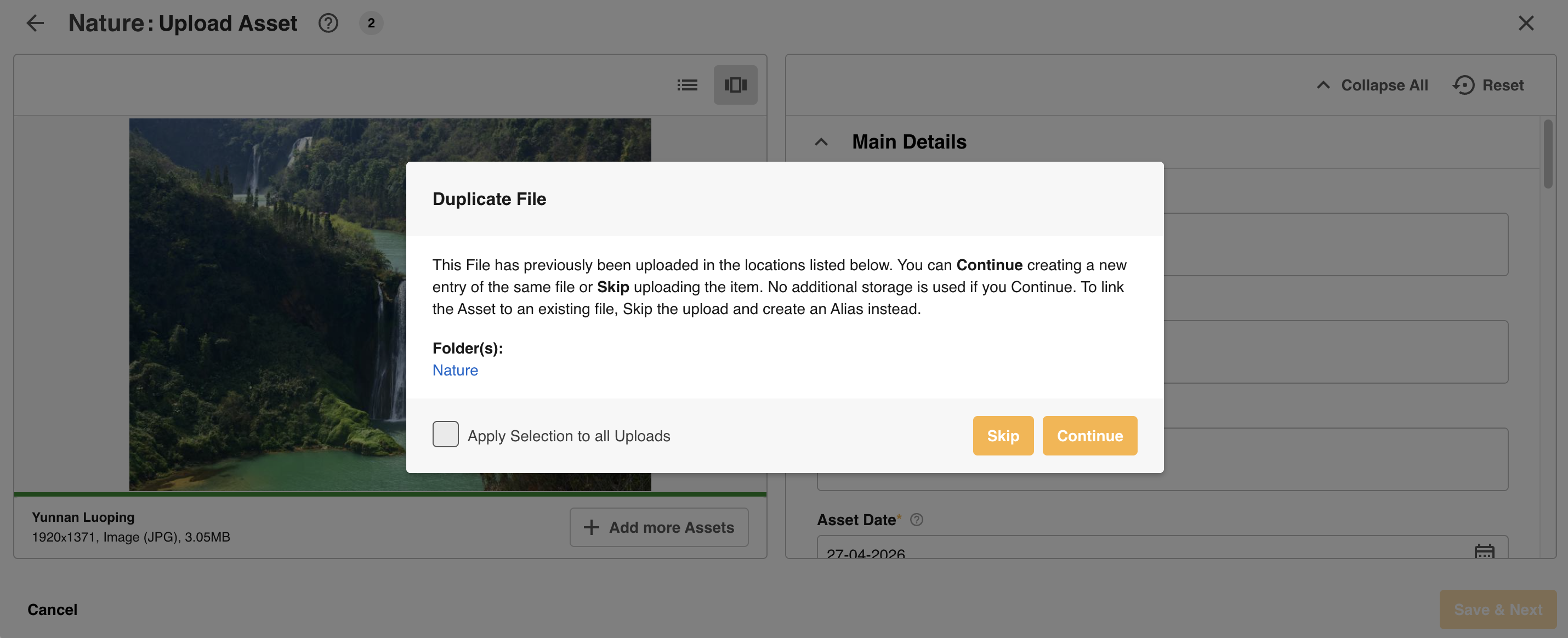
When uploading assets, you may receive a duplicate file warning message. This message displays if the exact same asset already exists in your Asset Library, even if the asset name differs.
The uploader will be presented with two selections:
- Skip - discontinues the upload. Consider choosing this option if you do not intend to upload a duplicate
- Continue - continues the upload, creating a duplicate asset.
The message will also indicate the folder the asset is already located in.
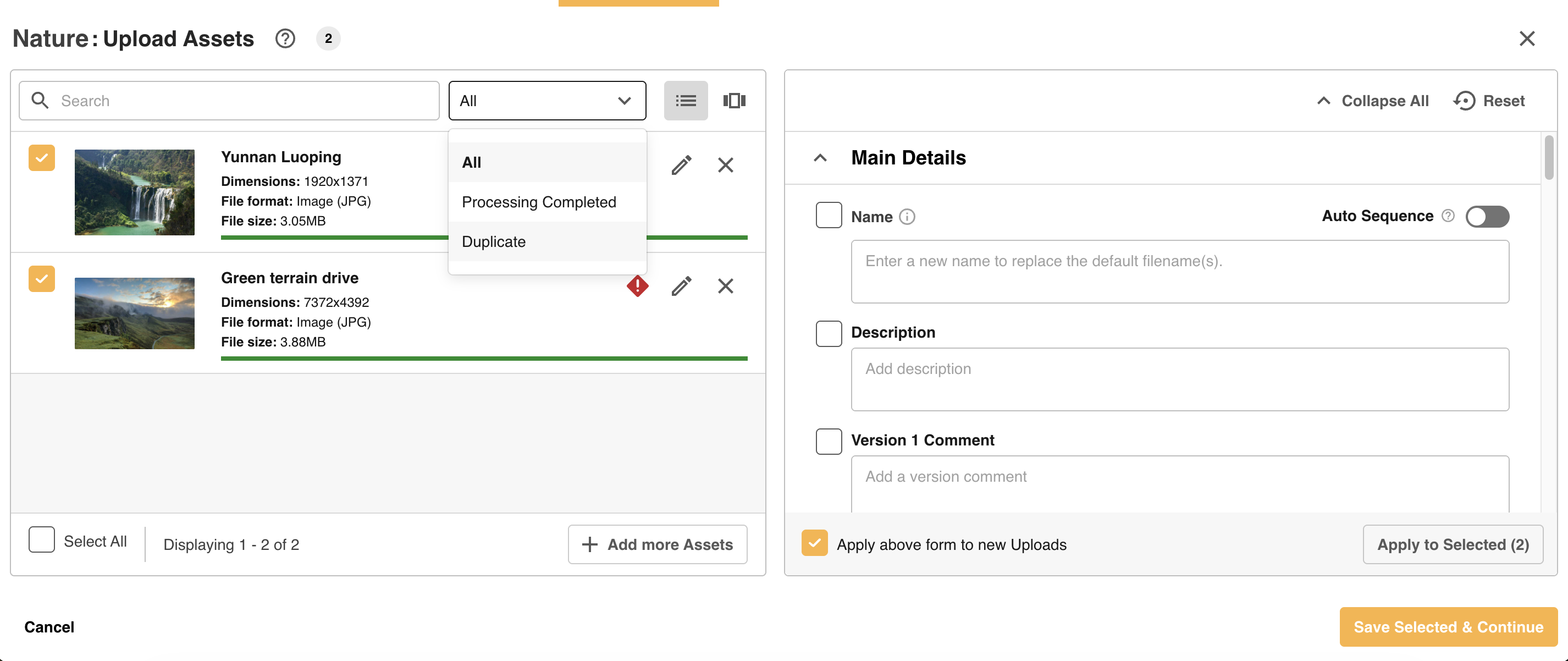
If bulk uploading assets, the uploader can also:
- Filter to only display duplicates
- And, apply the skip and/or continue options to all bulk assets in your asset queue
Was this article helpful?
That’s Great!
Thank you for your feedback
Sorry! We couldn't be helpful
Thank you for your feedback
Feedback sent
We appreciate your effort and will try to fix the article