If a reviewer has not yet responded to an approval request, requesters, Main Admins, or Approval Admins can send them an email prompt to complete their review. This is a helpful feature for ensuring that reviewers respond to requests in a timely manner.
Note: This article covers sending ad hoc/manual reminder emails. Automatic reminder emails can also be configured in an approval workflow's settings, if Main Admins want to set up a regular cadence of alerts to reviewers for pending requesr. To learn more, refer to this article.
To send a reminder email, follow the steps below:
| 1Open the Reminder | Navigate to the Approvals List, locate the relevant approval request, and select the dropdown menu in the Actions column. Then select Reminder.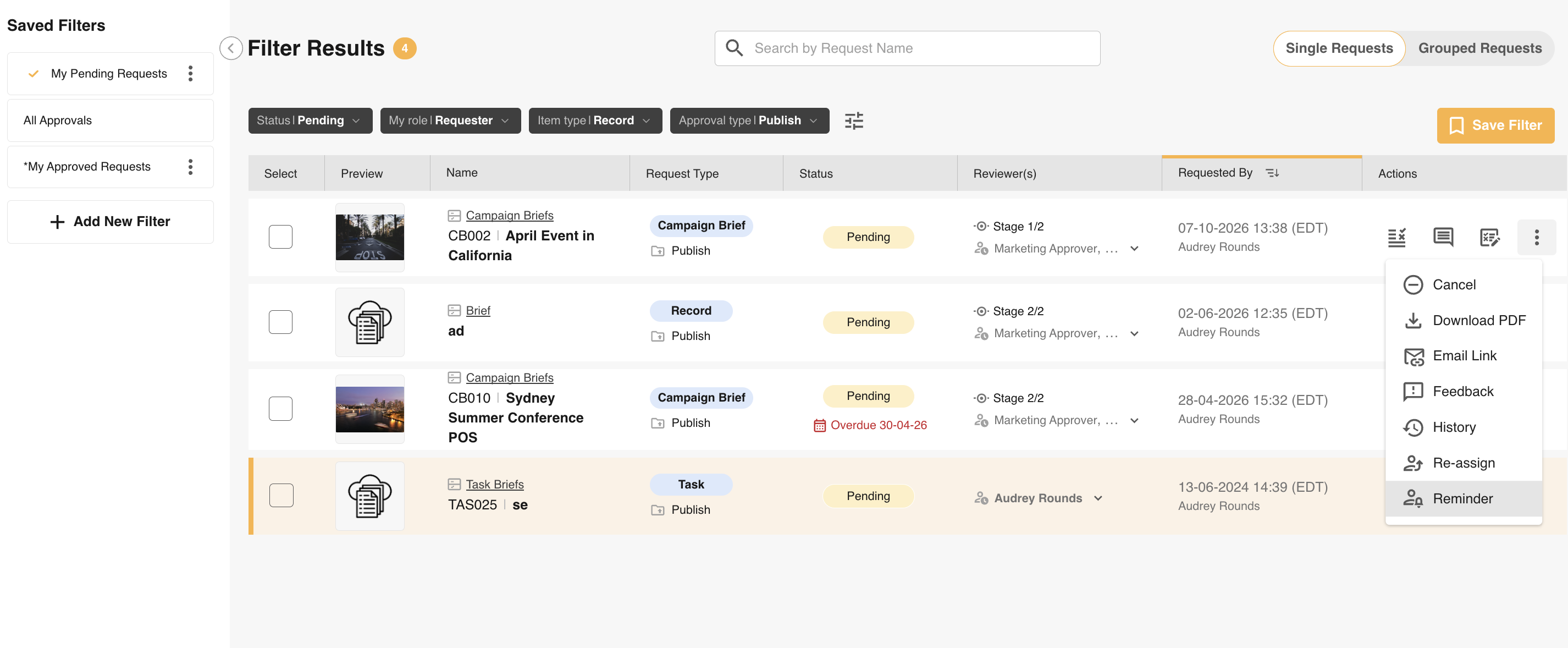 |
| 2Review recipients | A window will open with the 'Waiting on' reviewer(s) pre-populated in the Recipient(s) field, along with a message box for a custom message. Other reviewers on that stage who have already responded can still be added if you need to include them on the reminder. You can also remove any users who do not need to be reminded.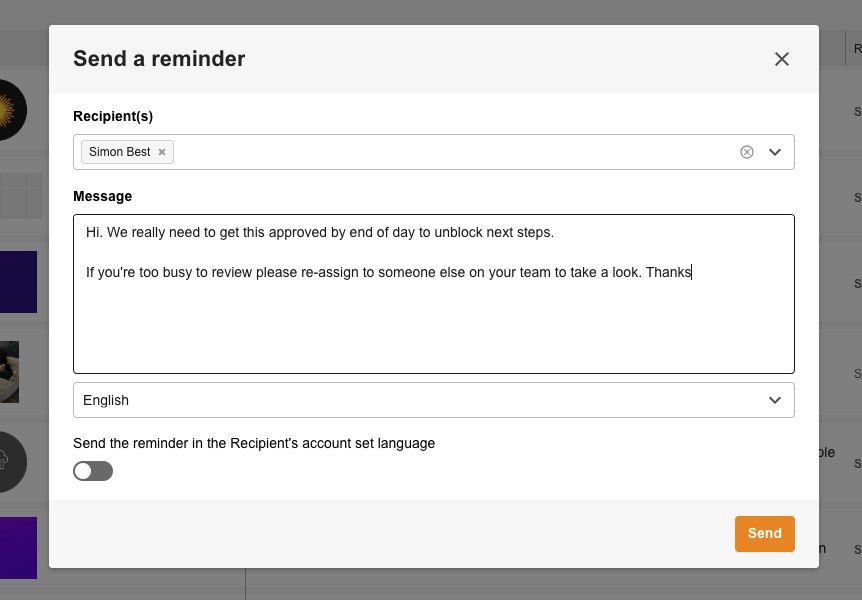 |
| 3Send the reminder | Customise your reminder message, then select Send. The recipient(s) will receive your reminder email. |
Note: For staged approval requests, only reviewers of the current stage will appear as reminder recipients.
Was this article helpful?
That’s Great!
Thank you for your feedback
Sorry! We couldn't be helpful
Thank you for your feedback
Feedback sent
We appreciate your effort and will try to fix the article