This guide shows administrators how to set up Dismissal Reasons, and reviewers how to dismiss a risk with a reason and how to revert a dismissal.
Table of Contents
Step 1: Ask for Dismissal Reasons to Be Switched On
Dismissal Reasons is off by default during Beta. Ask your Customer Success representative or IntelligenceBank Support to switch it on for your site.
Step 2: Choose the Reasons for an Upload Field
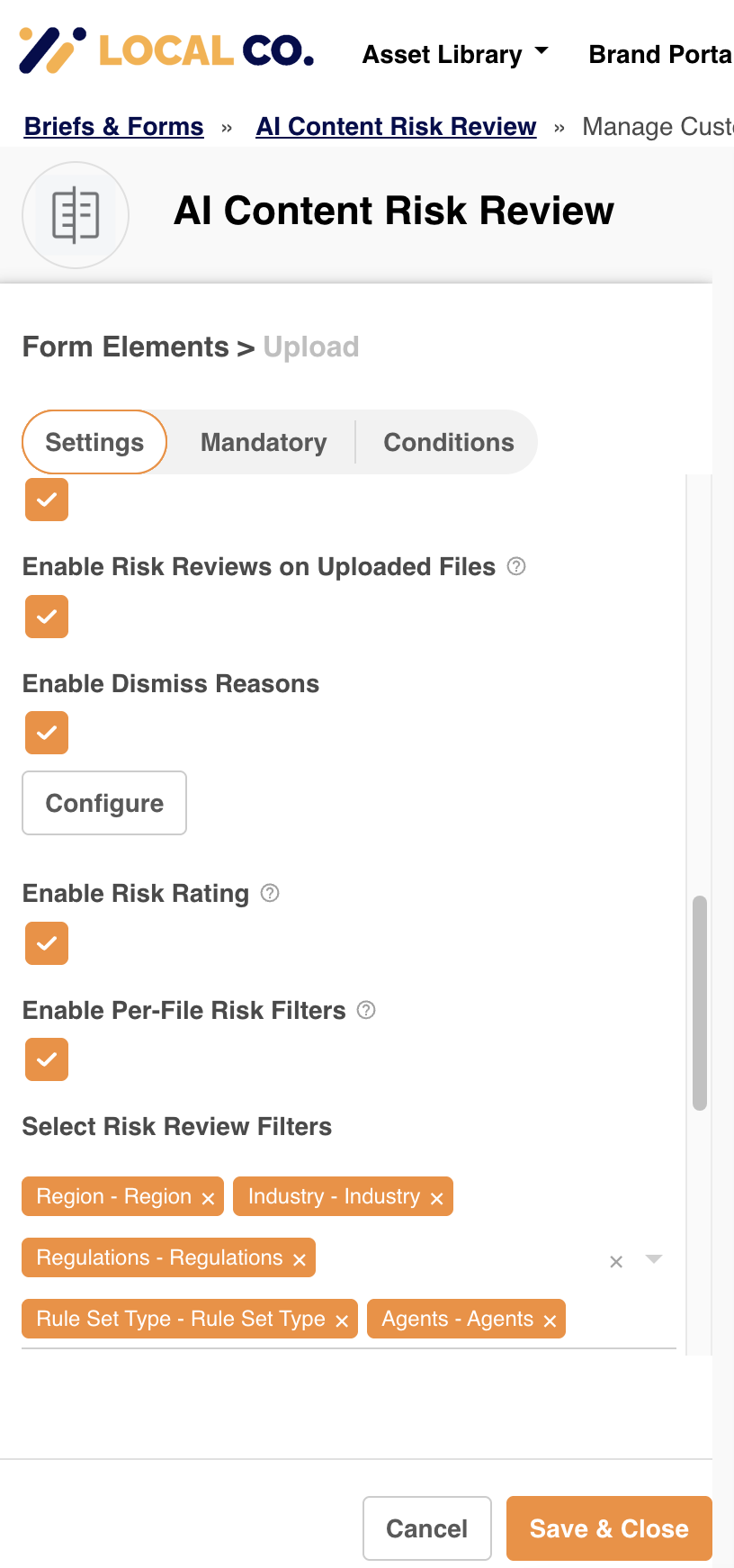
An administrator sets this up for each multi-upload field that has Risk Review enabled, in the custom form builder.
- Open the field in the form builder and tick Enable Dismiss Reasons in the multi-upload field.
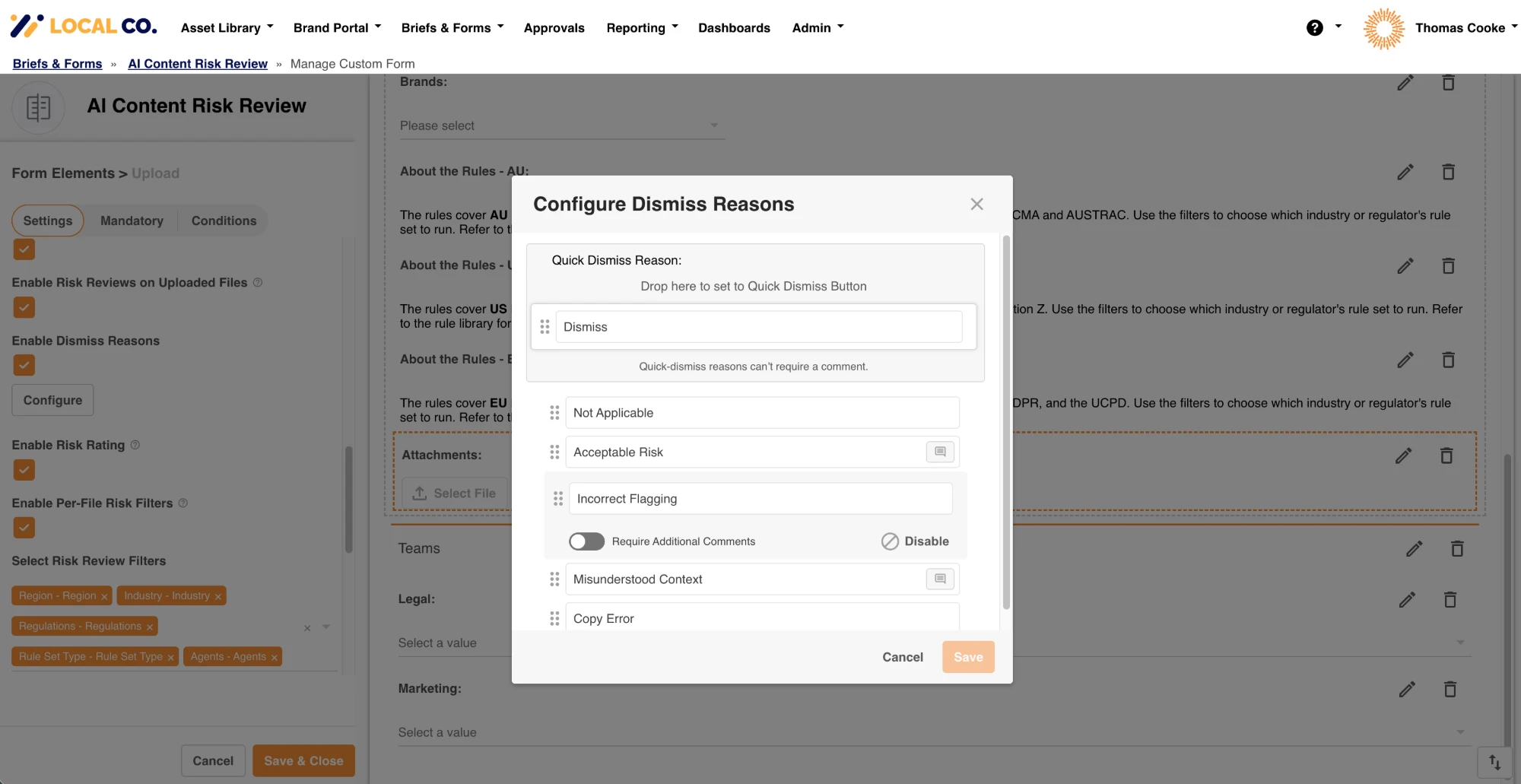
- Select Configure to choose how the reasons work for that field.
 |  |
| Setting | What you can do |
|---|---|
| Disable a reason | Select Disable on a reason to hide it from the list reviewers choose from. At least one reason must stay enabled. |
| Comment required | Choose which reasons ask the reviewer for a comment. By default only Acceptable Risk asks for one, and you can change this for any reason, including Acceptable Risk. The quick dismiss reason cannot be a reason that needs a comment. |
| Quick dismiss reason | Choose the reason used by the one-click Dismiss button. It cannot be a reason that needs a comment. |
| Order | Drag the reasons into the order reviewers should see them. |
Step 3: Dismiss a Risk With a Reason
Open a file that has been risk reviewed in the IntelligenceBank Platform. Each risk flagged shows a Dismiss button with an arrow beside it.
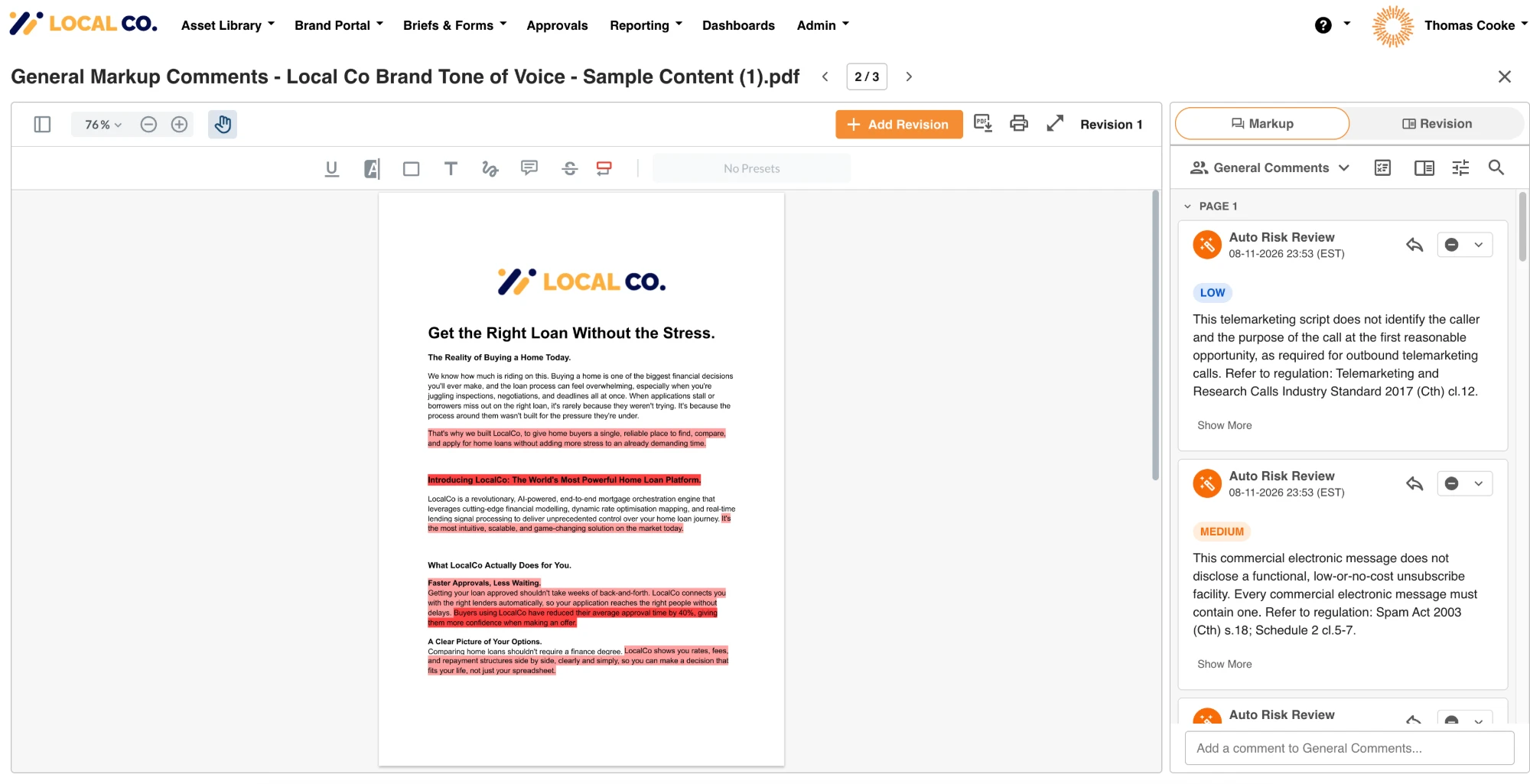
- Quick dismiss: select the left side of the button to dismiss with the default reason.
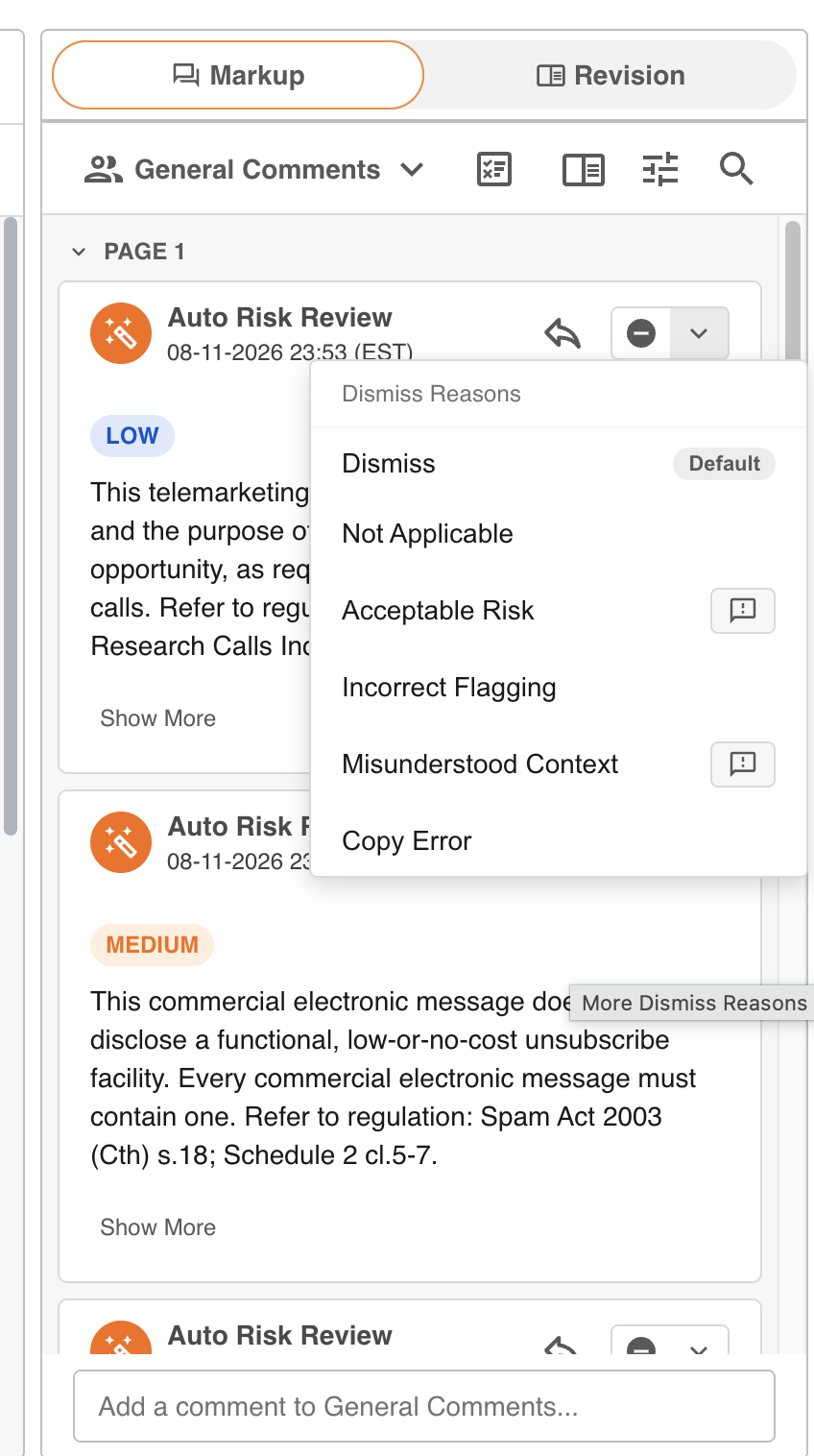
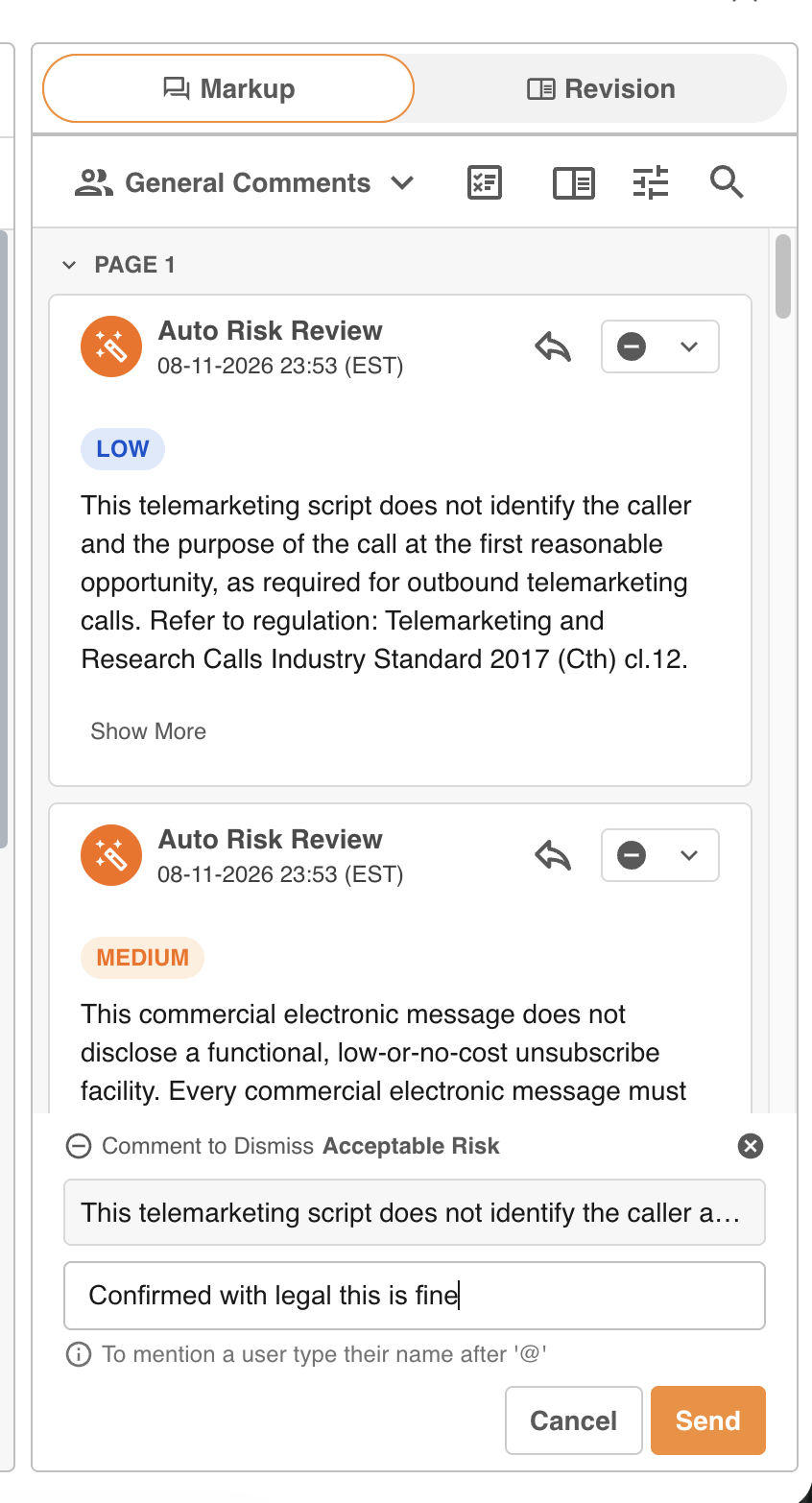
- Choose a reason: select the arrow and pick a reason from the list.
- Add a comment: if the reason needs one, a comment box opens. The comment appears as a reply under the risk.
 |  | 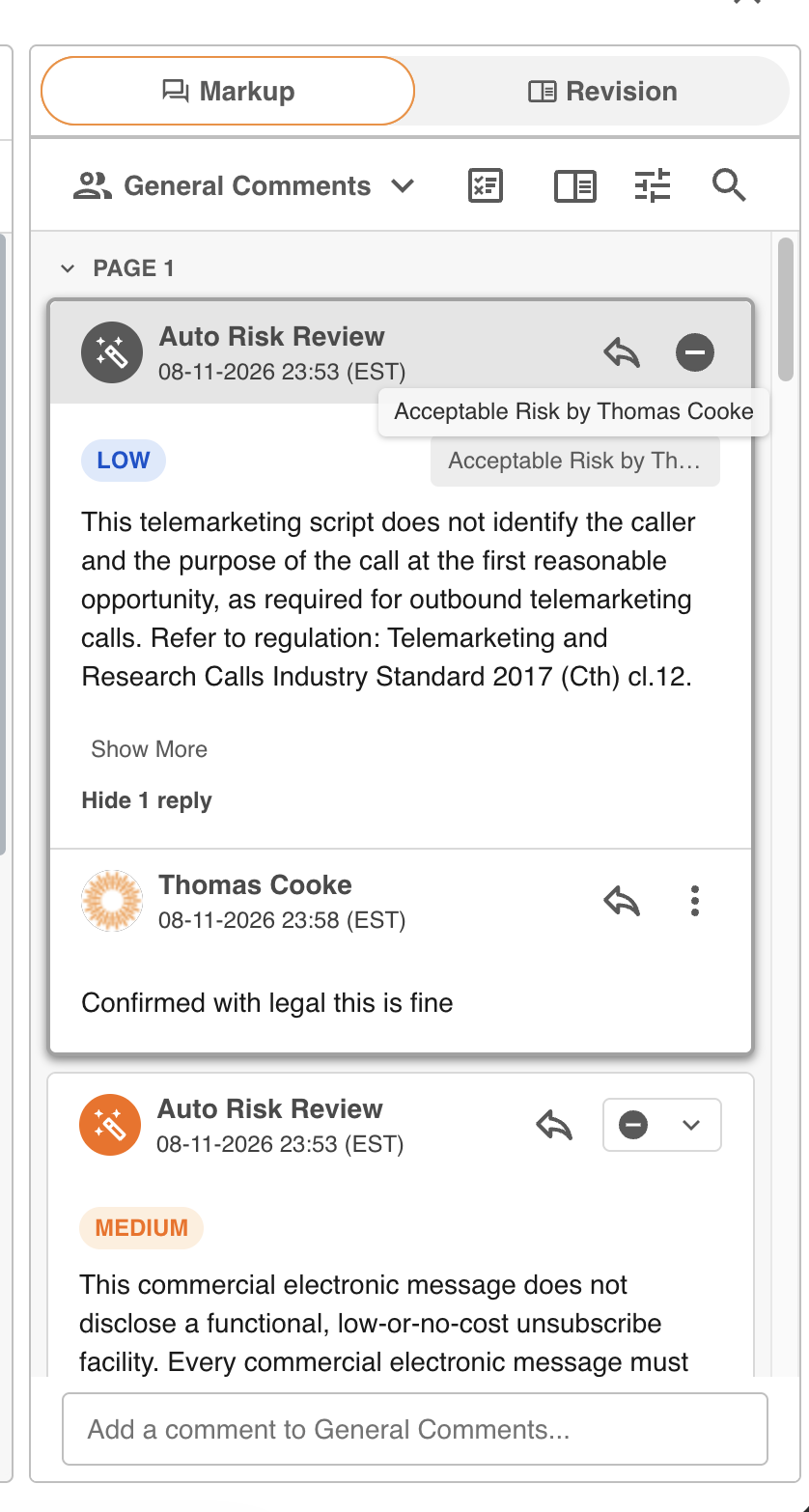 |
Once dismissed, the risk shows the reason and who dismissed it. When you dismiss a group of risks, the chosen reason applies to every risk in the group, and any comment is saved on the first risk in the group.
Step 4: Revert a Dismissal
To bring a dismissed risk back, select the Dismiss button on it again. The risk returns to a normal risk comment.
Need Help?
If you cannot see the Dismiss reasons option in the form builder, or a risk does not offer reasons, contact IntelligenceBank Support. For common questions and limits, see Dismissal Reasons: FAQs and Limits.
Contact SupportWas this article helpful?
That’s Great!
Thank you for your feedback
Sorry! We couldn't be helpful
Thank you for your feedback
Feedback sent
We appreciate your effort and will try to fix the article