The latest updates available on your platform are below.
New Features
Record Proofing
- The updates to Briefs/Forms introduce real-time proofing, commenting, and in-place editing during approvals, along with full version history, approval snapshots, and comment export.
- Together, these enhancements make it faster for teams to collaborate on briefs while providing complete visibility and auditability for compliance.
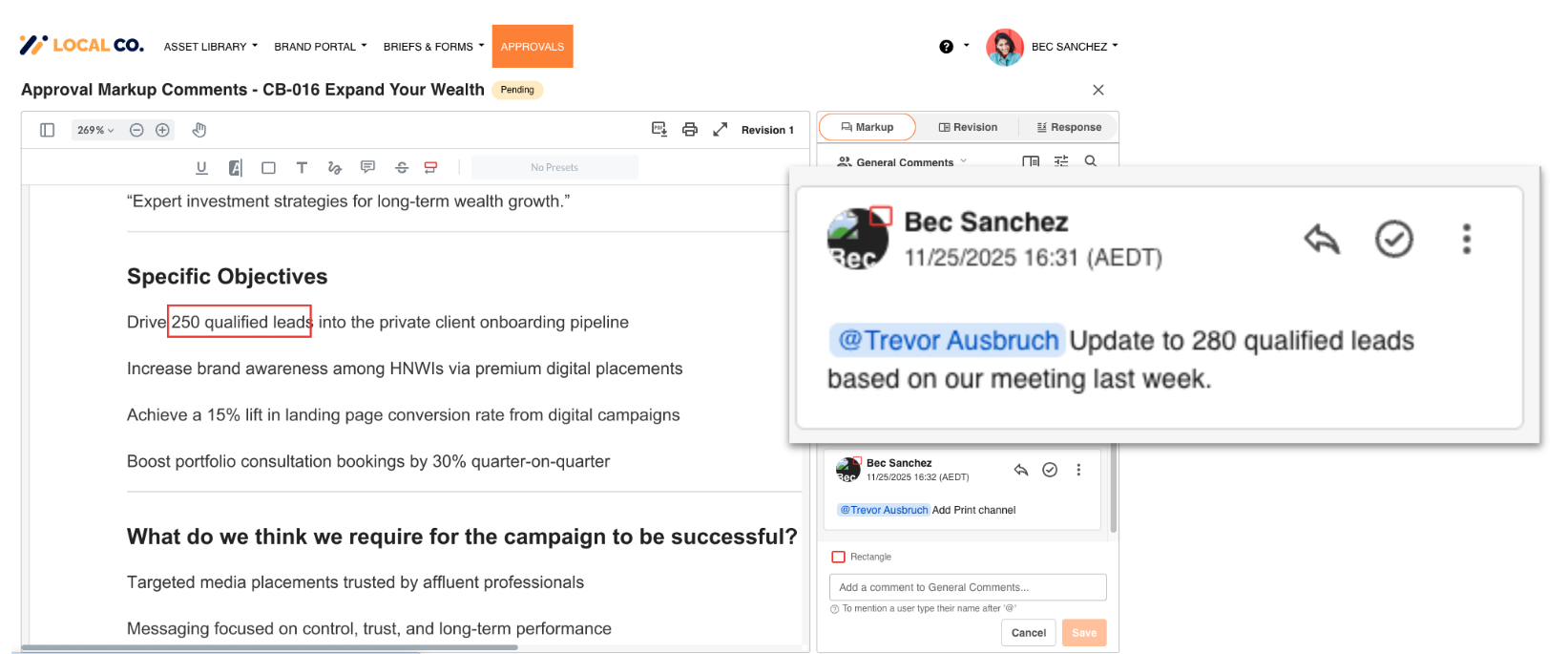
Audio/Video Risk Review
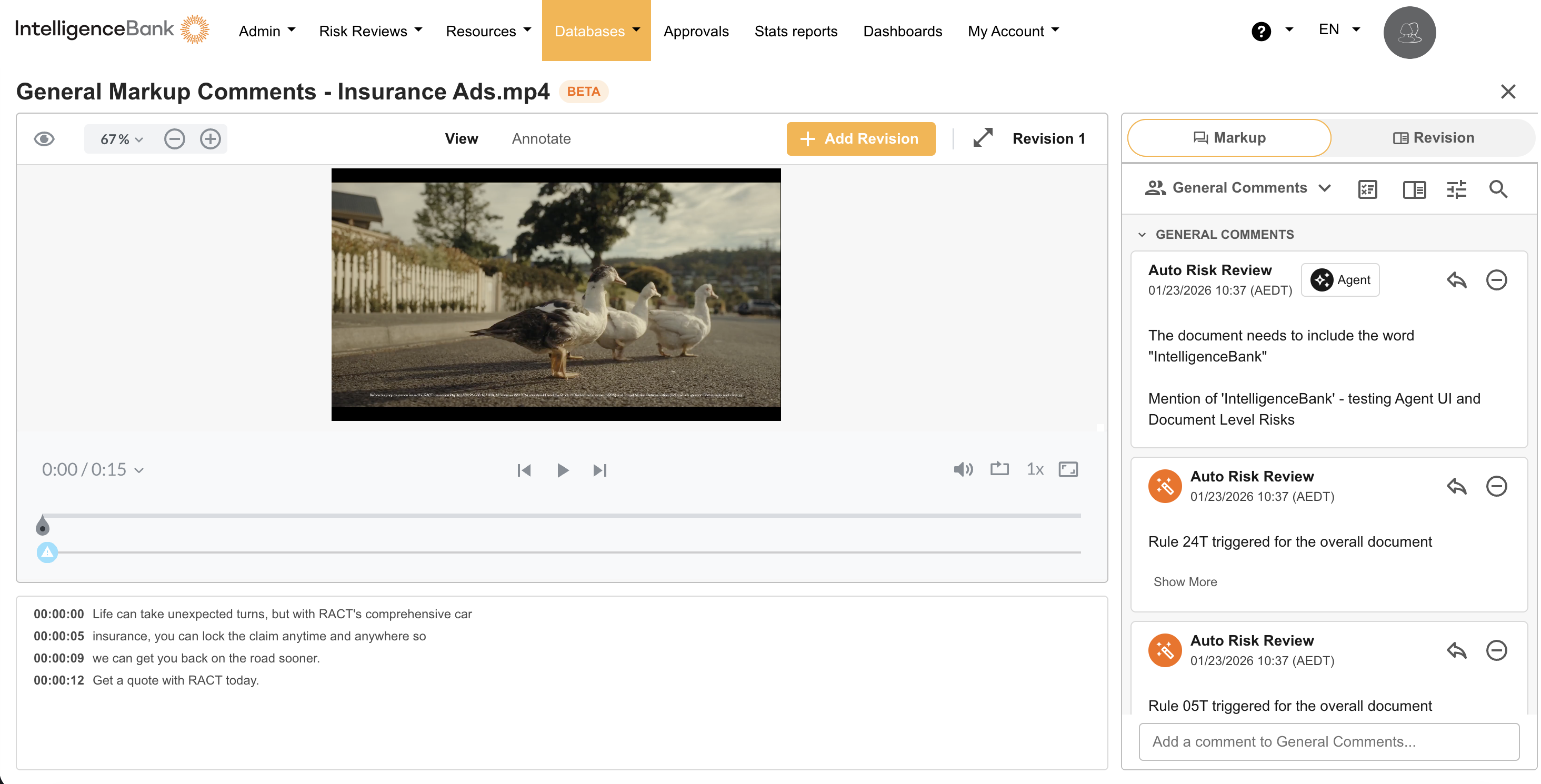
- A/V Transcript Risk Reviews enable marketing teams to review the words spoken in video and audio content for legal, compliance and brand risks.
- Spoken words are converted into text and automatically checked against customer risk rules, allowing teams to identify and address risks without manually reviewing every file.
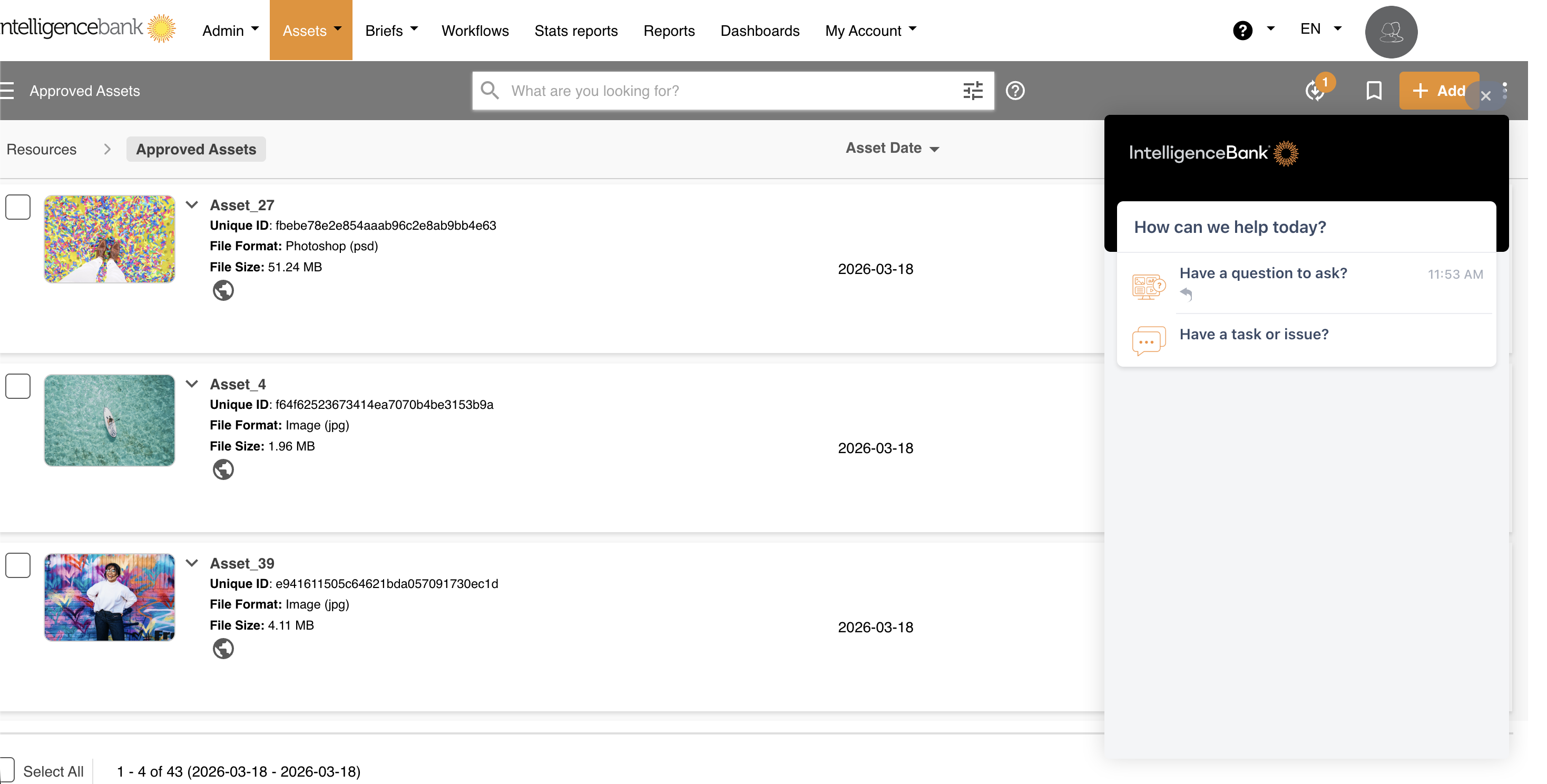
Ask for Help - Chatbot
A new in-platform Help chatbot is now available. It is giving users general answers for all the Intelligencebank functions without leaving the platform. If further assistance is needed, users can raise a support ticket directly through the chatbot.
Enhancements
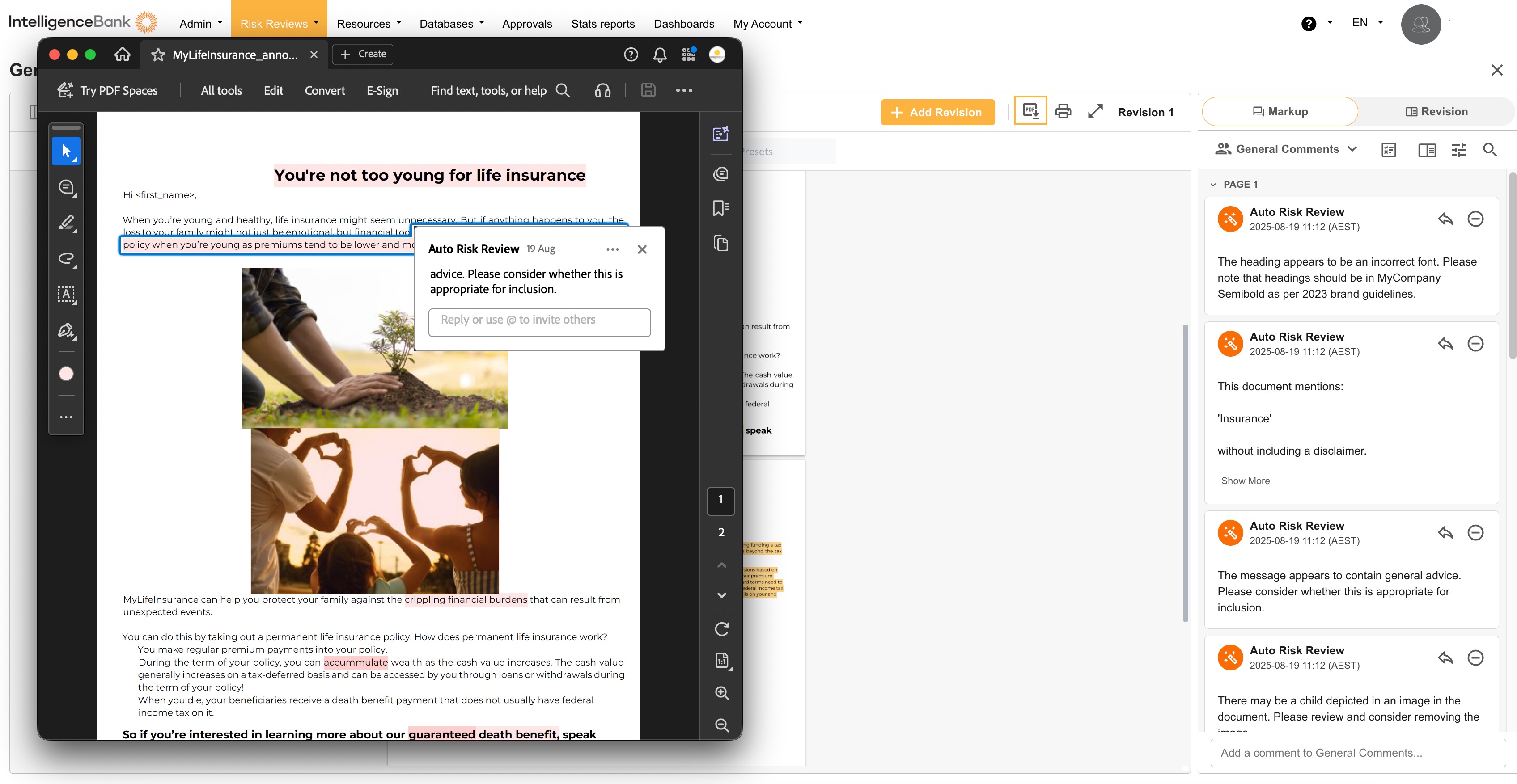
Content Risk Review PDF Export with Inline Annotations
- You can now export PDFs with all comments and annotations displayed directly within the document, making it easier to share reviews with external stakeholders and legal teams.
- This export option preserves markup comments and risk review findings in their original context. It complements the existing summary export and provides flexibility to choose the format that best suits your review process.
Expanded Risk Filter Category Options for Content Risk Reviews
- When configuring Content Risk Review fields in your briefs or forms, you can now select Radio Button and Checkbox fields as Risk Filter Category sources, in addition to existing dropdown options.
- This provides greater flexibility in structuring your forms and allows you to add risk reviews to existing briefs or forms without duplicating fields or restructuring your data.
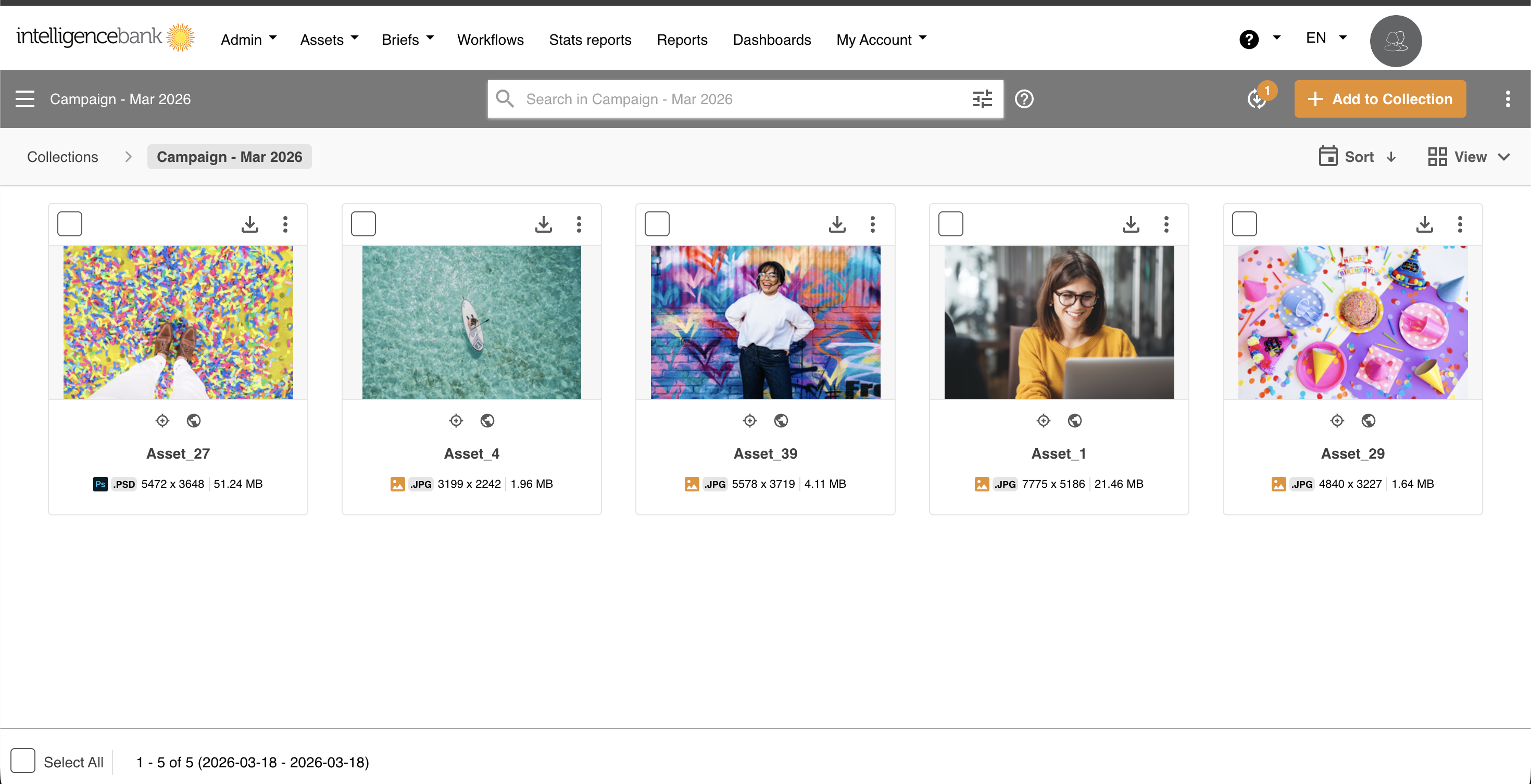
Collection UX Uplift
Collections have been refreshed with a cleaner interface and faster performance. Making it easier to manage and navigate your collections.
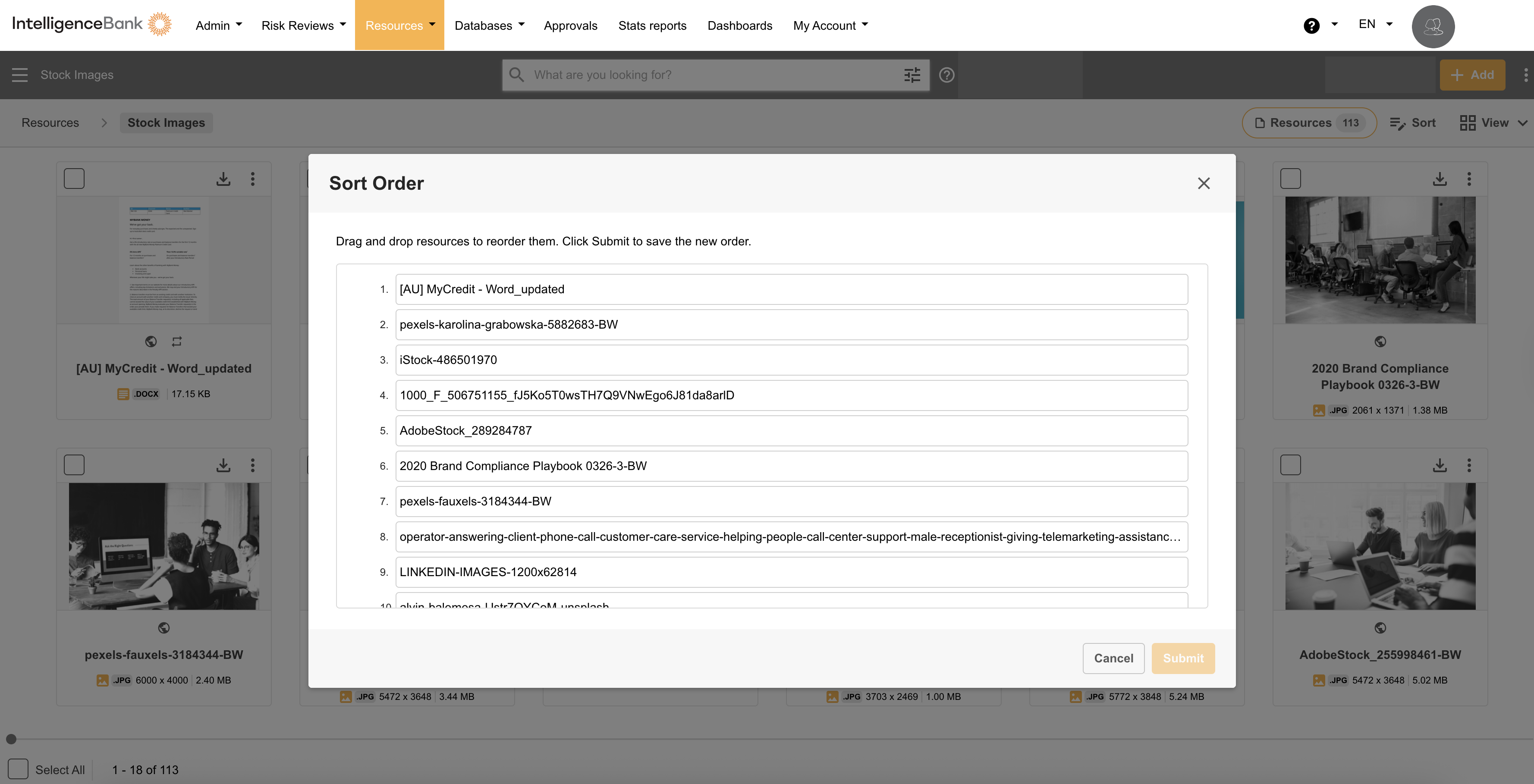
Permission Update and UI Refresh for Custom Sort Order
Custom Sort Order is now available to all Publish Users and Admin Users within Resources. Users with these roles can now view and apply custom sorting as needed.
We’ve also refreshed the Custom Sort Order interface inside folders to provide a cleaner, more intuitive experience.
Was this article helpful?
That’s Great!
Thank you for your feedback
Sorry! We couldn't be helpful
Thank you for your feedback
Feedback sent
We appreciate your effort and will try to fix the article