This article covers all new features and enhancements shipped in IntelligenceBank during Q2 2026
New Features
Recycle Bin
Deleted items are now moved to a Recycle Bin rather than being removed immediately. Main administrators can view deleted content across the account, restore individual items or restore in bulk, and see who deleted what and when.
Deleted items are retained for 30 days for admins to restore (Note: Items up to 90 days from deletion can be restored if you contact our support team).
Supported item types include: folders, files, collections, databases, database records, and database attachments.
3D Asset Viewer
IntelligenceBank now supports viewing 3D assets in GLTF and GLB format directly in the platform, with a native interactive preview. Users can rotate and inspect 3D models without needing to download the file or open a separate tool.
A new 3D file type category has also been added to the Resource module, so 3D and CAD formats (GLB, GLTF, OBJ, FBX, STL and others) can be searched and filtered alongside Documents, Images, and Videos.
Logo Detection
- Logo Detection is a new AI-powered risk check that automatically scans images and documents for the presence or absence of specific logos during content risk review.
- Rules can be configured to require that a brand logo appears in an asset, or to flag assets where a prohibited or competitor logo is detected, catching issues that text-based rules cannot.
- Detection is powered by a trained visual model and can have an an appropriate sensitivity threshold set for individual compliance requirements.
- Logo Detection works alongside your existing text and content rules, so it fits naturally into your current review workflow without any additional steps for end users.
Video Risk Reviews: Visual Detection
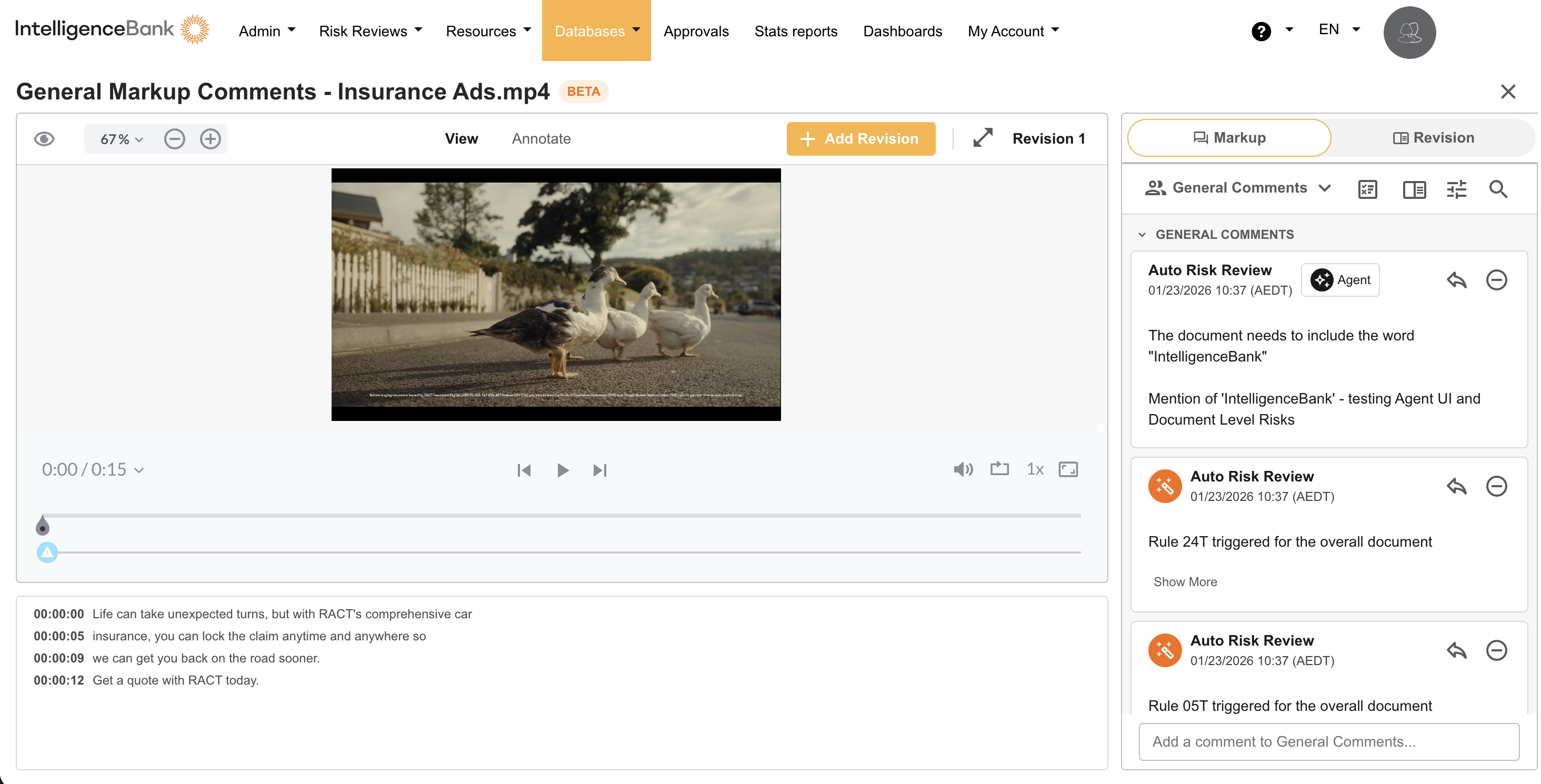
- Building on the earlier release of Audio/Video Transcript Risk Reviews, video risk reviews now include visual detection, enabling the platform to analyse what appears on screen, not just what is spoken.
- Visual frames are extracted from video and checked against your configured risk rules, so teams can identify on-screen risks such as missing disclaimers, different text than what was spoken, incorrect financial amounts or prohibited visual content.
- Transcript and visual detection can be combined to ensure speakers are saying the right thing at the right time during the video.
Dutch & Japanese Language Support
- Content Risk Review now supports Dutch and Japanese, enabling teams in those markets to run risk checks against content written in their local language.
- Rules, flagging, and review workflows function identically to existing language support. No additional configuration is required other than configuring rules.
Select Field Filtering
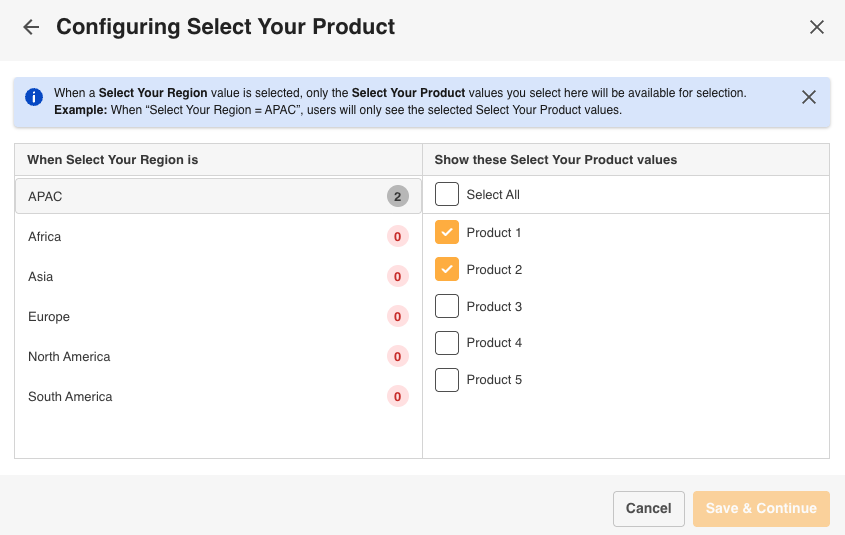
- Select Field Filtering introduces cascading dropdown filters across the platform, allowing teams to narrow asset and record views based on the values selected in related fields.
- When a value is chosen in one dropdown field, the available options in dependent fields update automatically, so users only see choices that are relevant to their prior selection.
- This reduces the risk of incorrect field combinations being submitted and makes it significantly faster to locate or categorise content in large libraries with complex metadata structures.
- Cascading relationships between fields are configured by form admins, with no changes required to existing form layouts or user workflows.
Enhancements
Content Risk Review Levels
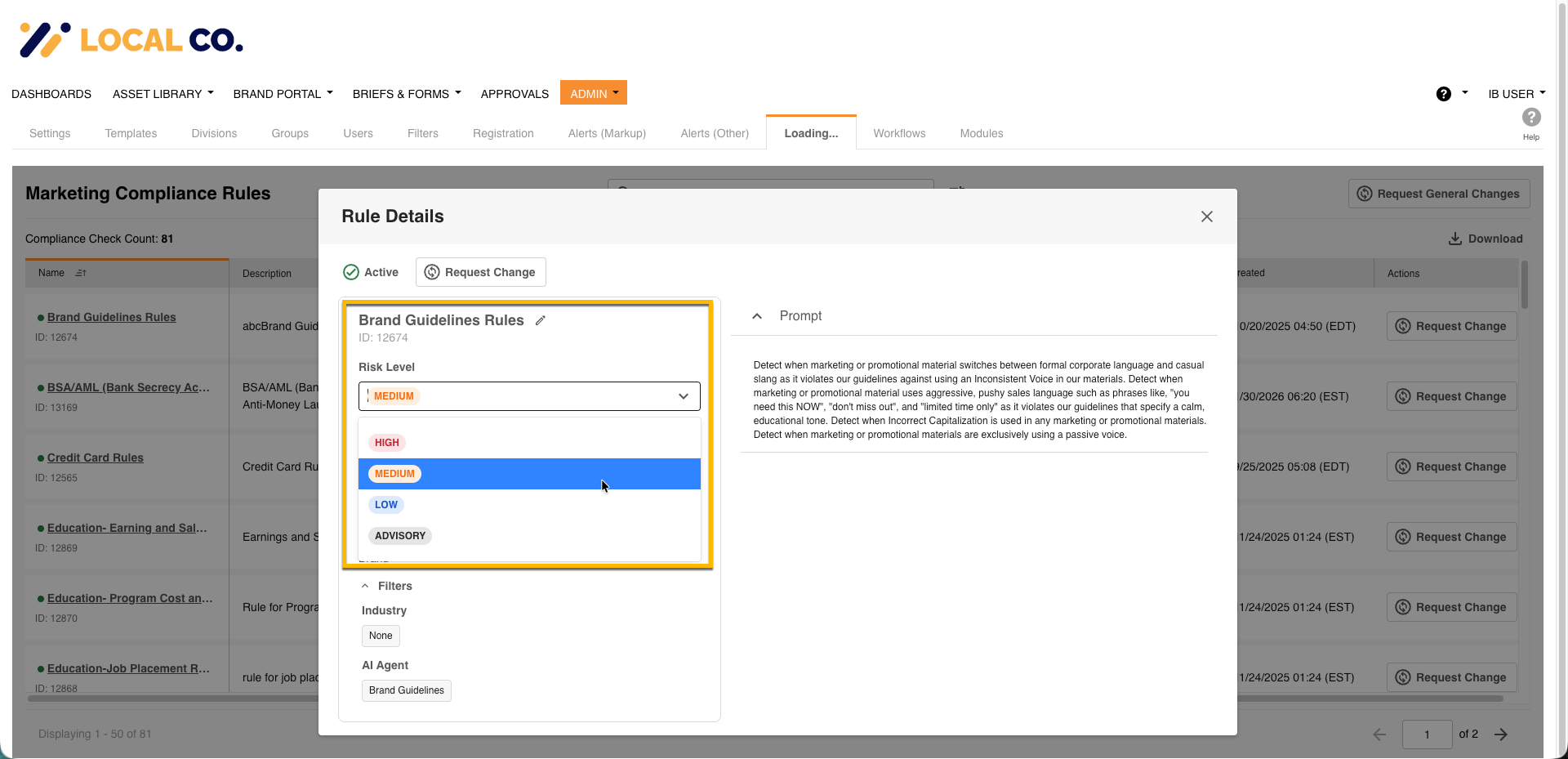
- Set a Risk Level rating for your Rules
- Administrators can now define a Risk Level for each of their rules. When a Content Risk Review is completed users can then see a representation of that risk level for each issue identified.
- The Risk Comment panel includes sort and filter controls for High, Medium, Low, and Advisory risk levels, making it easier to triage and prioritise findings. Controls only appear when risk scoring is configured.
- Administrators can enable or disable risk scoring on a per-upload-field basis in custom form settings, using the new "Enable Risk Scoring" checkbox.
View Marketing Compliance Risk Rules
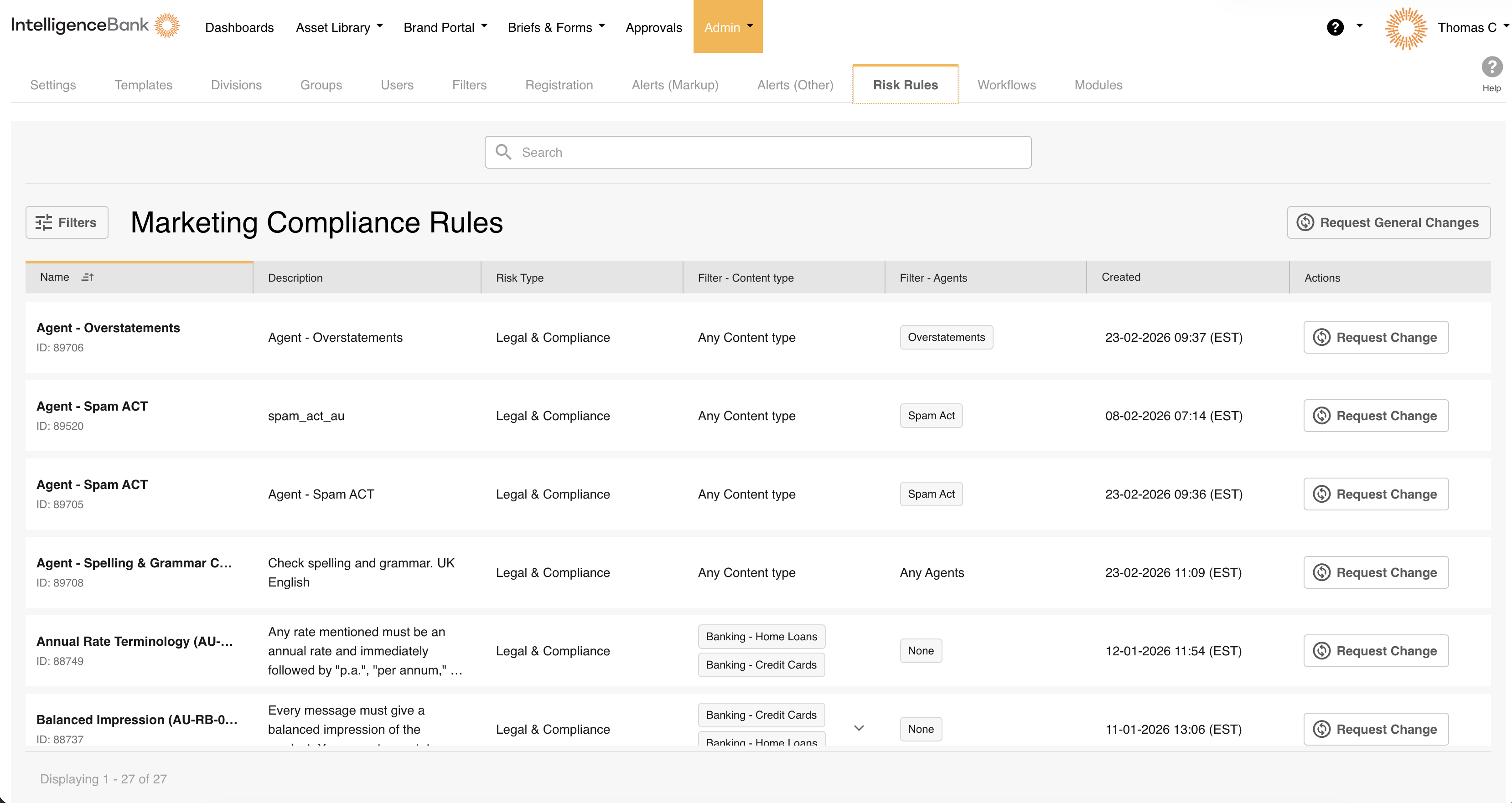
- If a rule needs to be updated or a new rule is required, users can submit a change request directly to the IntelligenceBank Rules team from within the same interface, no need to raise a separate support ticket.
- Rule include deterministic and AI rules, with additional rule detail available via clicking on the rule name opening the rule detail modal
Related Uplift
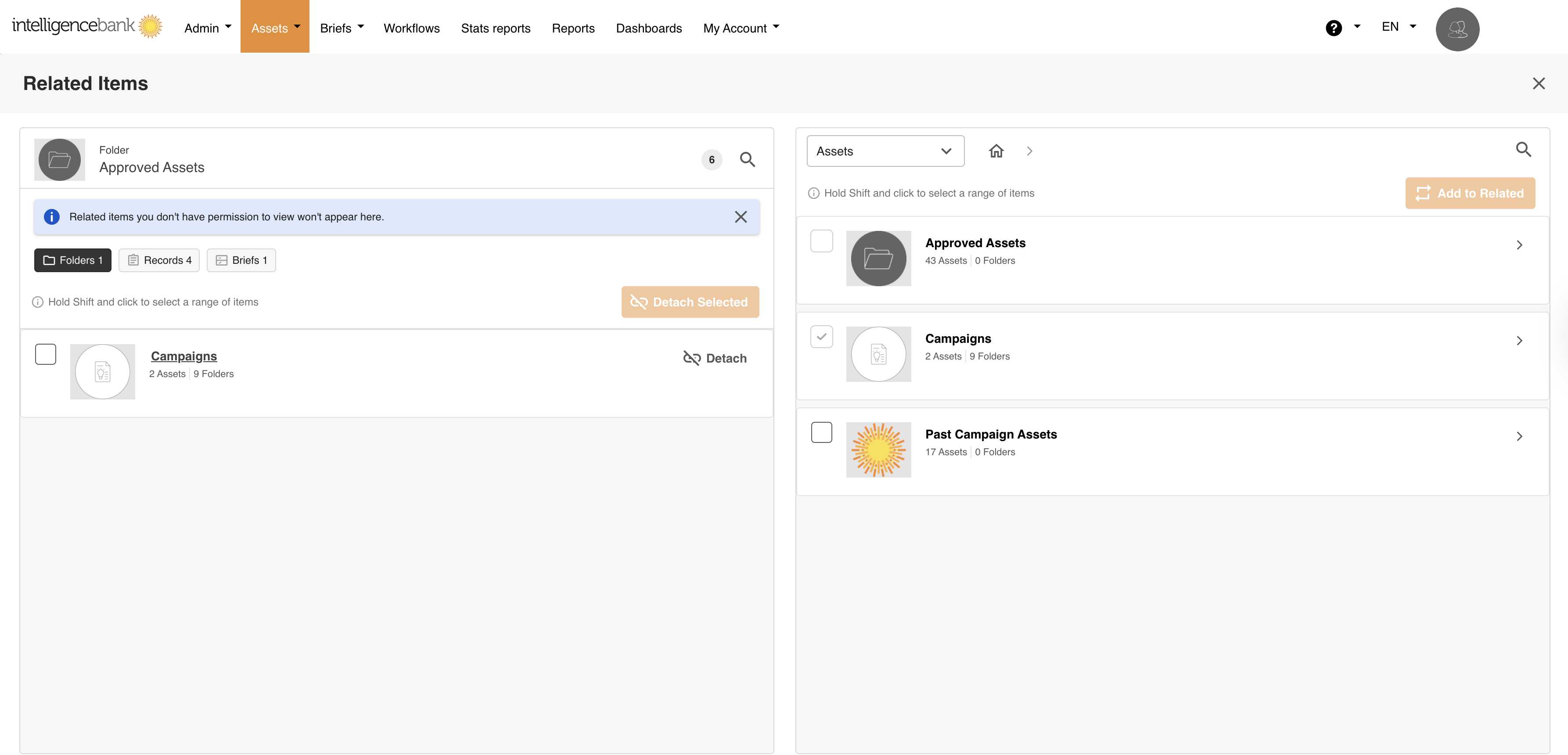
The Related feature has been refreshed with a modernized interface and faster performance, making it easier to link and navigate between assets, folders, records, and databases across your site. You can now select multiple items and relate or detach them in a single bulk action. Related actions are also captured in the User Usage Report, giving admins full visibility into who is relating and detaching items, and when.
Collection - Transfer Ownership
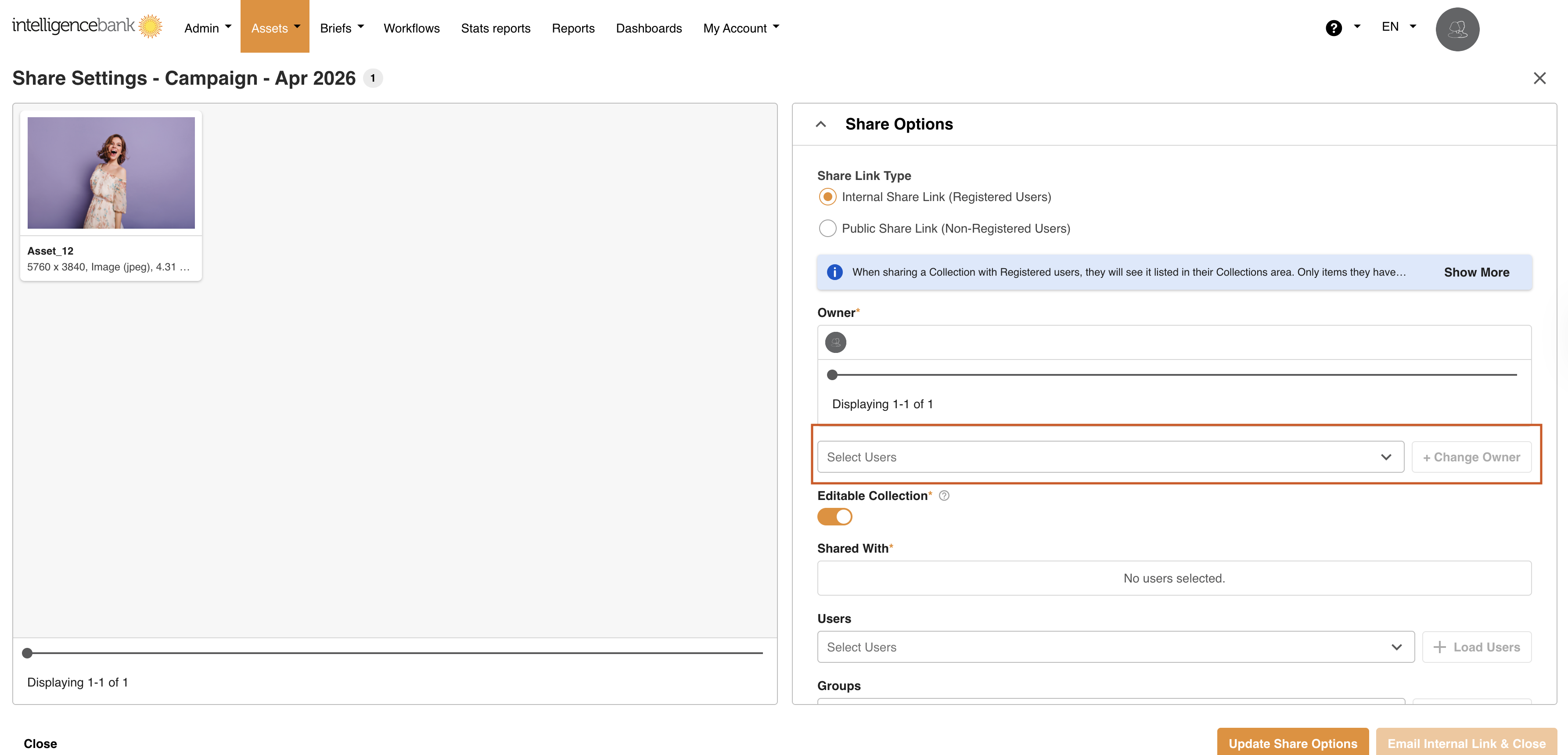
Collection creators and owners can now transfer ownership of a collection to another user. This is useful when team members change roles, move to a different project, or leave the organisation.
Collection - Admin Able to View All Collections
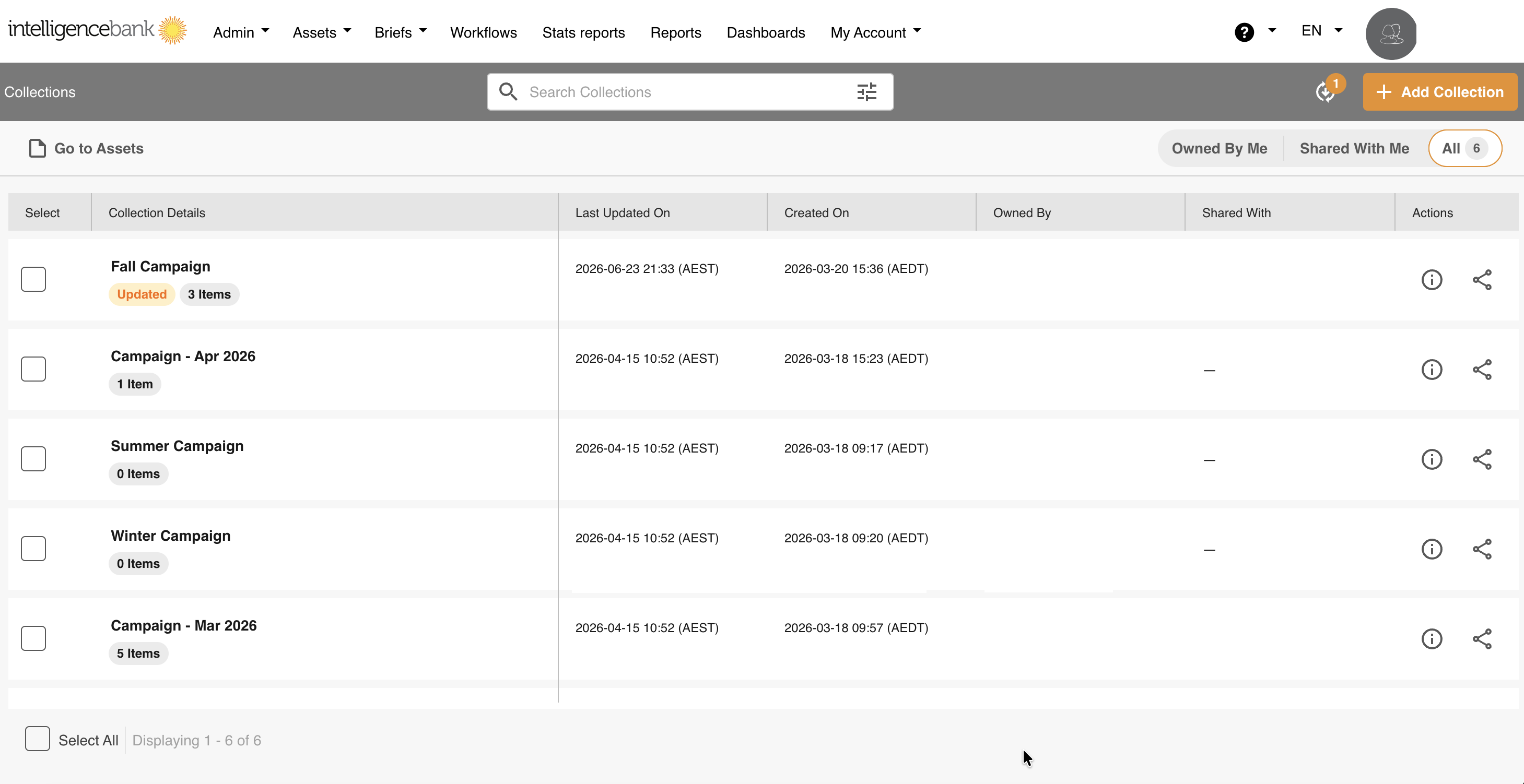
Admins who belong to the main admin group can now view and manage all collections across the platform. This includes the development of granular filters and quick-access filters in the collection homepage
Collection - Group Sharing Improvement
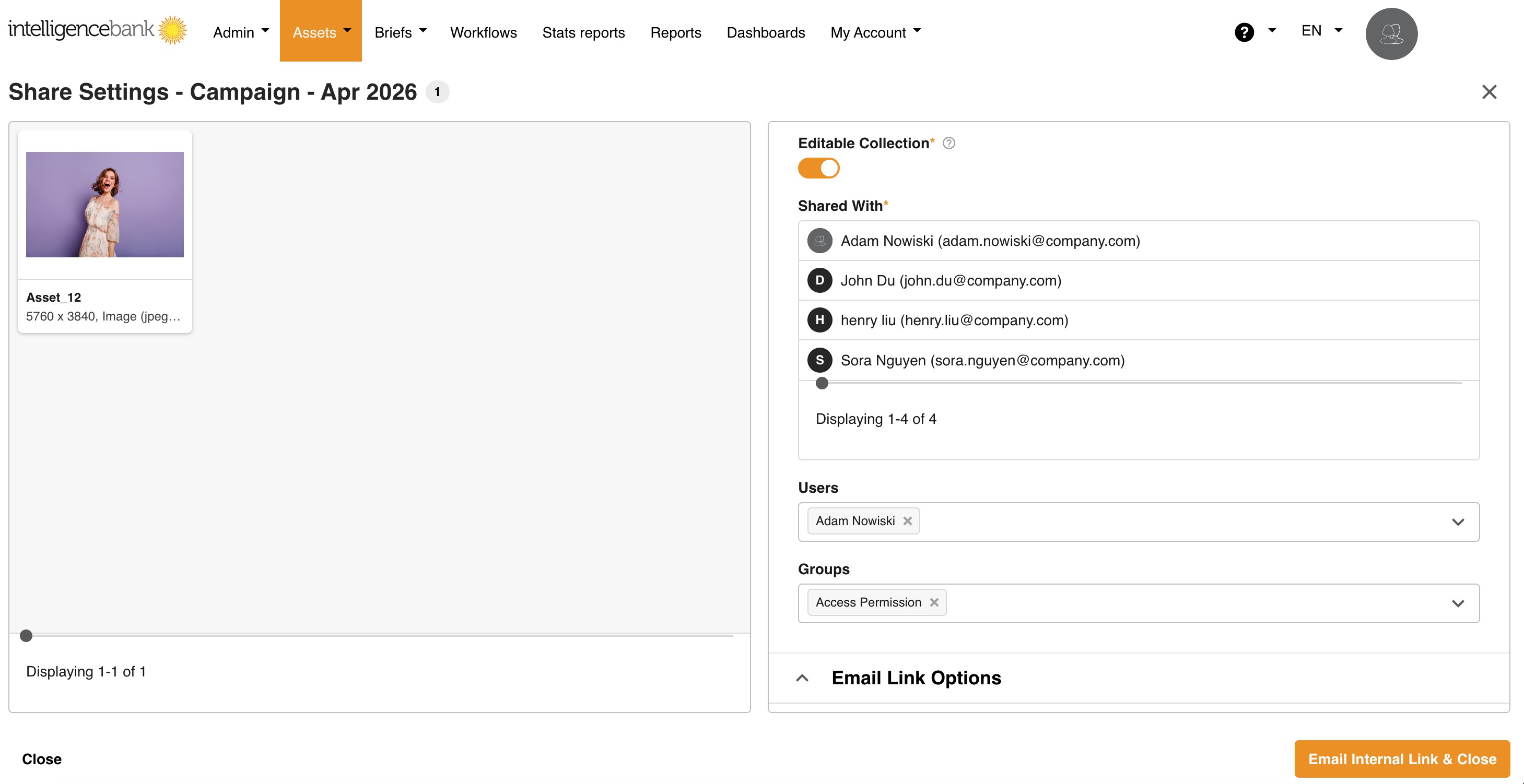
Collections shared with a group now automatically grant or revoke access as group membership changes. Previously, the share list was a static snapshot of users as the group members at the time of sharing. It requires manual updates when any users join or leave the group.
URL Snapshots in Compare Revisions
URL-based assets that use the snapshot preview are now supported in the Compare Revisions view. This brings URL content in line with file-based revision comparison, so teams can track changes to web-sourced assets over time.
Outlook Calendar Support in Custom Pages
Administrators can now embed an Outlook calendar view within a Custom Page, allowing teams to surface key dates and events directly inside the platform. Calendar appearance is customisable using the Custom Page CSS editor.
Need Help?
If you have questions about any of the updates above or need help configuring a feature in your environment, contact the IntelligenceBank support team.
Contact SupportWas this article helpful?
That’s Great!
Thank you for your feedback
Sorry! We couldn't be helpful
Thank you for your feedback
Feedback sent
We appreciate your effort and will try to fix the article