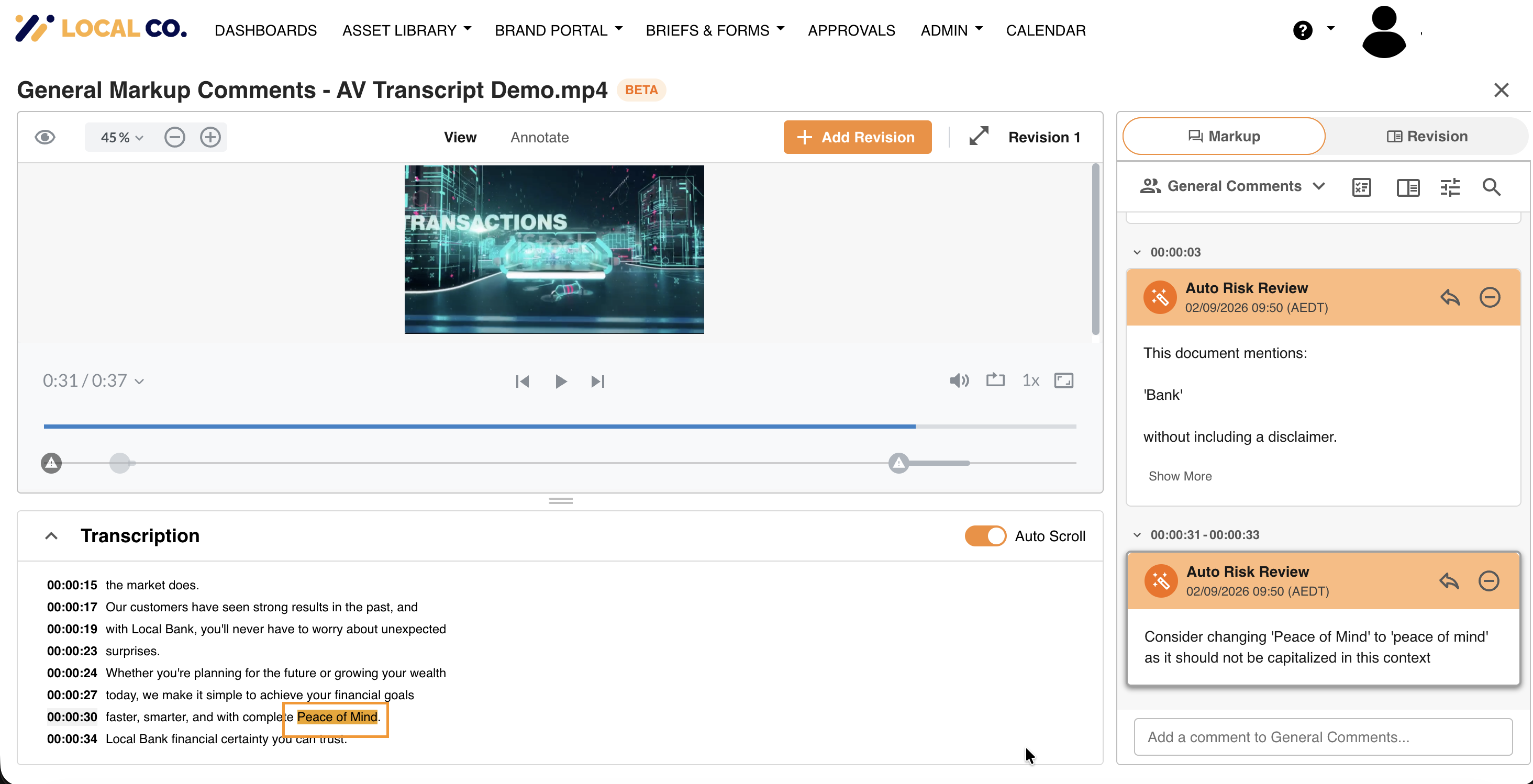
You can customise the highlight colour used to flag risky words found in your audio and video transcriptions. This customisation allows your team to choose a colour that best suits your brand or workflow preferences.
This feature is included with IntelligenceBank's Marketing Compliance package or any package that includes the Content Risk Review add on.
Main Admins will be able to configure the risk word high colour by following the steps below:
- Navigate to the Admin>Configuration>Global Settings area of the platform.
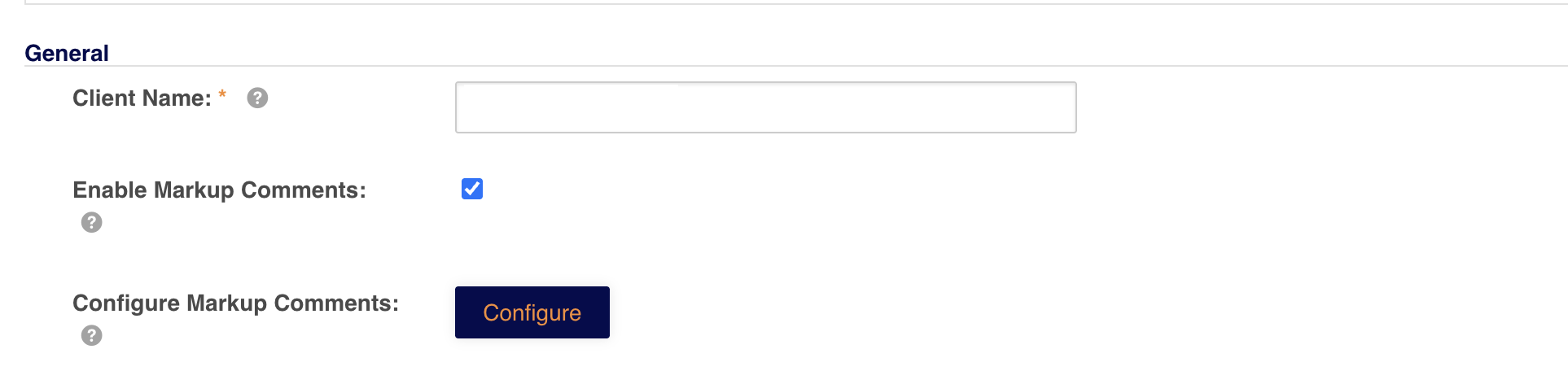
- Click Configure next to the Configure Markup Comments field.
- Locate the Transcript Words Highlight Color setting.
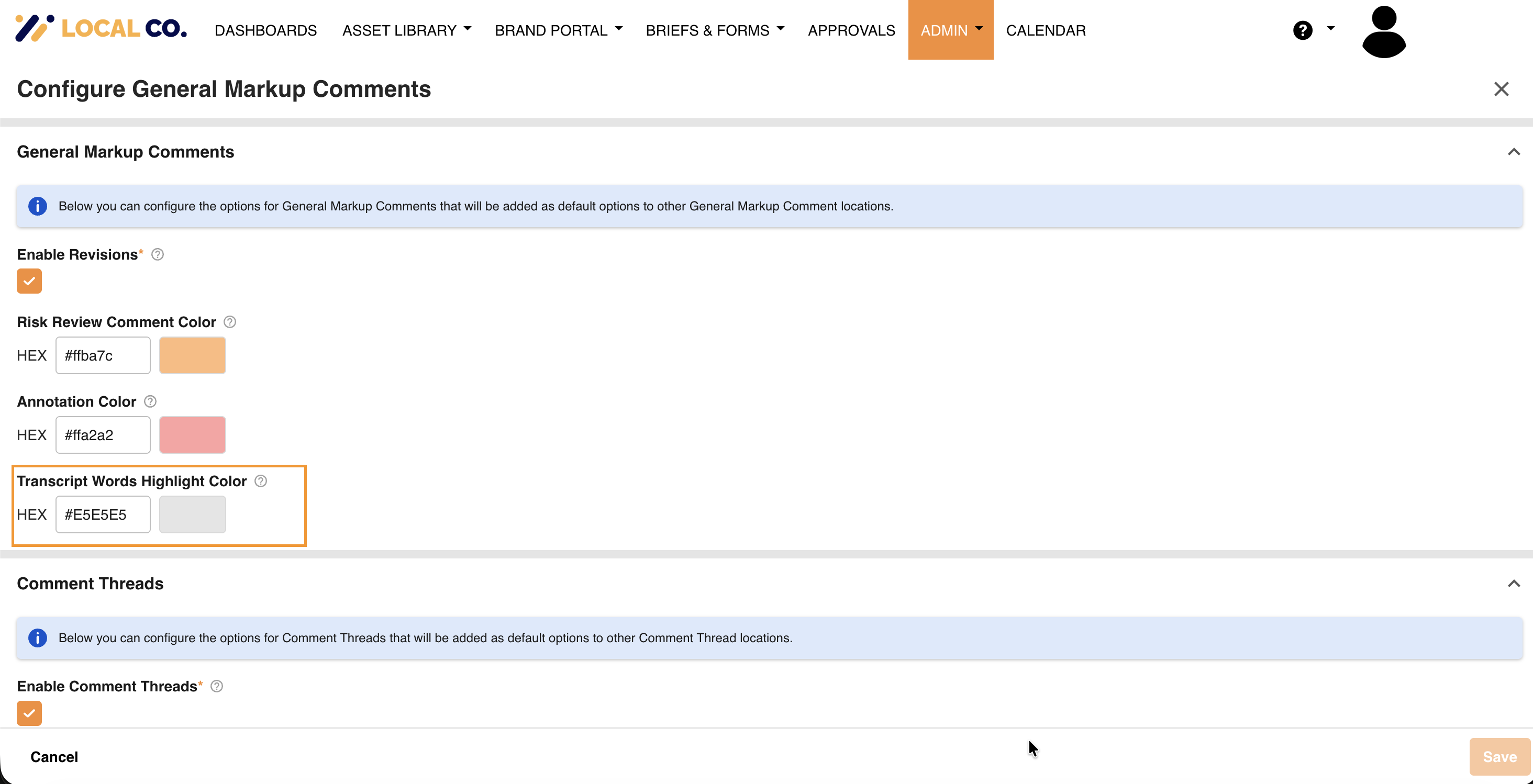
- Adjust the colour using the Color Picker or by entering a HEX code directly.
- Click Save. Once saved, the updated highlight colour will be applied to risky words in the transcription panel when reviewing audio and video files.
Was this article helpful?
That’s Great!
Thank you for your feedback
Sorry! We couldn't be helpful
Thank you for your feedback
Feedback sent
We appreciate your effort and will try to fix the article