Assets can be previewed within your Asset Library without needing to download them. You can also view additional information about an asset, such as its metadata, version history, aliases, or similar assets.
Table of Contents
Opening an Asset's Info Preview Page
To preview an asset and view its information, locate the asset and simply click on its thumbnail. You can also click the icon indicated below.
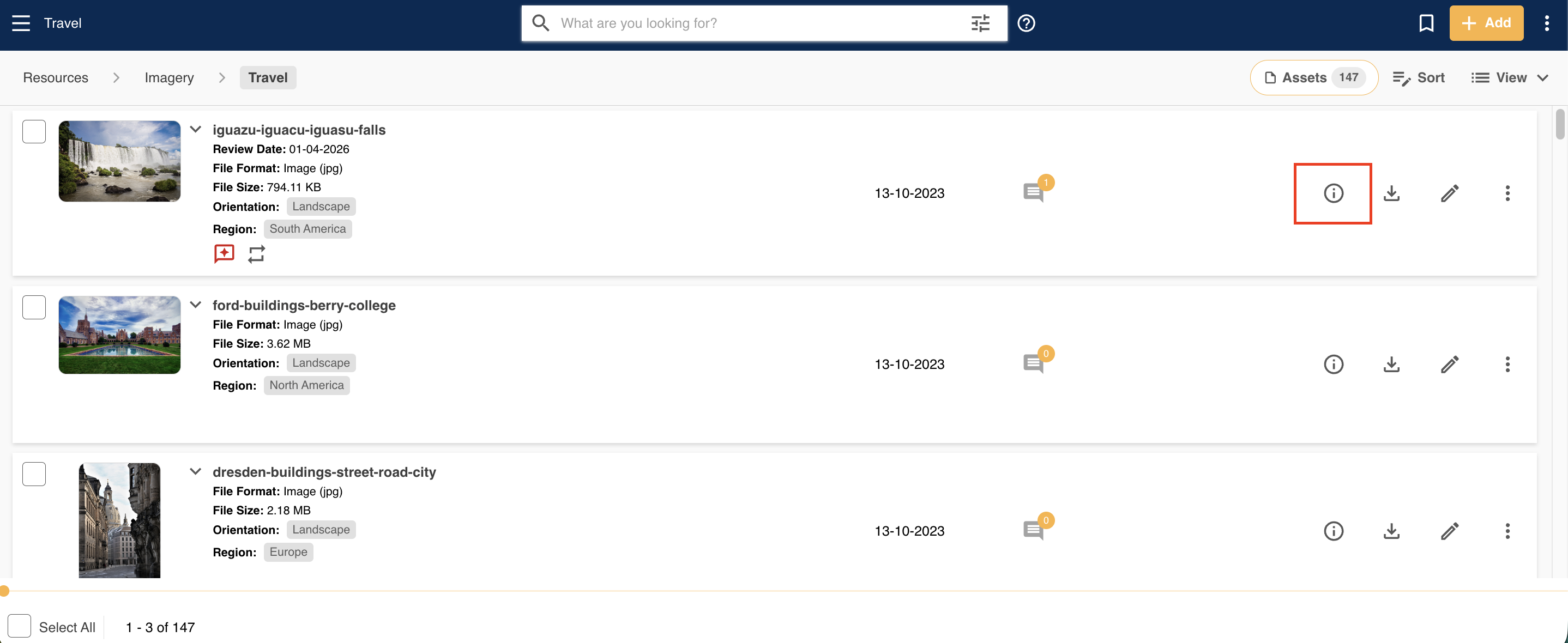
This opens the Info Preview page for the asset, where you can view a larger thumbnail on the left hand side for supported assets. On the right-hand side, you will see various tabs which will display different information about the asset.
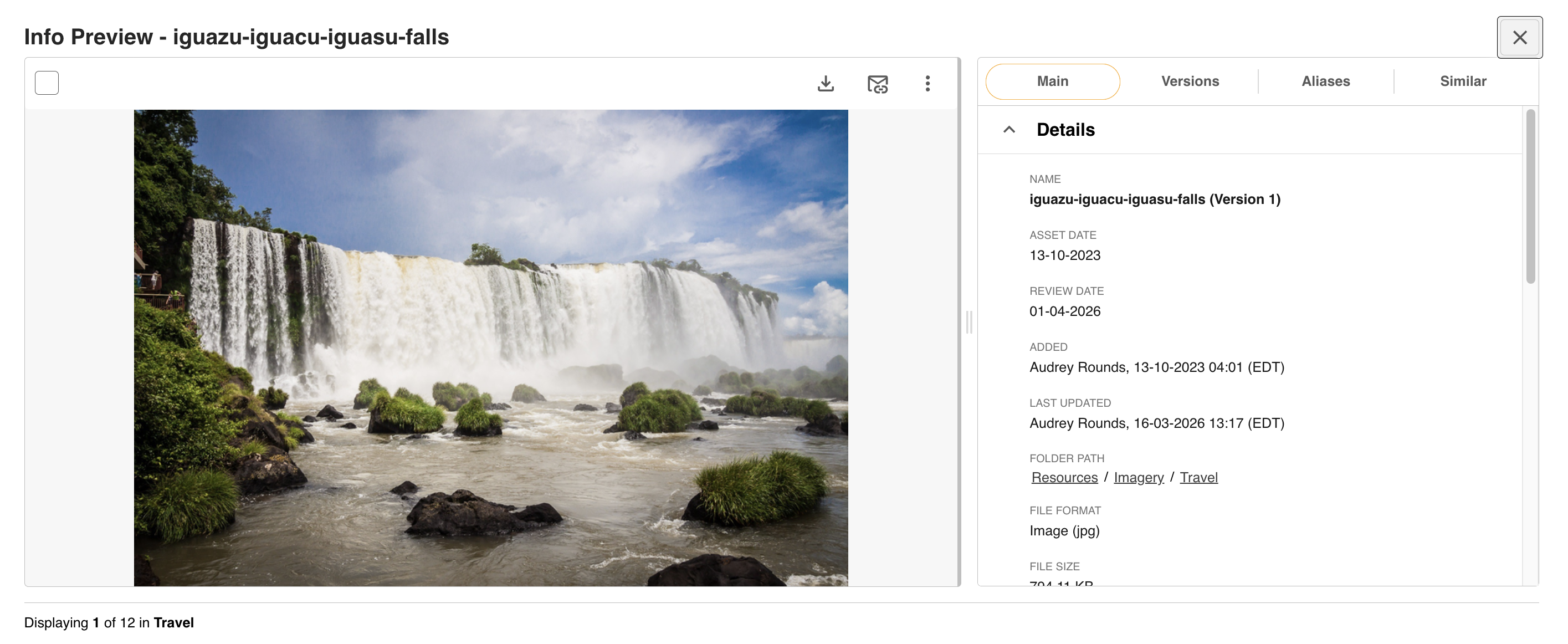
The Main Details Tab
The Main Details tab provides details and metadata saved against the asset, including:
- File name, asset date, review date (if applied)
- Who added or last updated the asset, and the date and time this occurred
- The folder path for the asset
- Keywords, filters, and embedded metadata
This is a good place to find information about the asset, including its keywords, filters, and other general details.
Versions, Aliases, and Similar Tabs
Depending on the asset and your permissions, you may also be able to see information within the following tabs:
- Versions: If you have permission to see version history, this tab displays previous versions of the asset, if any exist.
- Aliases: Displays any aliases of the asset, if it has any. Read more in About Aliases.
- Similar: Generates assets that appear similar to the one you're viewing. Read more in Similar Tab.
Previewing Video and Audio Assets
If you're viewing a video or audio asset, you can also play it directly within the Info Preview area, without needing to download it.
Was this article helpful?
That’s Great!
Thank you for your feedback
Sorry! We couldn't be helpful
Thank you for your feedback
Feedback sent
We appreciate your effort and will try to fix the article