IntelligenceBank's AI Asset Description feature automatically generates clear, professional descriptions for your images using AI. This feature ensures consistency in adding descriptions across your images and saves your team time and effort by eliminating the need to write manual descriptions. It also helps improve image searchability for your end users.
AI Asset Description is available and included as a part of IntelligenceBank's existing Asset Intelligence bundle.
Table of Contents
How AI Asset Descriptions work
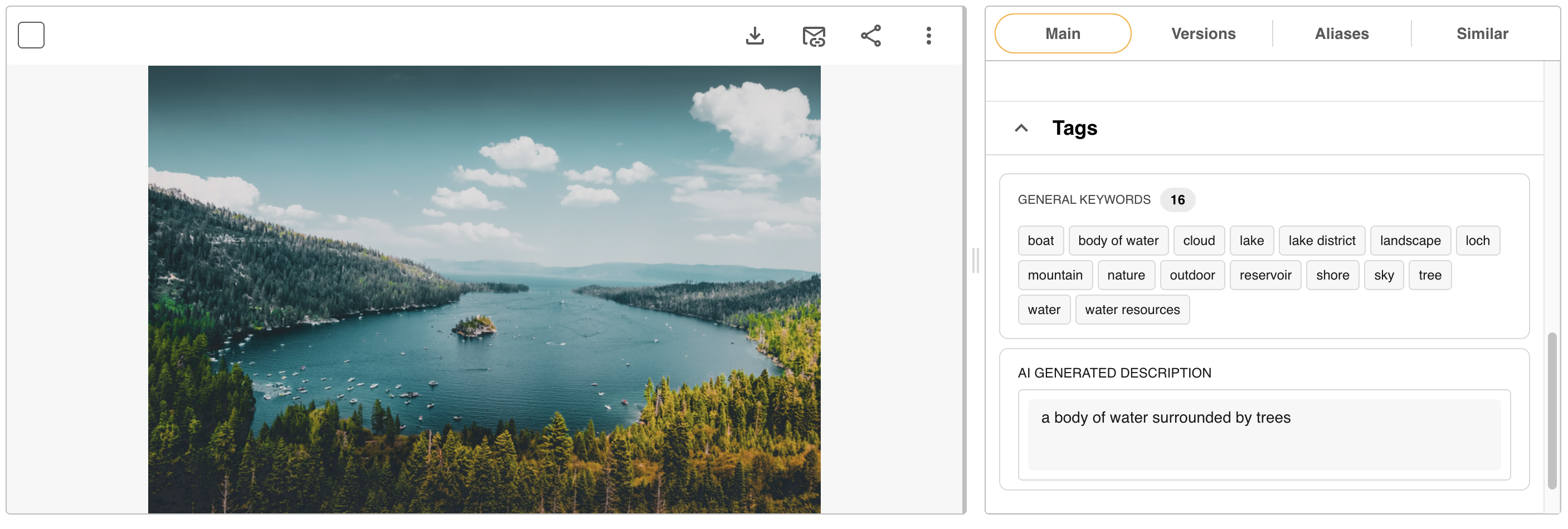
When enabled, AI Asset Description analyses your uploaded images and generates a text description of what the image contains. The description appears as read-only text in the Tags section of your images' Info Preview, Upload, and Edit pages. The AI-generated description is displayed separately from the description field found in the Main Details section (which is kept as a manual description field,) so it never overrides any of your images' existing descriptions.
AI descriptions are also searchable within your Asset Library, making it easier for your team to find the right images and improving your overall search coverage across the platform.
How to enable AI Asset Descriptions on your platform
Main Admins will be able to easily enable AI Asset Descriptions within their platform by following the steps below:
- Navigate to the Admin>Configuration>Global Settings area of the platform.
- Scroll down to the field called, "AI Generated Description" and select the checkbox to enable.
- Scroll to the bottom of the page and select "Save" to save your changes.

How to apply AI Asset Descriptions to images
Once AI Asset Description has been enabled in your platform, users with permission to upload or edit assets will be able to apply these descriptions either when uploading new images, or to existing images when editing.
AI Asset Descriptions can be applied to images via:
- Single Upload
- Bulk Upload
- Single Edit
- Bulk Edit
The AI Generated Description field will appear under the Tag section against an image's Info Preview/Upload/Edit page.
If your platform's settings allow for autotagging by default upon uploading assets, the AI Asset Description will generate when uploading images without you needing to toggle this feature on.
If your platform's settings don't allow for autotagging by default, you will need to toggle the AI Generated Description field on when uploading images for the description to generate. If uploading assets in bulk with this setting, you can determine which images you enable AI Asset Descriptions for, or choose to apply the feature in bulk, similarly to how applying other bulk metadata works.
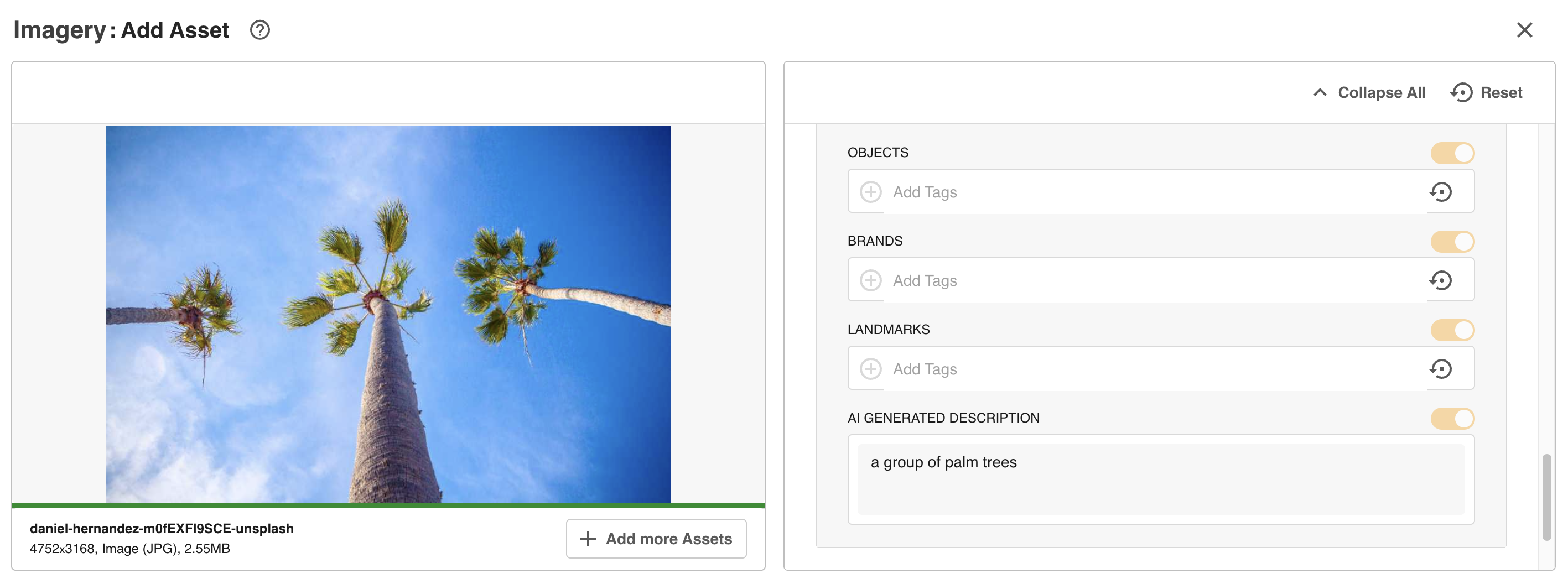
Select "Save" to save the AI Asset Description to your image(s).
To run the AI Asset Description feature against existing images, edit the image(s) and toggle the AI Generated Description field on. The description will then populate in that field.
Then, select "Save Changes" to save the image(s).
What file formats are supported?
AI Asset Description is supported for many common image file types, including:
JPEG, JPG, PNG, GIF, BMP, TIFF, TIF, WEBP, SVG, PSD, EPS, HEIC, ICO, AI, JP2, JPE, JPF, JPS, JPX, PAM, PBM, PPM, TGA, XBM, XPM, DNG, DCR, ORF, PEF
Was this article helpful?
That’s Great!
Thank you for your feedback
Sorry! We couldn't be helpful
Thank you for your feedback
Feedback sent
We appreciate your effort and will try to fix the article